
Participant
December 4, 2018
Answered

Creating a cylinder with 3d/Extrude and Bevel

  • December 4, 2018
  • 2 replies
  • 11617 views

Hi,

I would I create something like the attached, but instead of it tilting downwards, want it to appear head on. I know how to play with the tilt do once I'm in the 3D tool, but am not sure how to first create the base and top cylinders. I was taught how to do it a long time ago, and recall starting with a half circle, but don't remember.

Any assistance would be greatly appreciated. Thanks!

Bobby
    This topic has been closed for replies.
    Correct answer michelew83603738

    bfingeroth

    Maybe you are mapping to the wrong face

    on Map Art,  Surface select  and the correct one.

    You would probably get a cleaner result without effects.

    Drawing a sphere

    Shift + Alt drag it to make a copy or two.

    Use the pen or line tool to form the sides

    Then select all and use the shapebuilder tool,  to drag and make shapes.

    Next add a gradient fill, maybe one from the  Swatches library menu ( bottom of panel)

    Gradients > Metals


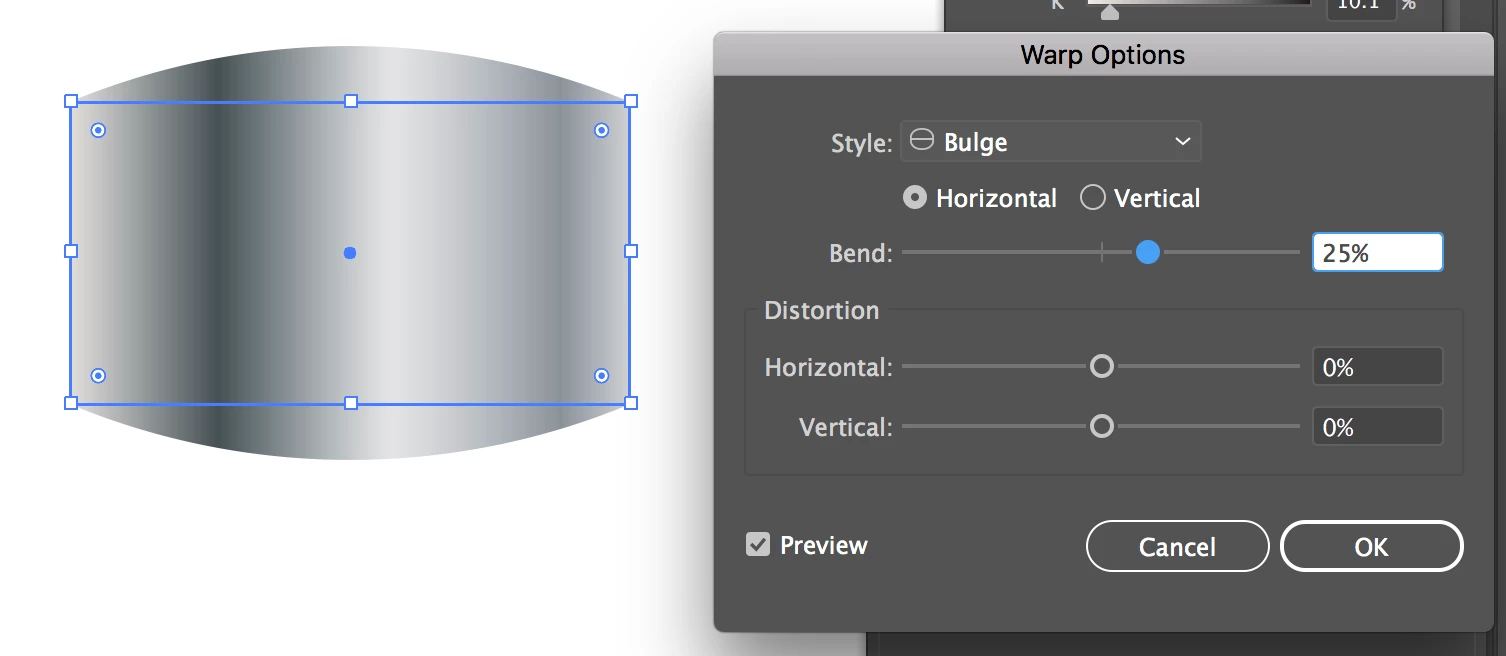
    If that is the view of the cylinder that you actually want, then you might be better off just creating a rectangle with the gradient in it and using a bulge effect on it. It remains editable through the appearance panel and if you need to, you can expand the appearance to do other things.

    2 replies

    Eugenio.NYC
    Participating Frequently
    December 5, 2018

    Hi there

    Another option is to create two rectangles and group it

    then apply the 3D revolve

    Best

    E

    michelew83603738
    Community Expert
    Community Expert
    December 4, 2018

    Can you include a screenshot so we know what you are talking about.

    Participant
    December 4, 2018

    Of course. Sorry!

    michelew83603738
    Community Expert
    Community Expert
    December 4, 2018

    You can start with a circle or oval:

    Go to Effect>3d>Bevel & Extrude

    Then decide how deep you want that extrusion and what view you want by rotating the cube. You can play with the lighting by clicking on the surface shading and more options. If you want a gradient on top, not just the light effect, you need to create a gradient symbol and then go to map art option and find the correct surface to map it onto it. If you use a fill with a gradient and then create a 3d effect, it will just turn gray.