
Inspiring
March 27, 2022
Answered

creating mask with a group of objects
  • March 27, 2022
  • 1 reply
  • 705 views

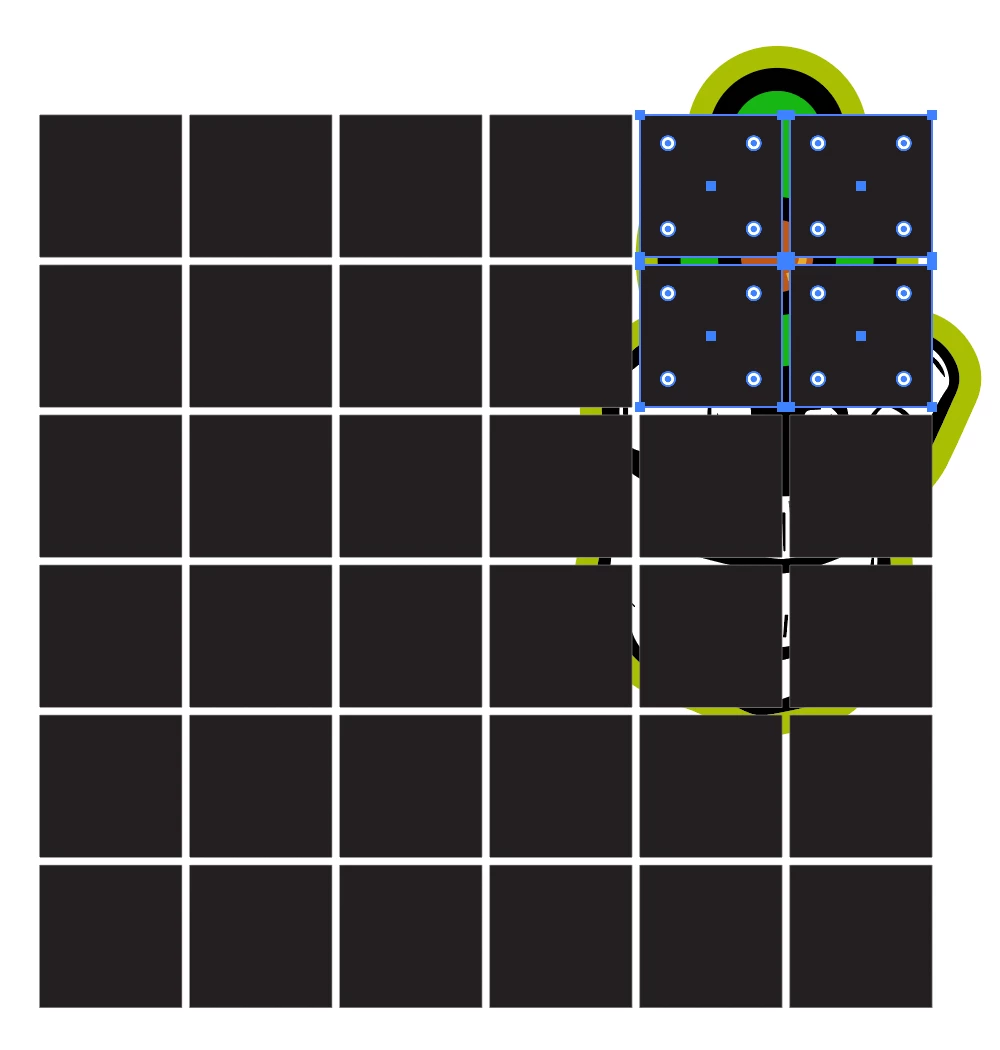
Hello! I would like to know how I can make a mask of multiple objects, in this case, four squares (selected above). I grouped the squares and tried to make a clipping mask, but that did not work out. Do I have to send to back an image for every square mask I want to create? Thank you for your time!

This topic has been closed for replies.
Correct answer Ton Frederiks

You can try to first make them into a Compound Path and then use that as Clipping Mask.

1 reply

Ton Frederiks
Community Expert
Ton FrederiksCommunity ExpertCorrect answer
Community Expert
March 27, 2022

You can try to first make them into a Compound Path and then use that as Clipping Mask.

WOIEJOAuthor
Inspiring
March 28, 2022

I tried making a compound path, but one of the squares went transparent.. did I do something wrong?

WOIEJOAuthor
Inspiring
March 28, 2022

I think it had something to do with the fact that I used the transform effect under "Distort & Transform" to create the spaced out copies. I remade the grid just using shapes and smart guides and did not see any issues with making a mask. Thank you for your time, I really appreciate it!