


Copy link to clipboard
Copied
Hi
I have a symmetrical pattern that I would like export as a tile for a website.
I would like to know how to make the pattern automatically fit into a symmetrical illustrator shape (square) that I'm using as a background layer, so that when it is exported as an svg or png it will repeat perfectly when used as a tiled background.
Just to be clear, I know how to do the clipping mask, and how to make the actual pattern, what I need to do is make it align within the square, so the tile itself will align perfectly when repeated.
There must be a setting to control this instead of having to eyeball it?
Any help would be wonderful.
Paul.


 1 Correct answer


Hi Paul,
if you want to export a single pattern tile, you first crete the pattern (in your case a rotated square).
Then select the pattern tile in your Swatches Panel and drag it to your Artboard.
If you look in your Layers panel you will notice that the last object in the pattern group is a rectangle.
If you select only that rectangle and choose Object > Artboards > Fit To Selected Art.
it will make your artboard as big as the single pattern tile.
Export it and you will have the repeat for your patt
...

Explore related tutorials & articles
 15
Replies
15
15
Replies
15


Copy link to clipboard
Copied
Which version of Illustrator are you using?
Can you show your pattern?
Copy link to clipboard
Copied
Hi Kurt,
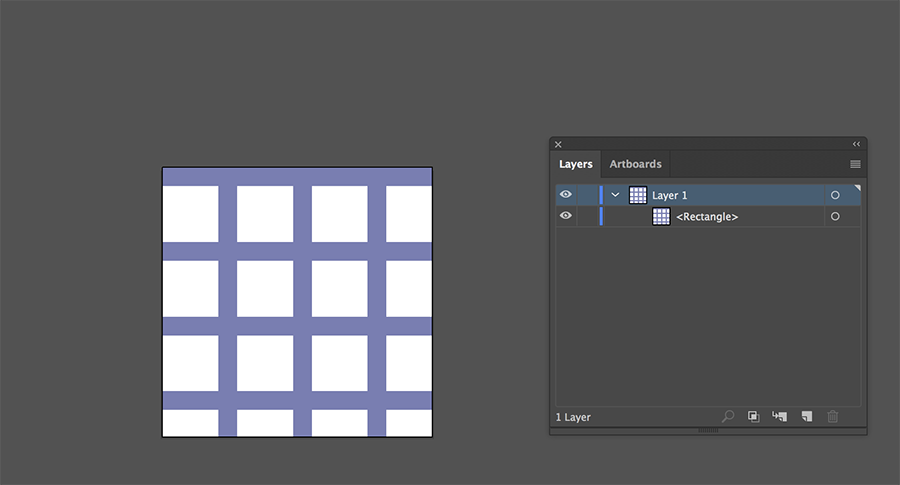
I'm using Illustrator CC 2017. Below is the pattern, it a series of squares which I have inside a parent square (i've added a rectangle as a context layer that is the same size as the art board, and then clicked on the pattern from my swatches panel). I'd like to have it so I can have this mesh effect repeat seamlessly once I export this art board as an svg image.
I can't work out how to set the mesh pattern inside the square so that the exported file will have the correct sizing to repeat seamlessly? I know I can change the pattern dimensions via Object > Transform > Scale > Transform Pattern, but this would then mean trying to painfully eyeball the correct dimensions for the square tile to repeat properly?
Copy link to clipboard
Copied
Do I understand correctly that you want to export the tile only?
If the tile is made from a square it should be easy.
Just drag the pattern from the Swatches panel.
Direct select the backmost rectangle.
Choose Object > Artboards > Fit To Selected Art.
The only problem with exporting for web/screen use is that the rectangle size must not contain fractional pixels to avoid anti-aliasing artefacts.
Copy link to clipboard
Copied
Hi Ton,
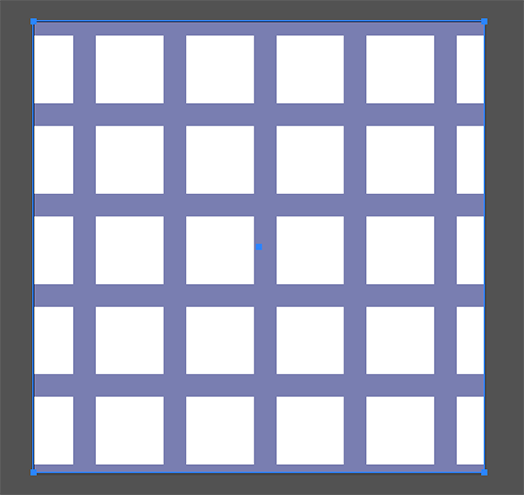
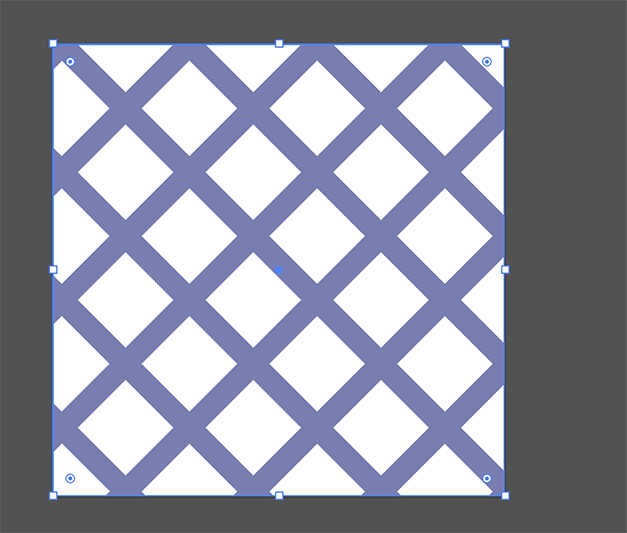
I've tried what you said when I re-made the pattern, which does now look like it will tile out from the centre point (see first image below).
I've realised I need the mesh to be rotated 45 degrees, which i have done on the second image below, but this then affects the symmetry of the repeat. I can't work out how to rotate the pattern and have the object fit to selected artwork after the pattern has been made, so the exported square will then tile correctly?
Copy link to clipboard
Copied
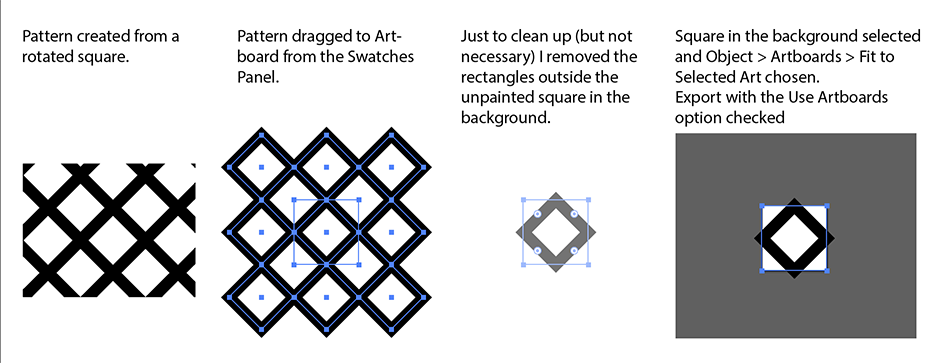
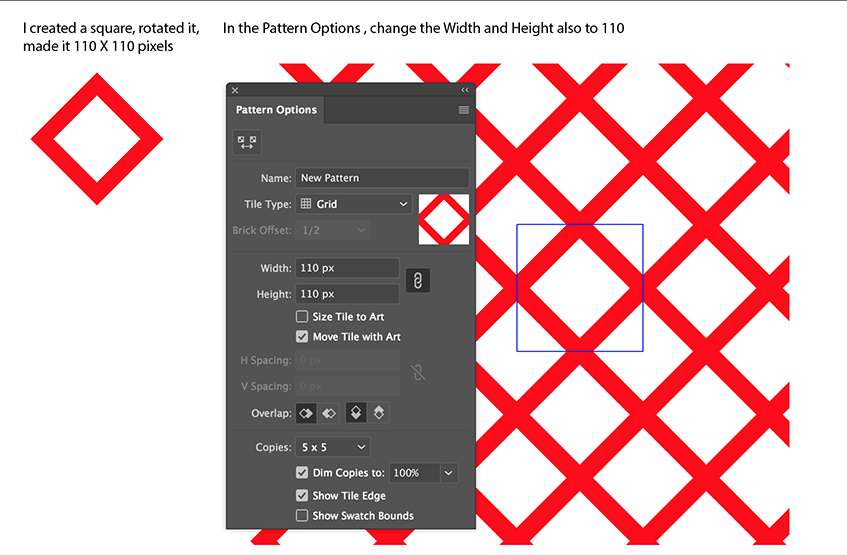
You would make your life easier if you create the pattern from a rotated square.
Copy link to clipboard
Copied
Like this:
Copy link to clipboard
Copied
Hi Ton,
I don't understand what you've done there at all.
Paul
Copy link to clipboard
Copied
Hi Paul,
if you want to export a single pattern tile, you first crete the pattern (in your case a rotated square).
Then select the pattern tile in your Swatches Panel and drag it to your Artboard.
If you look in your Layers panel you will notice that the last object in the pattern group is a rectangle.
If you select only that rectangle and choose Object > Artboards > Fit To Selected Art.
it will make your artboard as big as the single pattern tile.
Export it and you will have the repeat for your pattern.
Copy link to clipboard
Copied
Hi Ton,
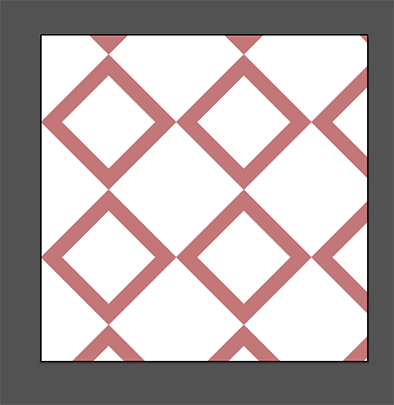
Mine comes out like this? (two images below). When i use a rotated square i can't get the stroke to interlock like yours does?

Copy link to clipboard
Copied

Copy link to clipboard
Copied
Hi Paul,
Which application you use for building your website. In HTML and CSS you can create tiling background by placing one image CSS background-repeat property
In this case you do not need to create pattern
Copy link to clipboard
Copied
Of course you need to create a pattern first.
How would you know how it is going to look and if the 4 sides match?
But you don't need to export the pattern, but only one pattern tile.
Copy link to clipboard
Copied
Yes I know about all the different background CSS properties, it was just the client needed a certain effect on a series of different divs and the mesh pattern needed to go from the centre out in a uniform way across all of them.
Ton's answer did do this after I exported the file. I don't use Ai very often hence the knowledge gap.
Thanks for your help though.
Paul.
Copy link to clipboard
Copied
Thanks Ton, I get it now. It has worked a treat.
I very much appreciate your help!
Paul
Copy link to clipboard
Copied
Glad that worked for you, Paul!


Get ready! An upgraded Adobe Community experience is coming in January.
Learn more
 AdChoices