
Custom pattern swatch disappearing when moving object in Illustrator
I created this wood grain pattern and embedded it as a swatch (I imbedded it because it wouldn't allow me to make the pattern a swatch otherwise). When I move the piece of lumber around the screen, sometimes the pattern disappears entirely, sometimes it disappears partially, and sometimes it remains on the object. If I move it enough times, the pattern will often reappear in its original form. Here are some versions I get, simply from moving the object around:

When I copy and paste more of the same object (e.g. to make a pile of lumber), sometimes they paste as the original, and sometimes they lose some or all of the texture. In the below image, I was pasting two pieces of lumber at a time, and it was working fine until I got to the fourth row, where one piece is missing some of its texture. When I export the file, it is still missing part of the texture, seen below in the exported image:
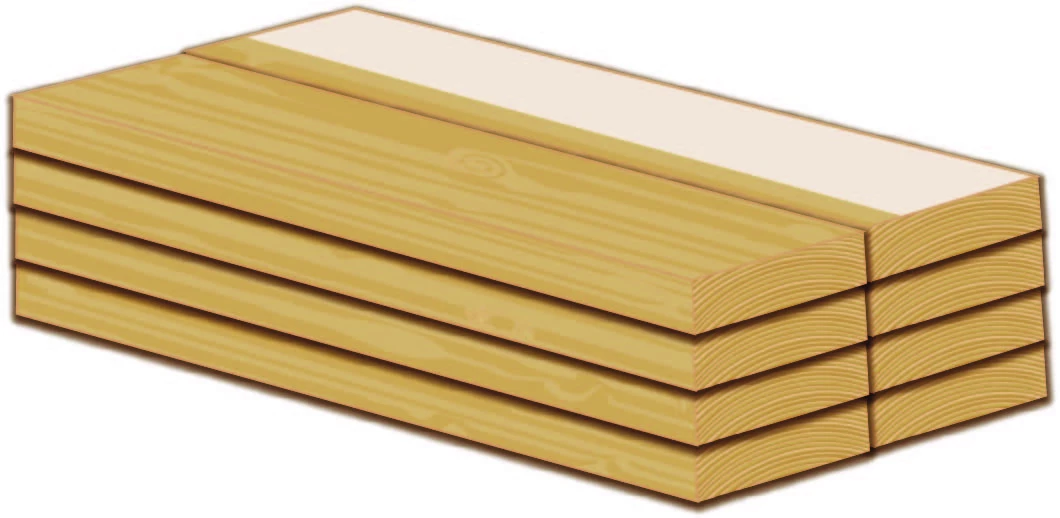
I would appreciate any ideas to resolve this.


 AdChoices