
Participant
August 7, 2025
Answered

Custom stroke settings

  • August 7, 2025
  • 1 reply
  • 216 views

Hi yall,

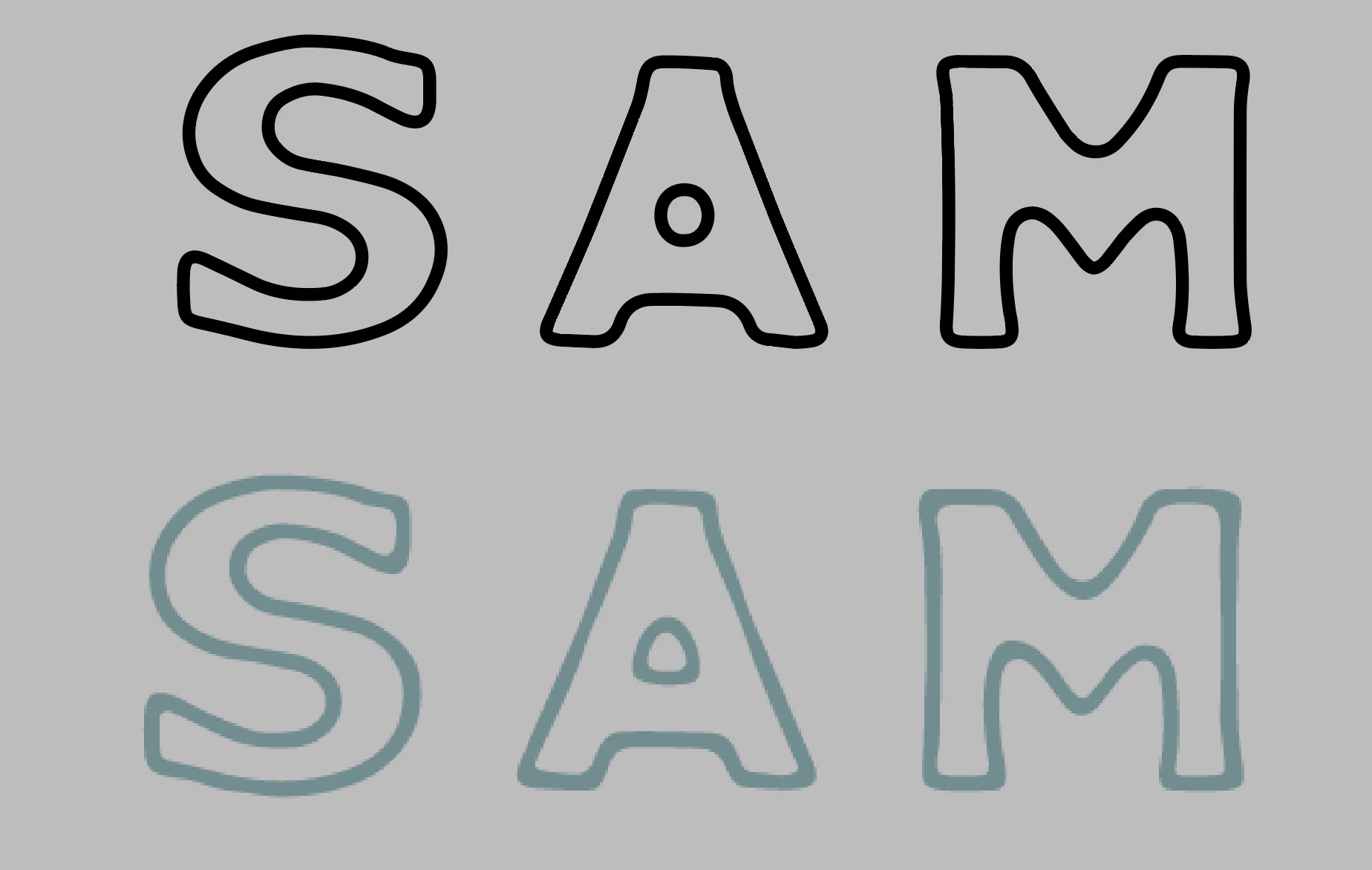
I'd like to make the black stroke look like the screenshotted stroke in blue underneath. The difference is subtle, but the internal corners are softer and the line weight varies slightly around the letter, not sure how to achieve this??

Not sure if its done as a stroke or after expanding, but I've tried Distort/Roughen and different brushes and its not looking right, any help appreciated thanks!!


Correct answer Monika Gause

Is there a way of getting that style without using a brush or the roughen setting? Is there any other tool or technique in illustrator that could get that outcome without then handrawing?


Thank you so much for your help!!


Brush

Outline & Roughen effect

Width tool

Plugins (stute Graphics, not free)


Those are your options.

1 reply

Monika Gause
Community Expert
Community Expert
August 7, 2025

Roughen could work if you first apply the Outline stroke effect and then Roughen. Make sure that in the Appearance panel Outline stroke is also sitting on top of Roughen.


You could also check out the Width tool.


Participant
August 8, 2025

Thank you so much for responding!! I gave it a go but its not quite right.

Attatched are some exapmles of what I think are the same technique, the path drawing and compound path drawing are identical apart from style (so i imagine the path drawing was done first and then expanded) do you think theres a way to edit drawings like this overall? or was this done line by line?

Monika Gause
Community Expert
Community Expert
August 8, 2025

You do not need to outline strokes. 

Check out this: https://youtu.be/2fysAC3Dh7M