
adinmilo
Participant
January 15, 2018
Answered

Cutting or Deleting overlapping lines

  • January 15, 2018
  • 2 replies
  • 59146 views

Hey everyone.

I'm just trying to finish up a sketch for a client. I rarely use Illustrator but I thought I'd do it for this particular job due to the ability to scale the art up and down.

I come from a background of using Photoshop and Toon Boom. Both of which let you use your drawing tablets really efficiently. Toon Boom also give you the ability to delete over lapping lines, which I think is super clever and important when you are trying to get a Vector art piece to have nice fluid pressure lines.

Is there a feature in AI that lets you delete overlapping lines when I'm using the brush tool to draw?
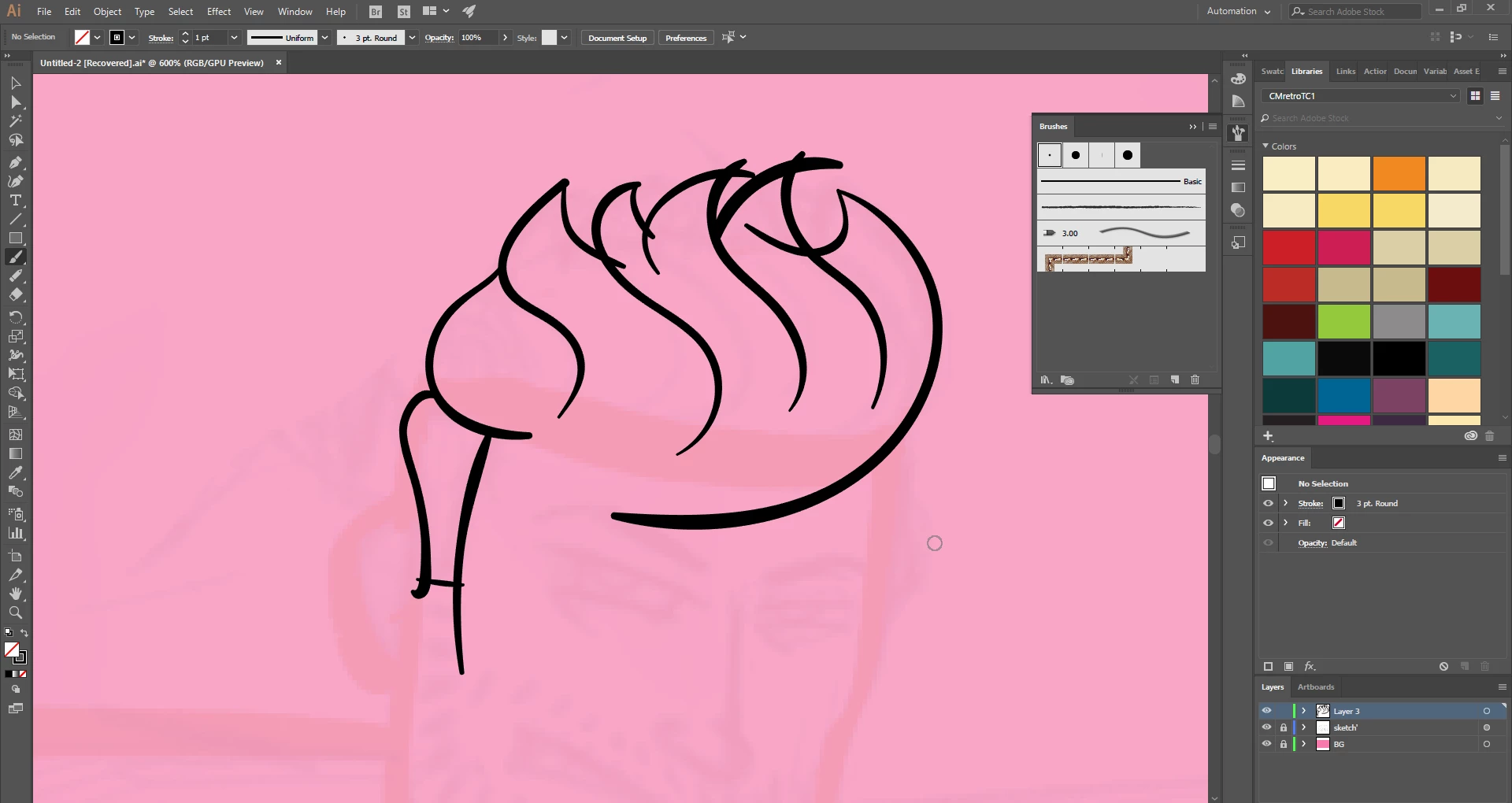
Or is there a better approach to doing this kind of pressure sensitive drawings and making it cleaner.

-A

    This topic has been closed for replies.
    Correct answer Omar.Fathy

    There are a lot of methods to do that in Illustrator.
    1- Use the Path Eraser Tool after selecting your path and Click+Drag on the part you need to delete.
    2- Use the Scissors Tool and click to cut your path [click on the path] then delete.

    3- you can use the Shape Builder tool also but it'll be good by converting your paths to shapes.
    ---

    Here a quick video for that:
    Path Eraser Tool & Scissors Tool in Illustrator - YouTube

    2 replies

    Monika Gause
    Community Expert
    Community Expert
    January 15, 2018

    When shortening paths that have a brush applied, the look of the path will change, because the same brush is then applied to a shorter path.

    Omar.Fathy
    Community Expert
    Omar.FathyCommunity ExpertCorrect answer
    Community Expert
    January 15, 2018

    There are a lot of methods to do that in Illustrator.
    1- Use the Path Eraser Tool after selecting your path and Click+Drag on the part you need to delete.
    2- Use the Scissors Tool and click to cut your path [click on the path] then delete.

    3- you can use the Shape Builder tool also but it'll be good by converting your paths to shapes.
    ---

    Here a quick video for that:
    Path Eraser Tool & Scissors Tool in Illustrator - YouTube