
Participant
March 18, 2016
Answered

Delete everything outside an object

  • March 18, 2016
  • 5 replies
  • 41318 views

Hi there all,

First time using illustrator today, and really quite enjoying it.

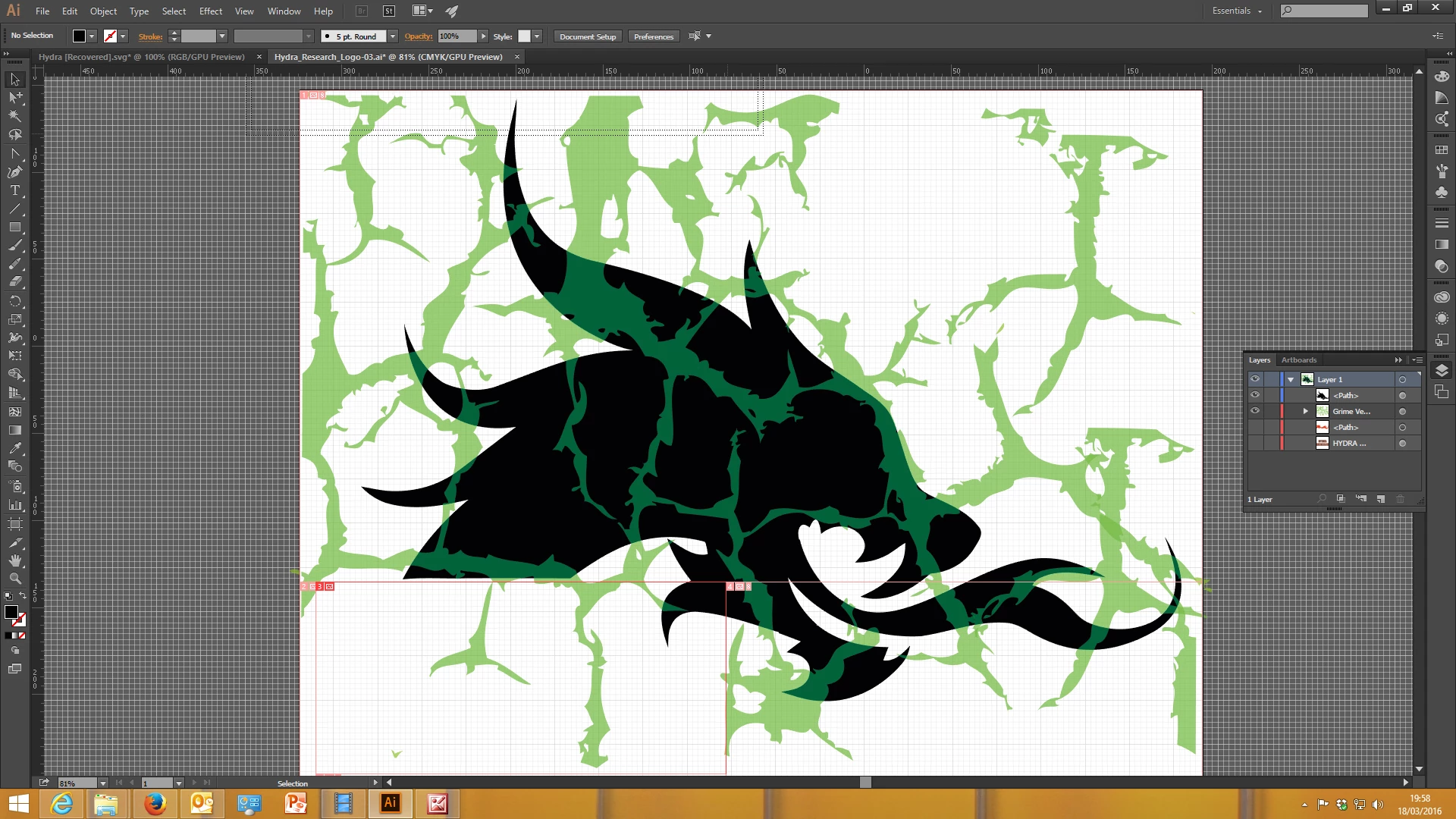
But I do have a problem I cant seem to solve.  See attached image.  I have a vector graphic in black and one of illustrators stam tools for grime in green.  What I want to do is keep everything in the black including the green colour, but everything outside the black to delete.  Been at it for hours now, and have decided to ask for some advice.

Kind regards,

Chris.
This topic has been closed for replies.
Correct answer Monika Gause

Edit > Cut all the green things.

Select the black shape.

Press SHift + D and then SHift + D again, which brings you in Draw inside mode.

Paste in Place.

5 replies

tigersoft1998
Participant
March 21, 2016

Help me alot

Monika Gause
Community Expert
Community Expert
March 21, 2016

You're welcome.

Can you please mark the answer that helped you most to solve the question so others can refer to it? Thank you.

Participant
March 20, 2016

Sorry guys, the above didnt work.  Still trying to find a way.  I can do it in photoshop but the result is not a vectored drawing

Monika Gause
Community Expert
Monika GauseCommunity ExpertCorrect answer
Community Expert
March 20, 2016

Edit > Cut all the green things.

Select the black shape.

Press SHift + D and then SHift + D again, which brings you in Draw inside mode.

Paste in Place.

Kris Hunt
Legend
March 18, 2016

Move the black shape to the front, select the black and green shapes, and select Object > Clipping Mask > Make. The black will disappear, but you can direct-select it and replace the black fill. This is better than actually deleting everything outside the shape, because you can now move the grime around to reposition it if you need to.

Mike_Gondek10189183
Community Expert
Community Expert
March 18, 2016
  1. Cut black shape to clipboard
  2. Command A to select all
  3. Command F to paste in front
  4. Commadn A to elect all
  5. Command 7 to mask
  6. Command B to paste a copy of the black to the back.

If you are on windows use Ctrl instead of command

AprilBelieve
Participant
November 12, 2021

These steps worked perfectly for me.  Thank you so much!

Kurt Gold
Community Expert
Community Expert
March 18, 2016

Take a look at Pathfinder, Clipping Masks, Shape Builder tool etc.