

Detailed Performance Test: ASUS laptop (2019) with Quadro RTX 3000 VS old Alienware laptop (2013)
I had posted a compatibility issue 3 days ago:
While that post focuses on the compatibility issue, this post focuses a performance test.
The following two laptops are used in a performance test in Adobe Illustrator 24.0.2 (64-bit).
Laptop 1:
Alienware (2013) 17.2 inch
System: Windows 7 Ultimate
Adobe Illustrator Version: 24.0.2 (64-bit)
CPU: Intel i7 4700MQ 4 cores 2.40GHz
Memery: DDR3 16GB
HardDrive: SATA 750GB 5400RPM + 64GB solid state drive
GPU: Nvidia GeForce 765m with 2GB GDDR5
GPU driver version: 419.67 with release date 2019 Mar. 17th.
Laptop 2:
ASUS (2019) ProART Studiobook Pro 17inch.
System: Windows 10 Pro
Adobe Illustrator Version: 24.0.2 (64-bit)
CPU: Intel 9th gen i7 9750H 6 cores 2.60GHz
Memory: Crucial DDR4 64GB(32GBx2) 2666MHz
HardDrive: Samsung PM981 NVMe M.2 with 1TB storage
GPU: Quadro RTX 3000 with Max-Q design
The latest GPU driver was downloaded from here:
https://www.nvidia.com/Download/driverResults.aspx/157543/en-us
GPU driver version: R440 U6 (442.50) with release date 2020 Feb. 27th.
TEST I:
Both laptops are loaded with the same Illustrator file 1 (106MB), and see that green mouse cursor on the top-right of the following screenshot - when I click "Properties", let's test how long I have to wait until the menu associated with the "Properties" completely appears.
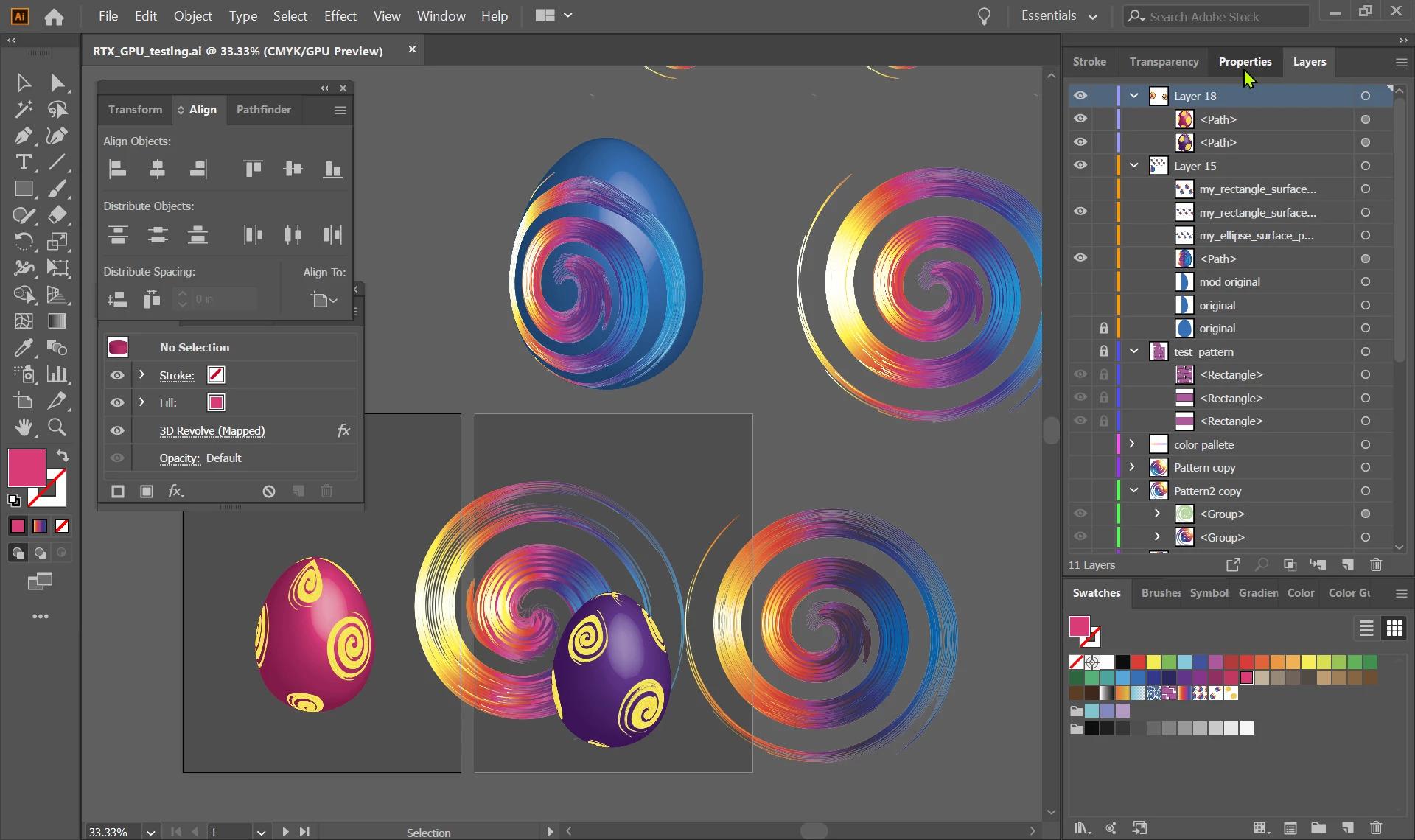
The 3 Results (the shorter time the better) are :
(1) In ASUS laptop (2019) with Quadro RTX 3000, "GPU Preview" is turned on in the Illustrator.
Waiting time: approximately 3 seconds. (The GPU usage is about 50%)
(2) In ASUS laptop (2019) with Quadro RTX 3000, "GPU Preview" is turned off in the Illustrator, so it only allows CPU Intel i7 9750H to do the same job.
Waiting time: approximately 2 seconds. (The GPU usage is 0%)
(3) In Alienware laptop (2013) with GeForce GTX 765M, no matter whether "GPU Preview" is turned off or on.
Waiting time: approximately 1.5 second.
TEST II
Both laptops are loaded with the same Illustrator file 2 (33MB), and see that green mouse cursor on the top-right of the following screenshot - when I click "Properties", let's test how long I have to wait until the menu associated with the "Properties" completely appears.
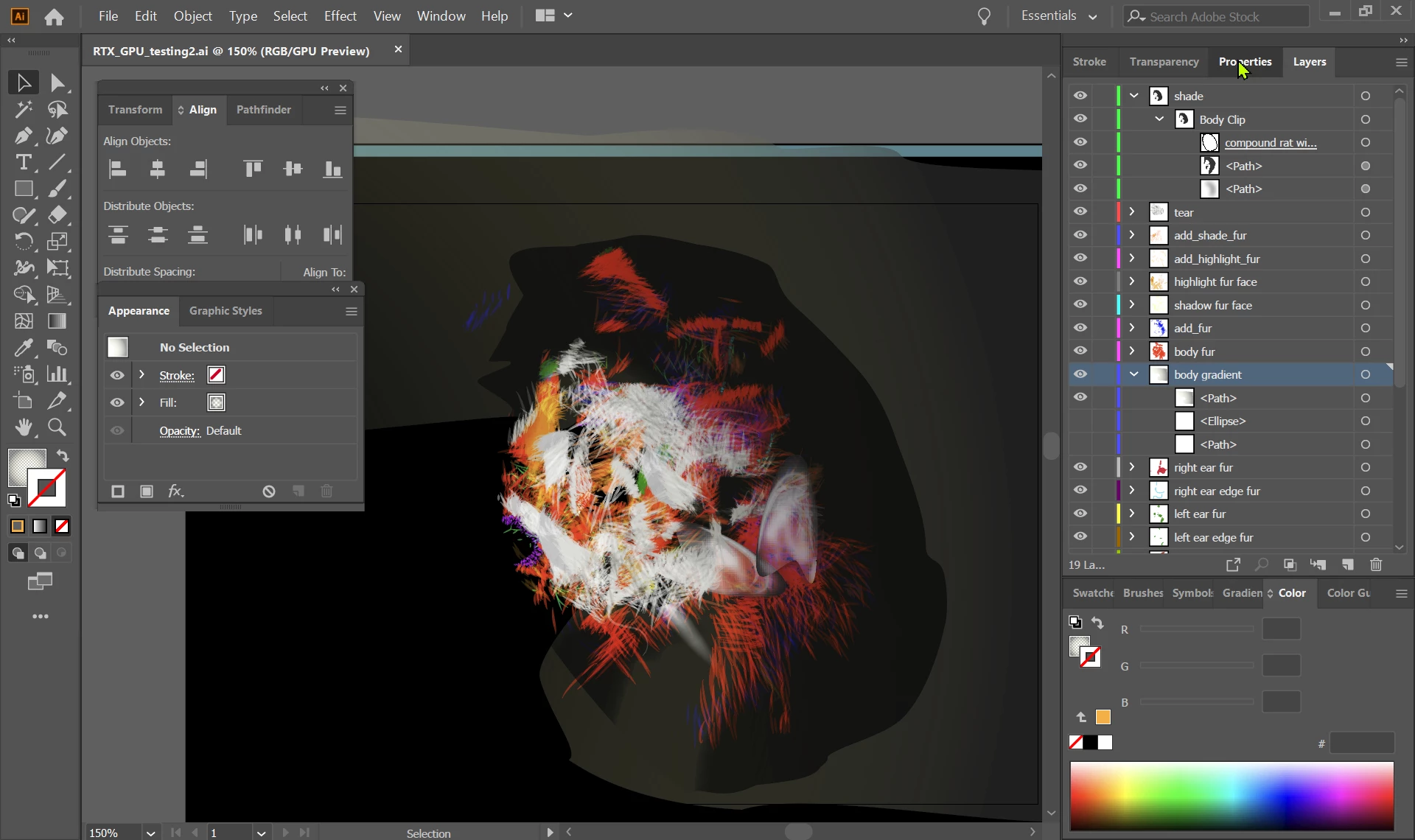
The 3 Results (the shorter time the better) are :
(1) In ASUS laptop (2019) with Quadro RTX 3000, "GPU Preview" is turned on in the Illustrator.
Waiting time: approximately 8 seconds. (The GPU usage is about 50%)
(2) In ASUS laptop (2019) with Quadro RTX 3000, "GPU Preview" is turned off in the Illustrator, so only allows CPU Intel i7 9750H to do the same job.
Waiting time: approximately 1 seconds. (The GPU usage is 0%)
(3) In Alienware laptop (2013) with GeForce GTX 765M, no matter whether "GPU Preview" is turned off or on.
Waiting time: less than 0.2 second.
CONCLUSION
In the two tests, the Alienware (2013) beats ASUS (2019).
In TEST I, the Illustrator file size is relatively bigger with 106MB, and with more gradient effects and 3D mappings. The performance gap between ASUS (2019) and Alienware (2013) is relatively small, but still noticeable in that ASUS (2019) was lagging behind.
The TEST II shows that the Illustrator file size is not the main concern here, since the Illustrator file size is relatively smaller with 33MB, and with a few gradient effects but many more strokes (probably more than 2000 short and curved lines with various transparency). The performance gap between ASUS (2019) and Alienware (2013) is huge. With GPU Preview turned on, ASUS (2019) is super-slow as a snail, and during the waiting period, even Windows 10 Pro declared that Illustrator was "Not Responding". If GPU Preview is turned off, then ASUS (2019) runs approximately 8 times faster by just using its CPU, but it still runs slower than Alienware (2013). This leads one question I would like to ask: have we actually made any technological progress in computation between 2013 and 2019 please?
 AdChoices