
Participant
February 1, 2017
Question

Dialog boxes location

  • February 1, 2017
  • 1 reply
  • 692 views

Hi everyone,

I don't know what I have done, all the dialog boxes are set to pop up on the left top corner.........

Like this....
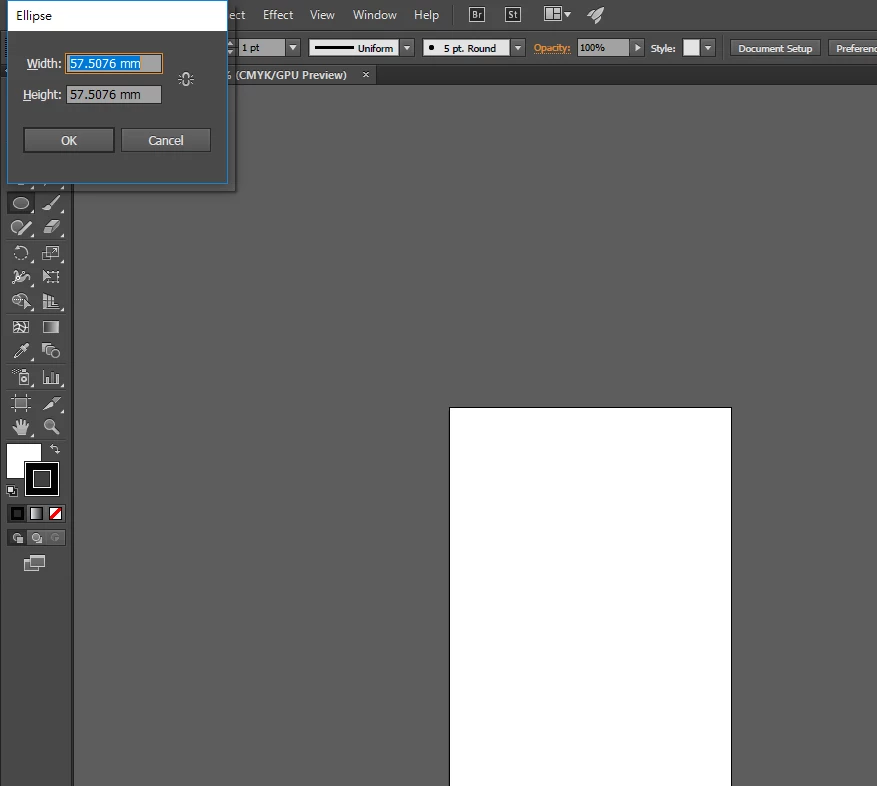
It's not convenient. How could I reset those dialog boxes to pop up at the center of the monitor?

Any experts could help me . Please...

    This topic has been closed for replies.

    1 reply

    Mohammad.Harb
    Community Expert
    Community Expert
    February 1, 2017

    Reset illustrator preferences Settings

    quit illustrator,

    press ctrl + alt + shift while running illustrator

    let is know if that helps.

    Participant
    February 1, 2017

    ......no....those dialog boxes still pop up on the left top corner everytime....

    barbara_a7746676
    Community Expert
    Community Expert
    February 1, 2017

    Instructions for resetting preferences are at How to set preferences in Illustrator

    It is a bit tricky to get the timing right using the keyboard shortcut so you might try it again. If that doesn't work you could try using the Adobe CC Cleaner Tool Use the Creative Cloud Cleaner Tool to solve installation problems