
Inspiring
February 28, 2023
Answered

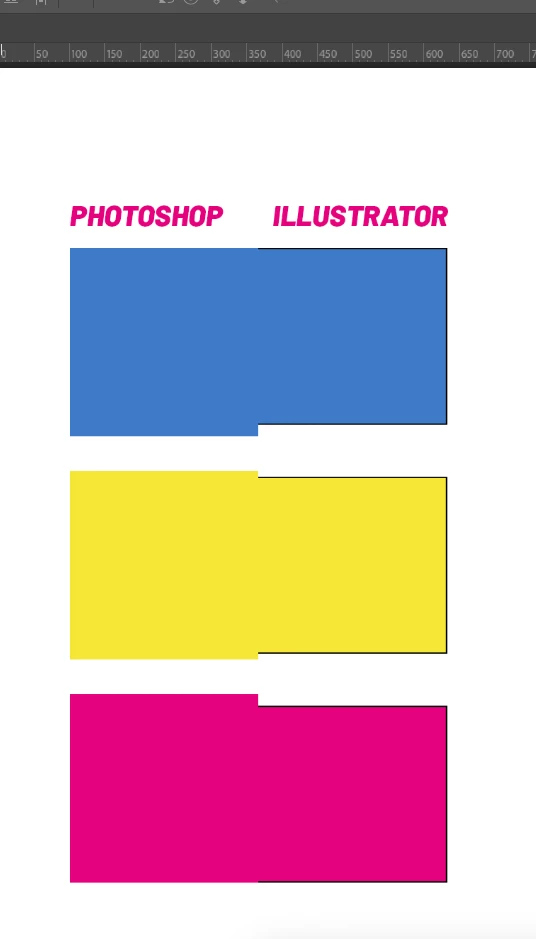
Different colors between Illustrator and Photoshop

  • February 28, 2023
  • 2 replies
  • 4959 views

Hello folks, how are you? 

I'm having an issue that it's been very hard to fix. 
Already serached and changed a lot of configurations but I just can't fix it. 


I'm using the same color profile on both softwares, but the color's doesn't match.


Both using sRGB and CMYK is coated fogra39.


I don't know what else to do. I need to use both programs (and also after effects, wich also have color swap) all day, and this is very annoying. 


I will be very happy if someone can help me! 
This topic has been closed for replies.
Correct answer gabriel5E9E

Just found what was happening. Photoshop was assigning as Adobe RGB (not the sRGB that I use). 

Now it's correct.

2 replies

Ton Frederiks
Community Expert
Community Expert
February 28, 2023

Could it be that your Illustrator started by opening a PNG image? 

gabriel5E9EAuthorCorrect answer
Inspiring
February 28, 2023

Just found what was happening. Photoshop was assigning as Adobe RGB (not the sRGB that I use). 

Now it's correct.

Ton Frederiks
Community Expert
Community Expert
February 28, 2023

Good to hear you found the solution.

Ton Frederiks
Community Expert
Community Expert
February 28, 2023

How do you create your smart objects?

In your last screendump I see a file without a profile; "Untagged RGB"

Inspiring
February 28, 2023

In photoshop, just created the shapes. 
on Illustrator, the same. But i've copied and pasted the illlustrator shapes on photoshop and took a print screen of both together