
Question
Direct Selection tool not working - having several issues since I updated to 2015.3.01. Also stroke options not working.
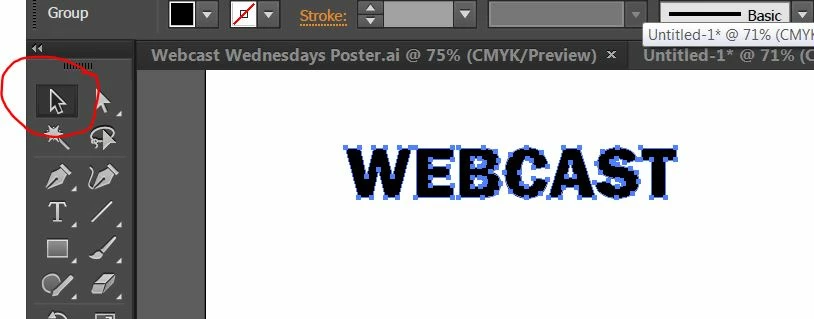 HI. I have had several issues with Illustrator recently. It's getting more frustrating by the day! I cannot use the direct selection tool. I have gone into preferences/selection&anchor display and chosen object selection by path only (which was advised on the forum) and it did nothing.
I have shut down Illustrator, and my computer, and it still does this.
Does anyone have any suggestions?
Thanks!
Julie
[Moved from non-technical Forum Lounge to specific Program forum... Mod]
[Here is the list of all Adobe forums... https://forums.adobe.com/welcome]
 AdChoices