Exit
  • Global community
    • Language:
      • Deutsch
      • English
      • Español
      • Français
      • Português
  • 日本語コミュニティ
  • 한국 커뮤니티
0

Discover panel and Quick actions

Guest
Nov 11, 2022 Nov 11, 2022

Hi everyone,
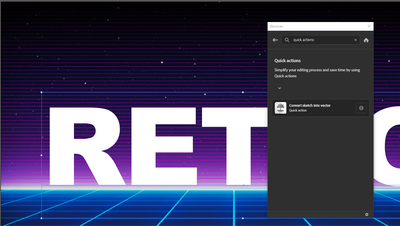
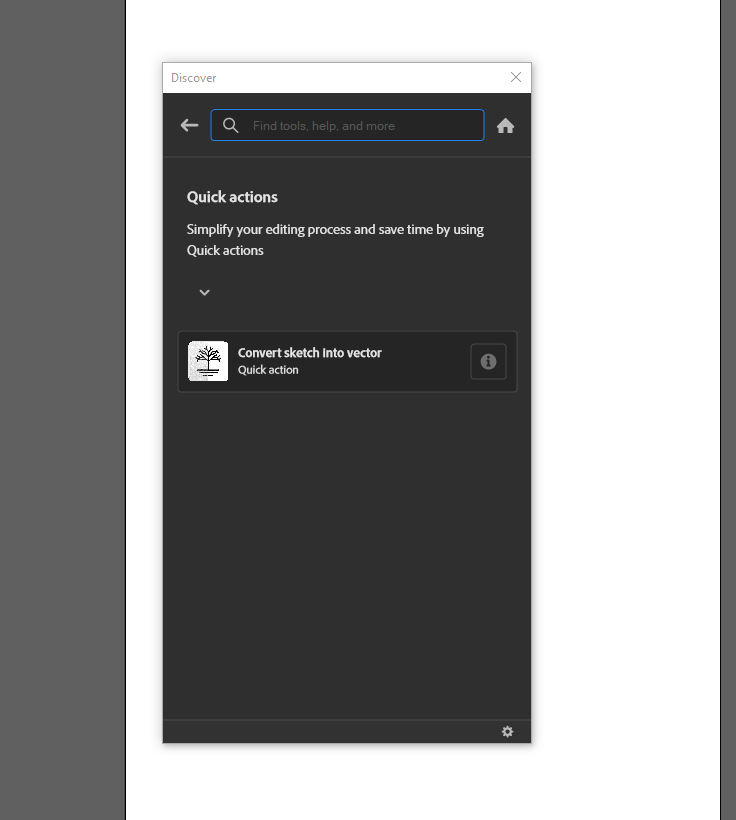
I am using illustratr v.27.0. There is only one feature in my "quick actions" panel, which is one of the new features. Where are the others? 🙂

For example; When I want to get the "neon" application from the Adobe web, it enters a loop like "downloading sample file". I would be glad if you help.
 

Adsız resim.png

1.3K
Translate
Report
Community guidelines
Be kind and respectful, give credit to the original source of content, and search for duplicates before posting. Learn more
community guidelines
Adobe
Community Expert ,
Nov 11, 2022 Nov 11, 2022

Have you tried either restarting AI or your computer? If so, you may need to re-install AI.

Translate
Report
Community guidelines
Be kind and respectful, give credit to the original source of content, and search for duplicates before posting. Learn more
community guidelines
Guest
Nov 12, 2022 Nov 12, 2022

yes i reinstalled ai 2-3 times but the result does not change

Translate
Report
Community guidelines
Be kind and respectful, give credit to the original source of content, and search for duplicates before posting. Learn more
community guidelines
Community Expert ,
Nov 12, 2022 Nov 12, 2022

Is anything selected on your artboard?

Translate
Report
Community guidelines
Be kind and respectful, give credit to the original source of content, and search for duplicates before posting. Learn more
community guidelines
Guest
Nov 15, 2022 Nov 15, 2022

oluşmuş de olsa ortaya çıkmasa da aynı tepki :S

Translate
Report
Community guidelines
Be kind and respectful, give credit to the original source of content, and search for duplicates before posting. Learn more
community guidelines
Guest
Nov 15, 2022 Nov 15, 2022

the same reaction whether it occurs or not :S

Translate
Report
Community guidelines
Be kind and respectful, give credit to the original source of content, and search for duplicates before posting. Learn more
community guidelines
Community Expert ,
Nov 15, 2022 Nov 15, 2022

Maybe you can log out of your account and then in again. Your internet connection is stable?

Translate
Report
Community guidelines
Be kind and respectful, give credit to the original source of content, and search for duplicates before posting. Learn more
community guidelines
Guest
Nov 16, 2022 Nov 16, 2022

There is no problem with the internet, I think I have logged out and logged back in 10 times. It's very interesting, when I searched the internet, no one had this problem.

Translate
Report
Community guidelines
Be kind and respectful, give credit to the original source of content, and search for duplicates before posting. Learn more
community guidelines
Adobe Employee ,
Dec 02, 2022 Dec 02, 2022

Hi @Deleted User,


We are sorry for the trouble & delayed response. Would you mind updating to v27.0.1 and seeing if that helps? Also, you may download all the Quick Actions files from the following link for your convenience.

https://shared-assets.adobe.com/link/0ca5a944-7c8b-463f-5195-19e4a211d20f

Kindly update the discussion if you still need assistance with it. We'd be happy to help.


Thanks,

Anshul Saini

Translate
Report
Community guidelines
Be kind and respectful, give credit to the original source of content, and search for duplicates before posting. Learn more
community guidelines
Guest
Dec 15, 2022 Dec 15, 2022

Thank you Sir, I am currently performing an update.

I will try asap. Thank you again for your interest.

Good work.

Translate
Report
Community guidelines
Be kind and respectful, give credit to the original source of content, and search for duplicates before posting. Learn more
community guidelines
Guest
Dec 15, 2022 Dec 15, 2022

Nothing 😞

Translate
Report
Community guidelines
Be kind and respectful, give credit to the original source of content, and search for duplicates before posting. Learn more
community guidelines
Guest
Dec 15, 2022 Dec 15, 2022

NOTHING 😞


Adsız resim.png

Translate
Report
Community guidelines
Be kind and respectful, give credit to the original source of content, and search for duplicates before posting. Learn more
community guidelines
Adobe Employee ,
Dec 15, 2022 Dec 15, 2022

Thanks for trying, @Deleted User. Would you mind updating the Ai to v27.1.1, released yesterday, and see if that helps? If that doesn't help, please head here (https://helpx.adobe.com/support.html) and select the chat button in the lower-right corner of the page. We can help troubleshoot faster that way.


Thanks,

Anshul Saini

Translate
Report
Community guidelines
Be kind and respectful, give credit to the original source of content, and search for duplicates before posting. Learn more
community guidelines
Guest
Dec 21, 2022 Dec 21, 2022
LATEST

Thank you Sir

Translate
Report
Community guidelines
Be kind and respectful, give credit to the original source of content, and search for duplicates before posting. Learn more
community guidelines