
Known Participant
May 24, 2021
Question

Distribute Spacing / Align to not working properly

  • May 24, 2021
  • 3 replies
  • 969 views

Hi everyone,

For some reason, the distribute spacing tool and the align-to function stopped working correctly and I can't figure out why.
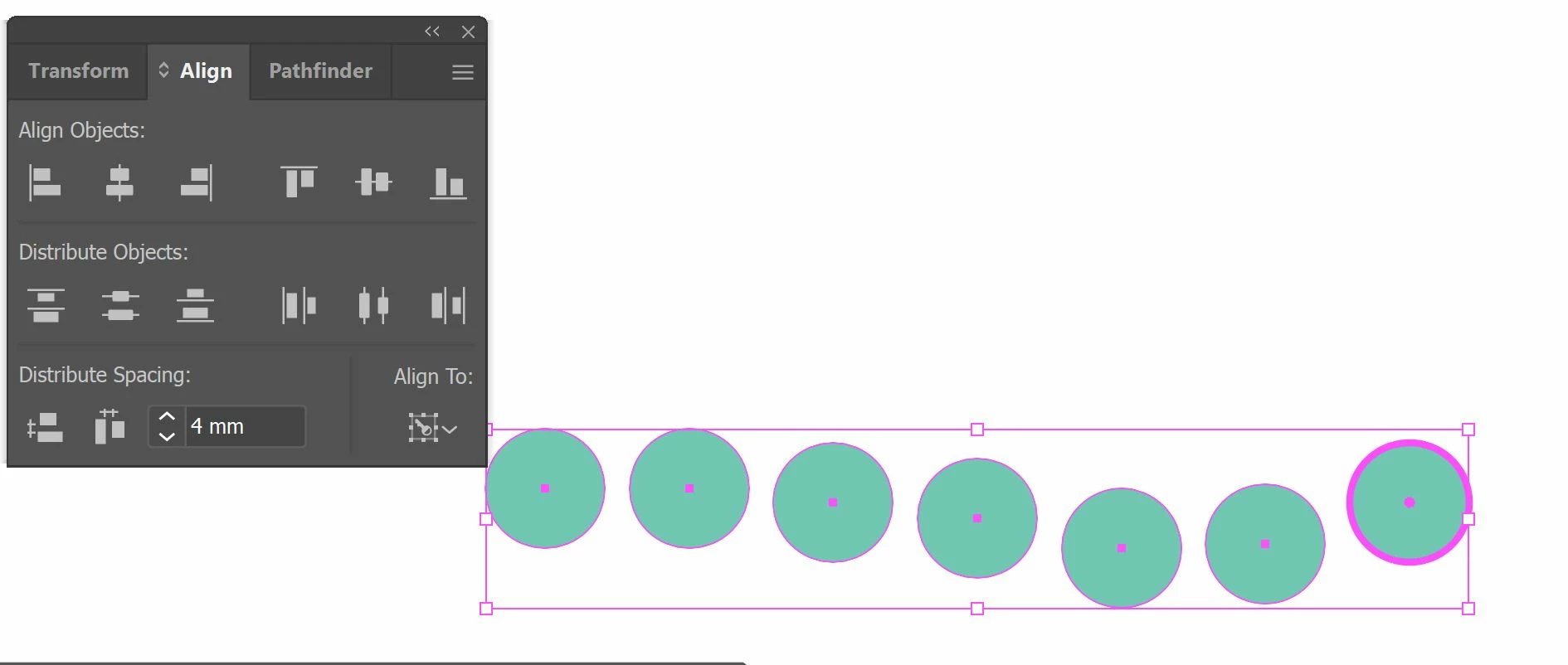
 

If I try to evenly space out these buttons, the horizontal alignment messes up entirely and even If i press to distribute horizontal spacing at 0mm, the circles remain unaligned.
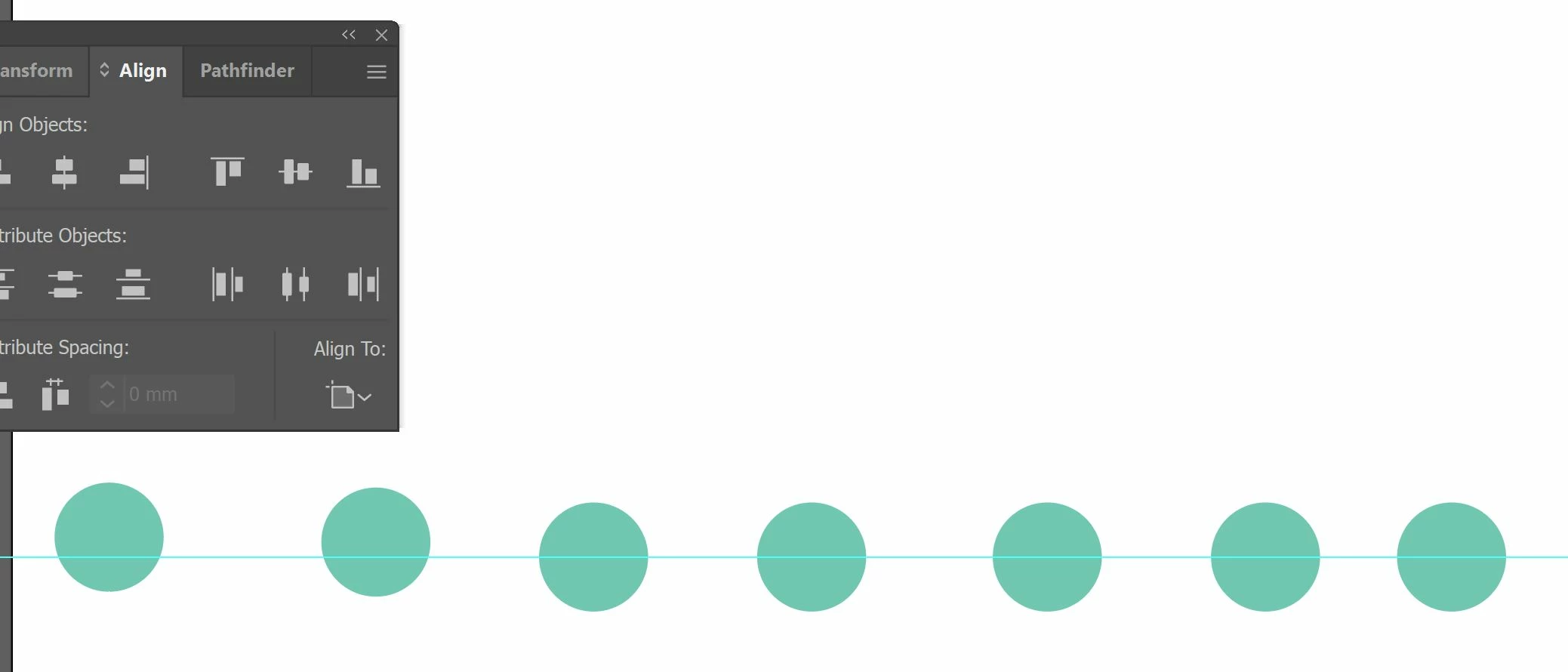
I also tried to align to a horizontal line but for some reason, it just isn't working.


What do you suggest?

This topic has been closed for replies.

3 replies

michelew83603738
Community Expert
Community Expert
May 24, 2021

The first image you are distributing to a key object and that seems to have worked correctly. Not sure what is going on in the second image, definitely not working for horizontal alignement to the artboard. Did resetting preferences work?

Met1
Legend
May 24, 2021

I think Align implimentation is yet another work in progress!

It may not help you in this situation but I have a keyboard shortcut set up for artboard-fit-to-selected, I select just the items I need to align, hit the shortcut, and use the align on artboard setting.

(I have the full document set up with a keyline, I select that, then hit the shortcut again to get back to the full size artboard.)

I use this a lot for zooming around a document too.

marliton
Community Expert
Community Expert
May 24, 2021

Hi. It looks weird. Which Illustrator version are you working on? Have you tried resetting the preferences? https://helpx.adobe.com/illustrator/user-guide.html/no/illustrator/using/setting-preferences.ug.html


Marlon Ceballos