
Known Participant
June 22, 2017
Answered

Dividing a vector image into separate parts?

  • June 22, 2017
  • 2 replies
  • 12745 views

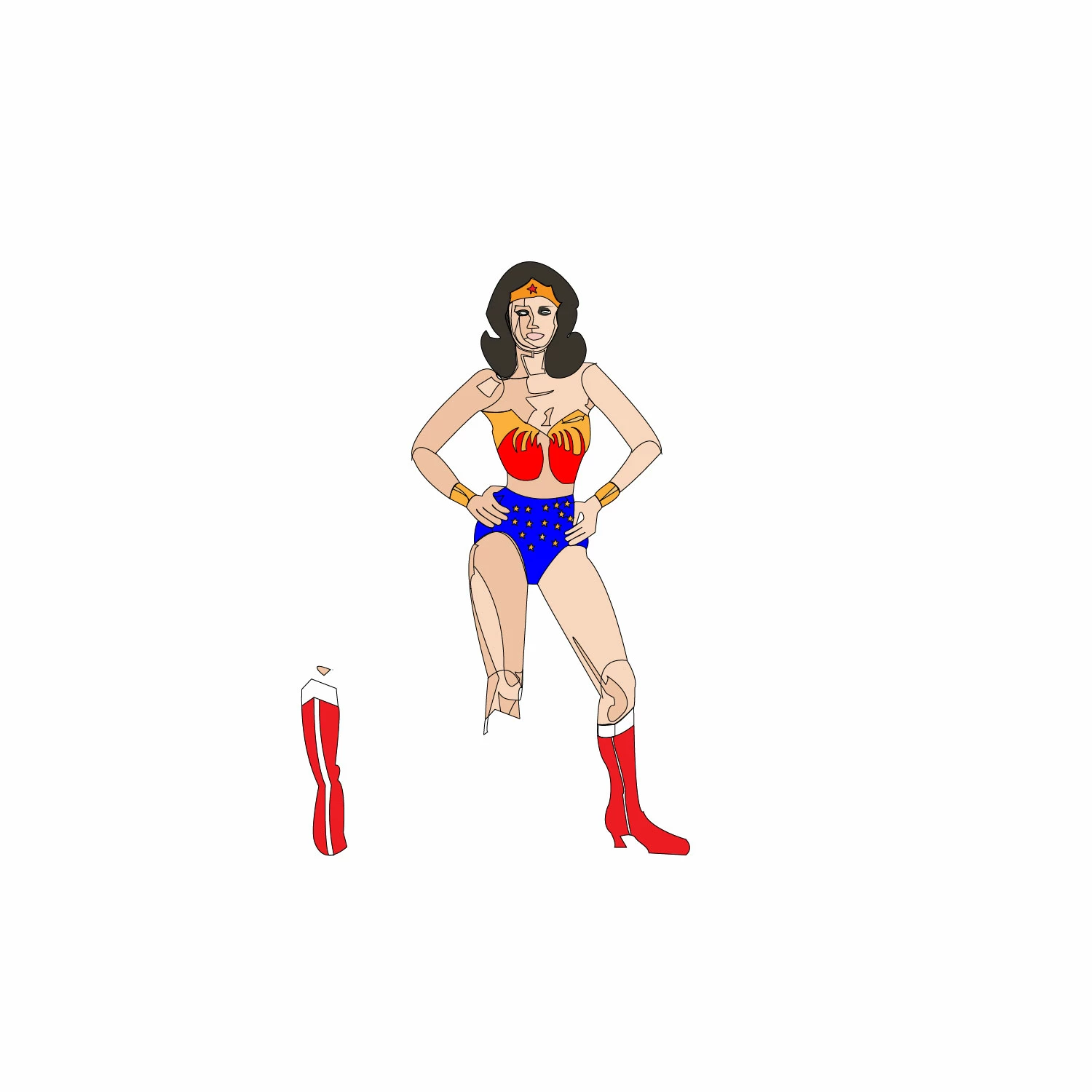
I have a bunch of this sprites of superheroes, which are going into my Adobe Animate CC video, using the IK tool. I made them from scratch in Illustrator. Obviously, I need to divide each part, the forearms, arms, thighs, calves/feet, and torso into separate objects, from which I can add them as individual movie clip symbols in animate. First, I have to sever them.

As you can tell, I'm having trouble. I was able to move the lower leg/boot, but its still part of a whole object and I can't move her knees without taking the legs.

What is the fastest want to remove the limbs, at the rounded division points and save them into separate files?
    This topic has been closed for replies.
    Correct answer Mike_Gondek10189183
    1. Option drag a copy of wonder woman to the side
    2. outline strokes (because of pathfinder time in step 5)
    3. draw a shape around part you want to keep
    4. select shape and copy, and mask
    5. Pathfinder >> Trim
    6. repeat for each limb

    Fastest way would have been to draw this from the start with limbs already as separate paths for the body.  You can though use the pencil tool with edit selected checked to correct features needing touchup. Just double click on pencil tool to check you settings.

    2 replies

    JJW83Author
    Known Participant
    June 22, 2017

    I did what you said and was able to make a copy of her foot. The only problem is that she is still there in hidden paths. It's also giving me problems using live paint to color her foot on a different artboard in a separate file.

    Why can't I just use the knife tool to cut her leg off and transfer it to a different artboard?

    Mike_Gondek10189183
    Community Expert
    Community Expert
    June 22, 2017

    The knife tool may work if you can live with a rough result, but I find the knife tool is almost impossible to draw a precise or straight line when needed.

    Please show a screesnshot of you hidden paths, and keep in mind is really hard for someone to answer questions when we do not have a field in front of us  so we can see exactly how the file is built.

    JJW83Author
    Known Participant
    June 22, 2017

    I forgot how to divide intersecting paths. If I could do that, I could just select all the paths for her parts using shift + click, cut, and paste to another file. But I forgot how so the intersecting paths are not divided and trying to shift click paths that make up her calves drags the entire leg or portions thereof.

    Mike_Gondek10189183
    Community Expert
    Mike_Gondek10189183Community ExpertCorrect answer
    Community Expert
    June 22, 2017
    1. Option drag a copy of wonder woman to the side
    2. outline strokes (because of pathfinder time in step 5)
    3. draw a shape around part you want to keep
    4. select shape and copy, and mask
    5. Pathfinder >> Trim
    6. repeat for each limb

    Fastest way would have been to draw this from the start with limbs already as separate paths for the body.  You can though use the pencil tool with edit selected checked to correct features needing touchup. Just double click on pencil tool to check you settings.