

varxtis
Inspiring
September 4, 2021
Question

Does anyone have Experience with Astute Graphics - Phantasm?

  • September 4, 2021
  • 2 replies
  • 3223 views

So, for a pretty long time I have tried remembering how to create half tones that are based on fills of complex shapes Like these

I figured out that I was going about it all wrong, asking the wrong questions. The way I acheived it involved blurred shapes, and then applying  halftone to the group.
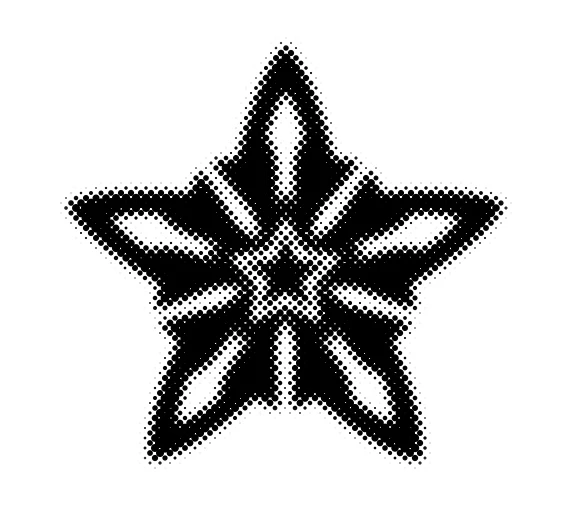
 ``

Pretty easy. But in my search, I came across Astute Graphics - Phantasm. I have their vector plugins, specifically for  paths. I love it. But the Phantasm plugin caught my attention because it looked like (and it was only for one second in the demo reel) that you could apply gradient fills that would react to the contours of the shape. The closest Ive come to seeing this is this old post here, but it was dealing with paths and stroke instead of fill and that caused too many contrasts with the continuity of what Im trying to acheive.
Does anyone have experience with Phatasm? Can it do what Im reffering to? Am I making any sense?

This topic has been closed for replies.

2 replies

Community Expert
September 5, 2021

If you're a current Astute Graphics customer, meaning you have their subscription plan, you should be able to install any of their 20 plugins, including Phantasm.

The Phantasm plugin has a lot of interesting capabilities, more than just a variety of vector halftones. However, it does not generate gradient fills in the shape of the object contour. I don't think any vector drawing application does that. Such effects are usually generated by many steps of a path offset or outline effect or a blend between two objects.

One thing I wish the Phantasm plug-in did: generate vector objects in a 1:1 relationship over the top of a pixel-based image. For example if you have a small 50px X 50px "sprite" image there should be a way to create a vector-based version with 50x50 vector objects representing each pixel. I figured out a way to do that using the Pointillizer effect in CorelDRAW. I work in the sign industry and need to generate accurate simulations of LED-based sign displays. That trick in CorelDRAW does the job perfectly. I've put in requests with Astute Graphics for Phantasm to be able to generate something equivalent to that.

Monika Gause
Community Expert
Community Expert
September 5, 2021
quote

One thing I wish the Phantasm plug-in did: generate vector objects in a 1:1 relationship over the top of a pixel-based image. For example if you have a small 50px X 50px "sprite" image there should be a way to create a vector-based version with 50x50 vector objects representing each pixel.


By @Bobby Henderson


Object > Create Object mosaic does that.

Community Expert
September 6, 2021

You could apply effects to the squares afterwards to convert them into the shape you need.


With a combination of Convert to shape and the fish eye you might get what you need.


It would be a lot easier/faster if the Object Mosaic filter offered more shape choices (circles in addition to squares at the very least) as well as the ability to define custom shapes, be it a squircle or something else,

Monika Gause
Community Expert
Community Expert
September 4, 2021

Phantasm can create a vector based halftone effect and it would work pretty much like the images you posted. Phantasm has more functionality than the halftone and all of it works both on vector and pixel objects.


What you're describing about the gradients that work on the contours sounds more like their WidthScribe plugin. I'm not sure - can you perhaps post sample screenshots from the video you've watched?