

Carlo Brovelli
Participant
April 20, 2023
Answered

Double external strokes: is it that behaviour right?

  • April 20, 2023
  • 2 replies
  • 1637 views

Just for making some practice I made this soccer logo about a fantasy team called Arena calcio with the shape of an ancient roman anphitheatre and text.


So, making the background shield or better the shape conteining the logo and types, i set a yellow fill with two external strokes, first yellow of 20 px and second blue of  21 px.

BUT the result is un-expected: I can see the "Scudo" trace with a minuscule Blue stroke


It's like as a little portion of the second Blue external exceed under the right side of the first yellow stroke.

I solved this issue playing with other combinations of stroke options BUT I would like to understand to fix this problem.


Here the file: https://assets.adobe.com/id/urn:aaid:sc:US:8a64fefb-5d78-408e-b872-9be78557a2de?view=difile


Many Thanks


This topic has been closed for replies.
Correct answer SJRiegel

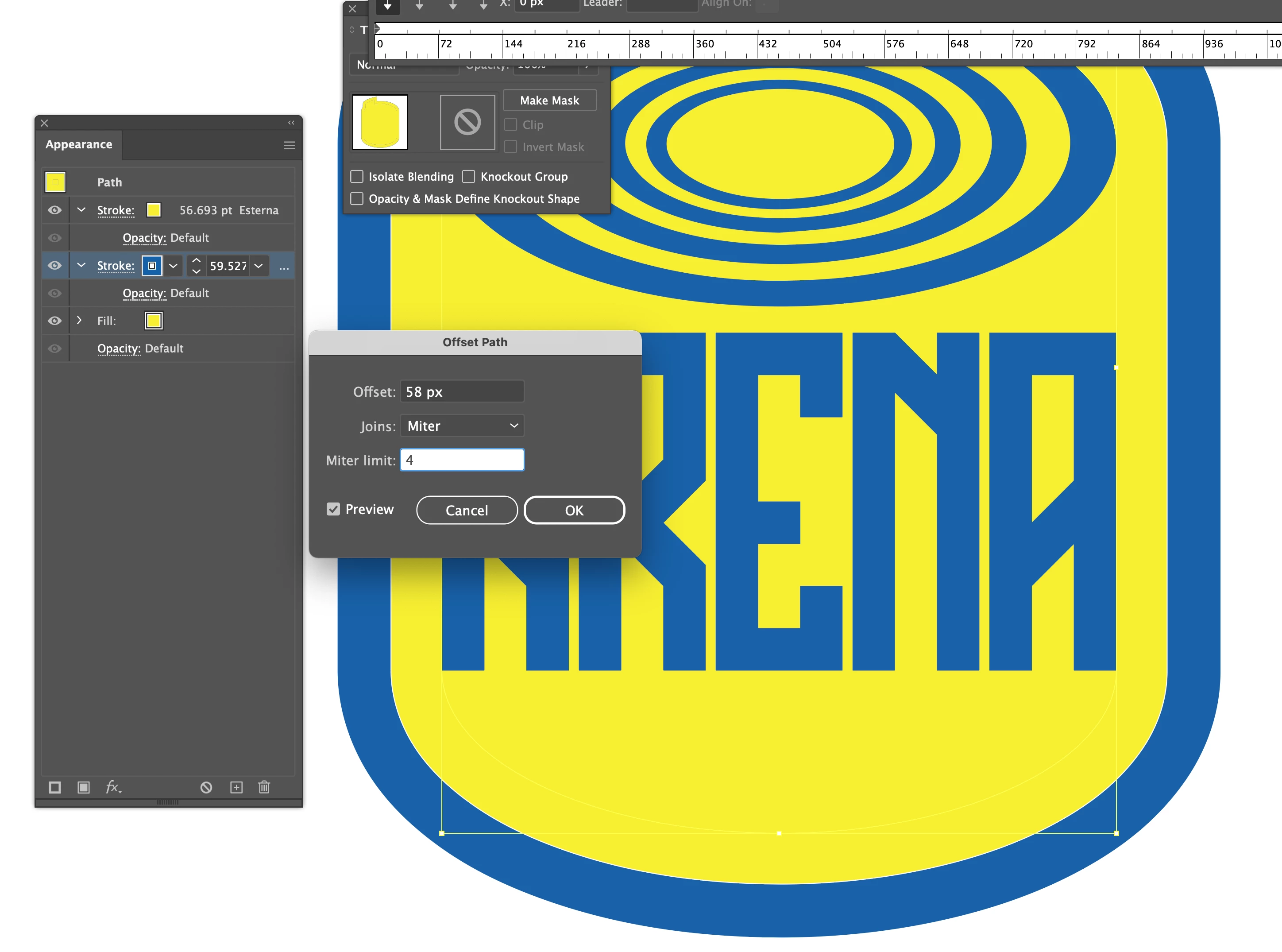
another option is to use the Offset Path effect to move the stroke outward

2 replies

Anna Lander
Inspiring
April 20, 2023

This hairline appears because two strokes are placed on each other with the same position, it's not a very good composition. There are some ways to solve the problem. For example, you can set the yellow (top) stroke as Centered and 40 px width like Met1 says. But I would try to remove all strokes, add a new blue fill, put it under the main yellow one, and add to them the Offset Path effect. Set the yellow offset as 20 px and the blue one as 21 px, and make sure that the Transform panel changes the strokes and effects. Without the strokes you will not get the stroke artifacts.

Carlo Brovelli
Participant
May 4, 2023

Thank you @Anna Lander  for your tips!

Met1
Legend
April 20, 2023

"I can see the "Scudo" trace with a minuscule Blue stroke"

Yeah, 1pt...

Look in Apperance you'll see the strokes are stacked, it's not a stroke outside of a stroke, it's two strokes originating at the same place. If you want a 21pt stroke, make it 41pt...

SJRiegelCorrect answer
Legend
April 20, 2023

another option is to use the Offset Path effect to move the stroke outward

Carlo Brovelli
Participant
April 23, 2023

Great solution @SJRiegel ,

adding a 40 px Offset Path the inner little Blue border disappeared 

and than adding a thin Blue external the target is reached!

Thank you very much