Jim Kinney AEL
Known Participant
September 20, 2022
Answered

Dowloading an .ai file converts to .aic and loses object and layer structure

  • September 20, 2022
  • 1 reply
  • 202 views

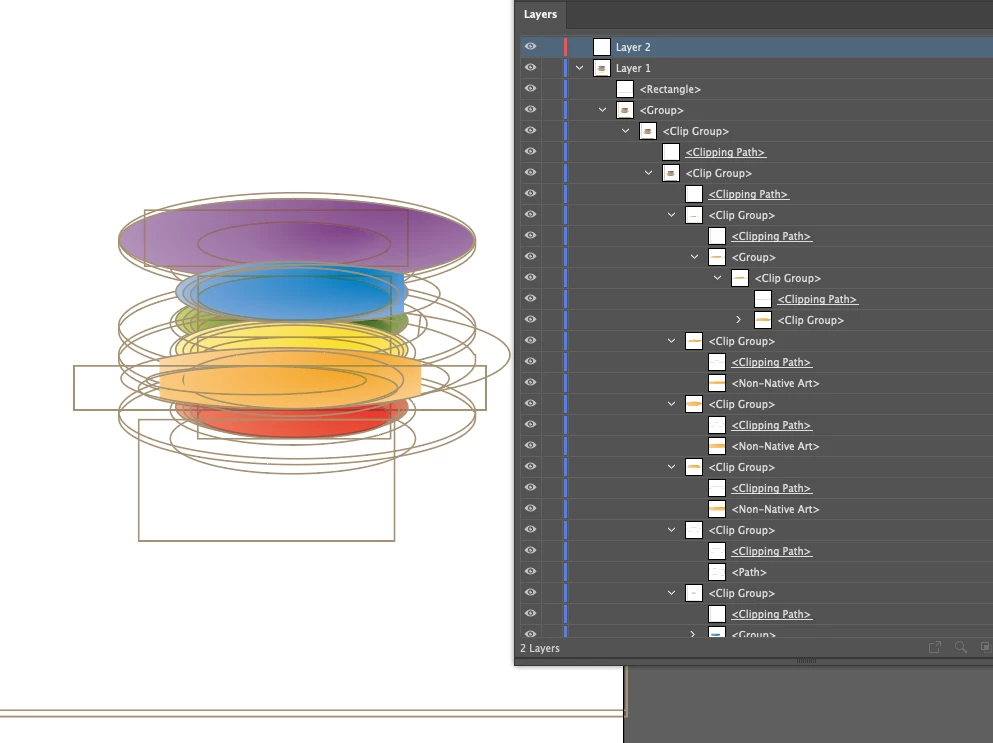
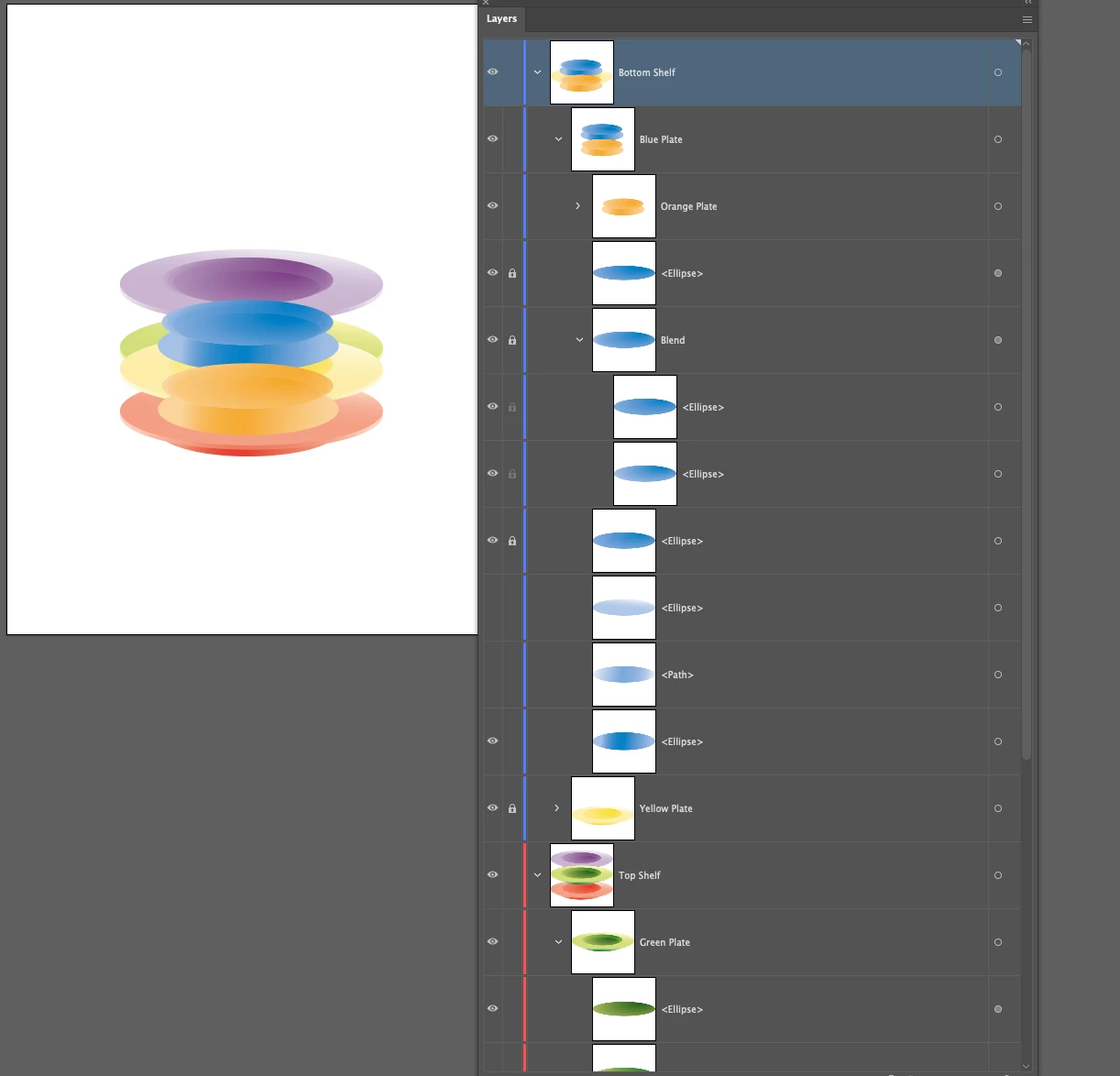
I have one student who downloaded a .ai file from a Google drive and he probably pushed it to the Creative Cloud workflow. It converted to a .aic and, in the process, the layer structure and the object structure changed from what was in the original file. Instead there is nothing more than clipping masks and objects. It is reminiscent of version incompatibilities.

I have attached screen captures of the original and the converted file below:

Note the second converted version is clipping masks.


This topic has been closed for replies.
Correct answer Monika Gause

What happened there looks like either:

- the file got corrupted because of the workflow - working on a Google Drive can cause this

- the file has been opened in a lower version than it has been created in.


Anyway: this is what you get when you import the PDF part of the file.

Please see this about Illustrator files: https://youtu.be/IpDh8Y7q8yE

1 reply

Monika Gause
Community Expert
Monika GauseCommunity ExpertCorrect answer
Community Expert
September 20, 2022

What happened there looks like either:

- the file got corrupted because of the workflow - working on a Google Drive can cause this

- the file has been opened in a lower version than it has been created in.


Anyway: this is what you get when you import the PDF part of the file.

Please see this about Illustrator files: https://youtu.be/IpDh8Y7q8yE