
Edges in the blend tool on a track
Is there a possibility in the blend tool, when applying a blend to a track, to apply it so that both ends face the same side and not one goes out and one goes in in terms of the 3D?
Would appreciate help
Thanks
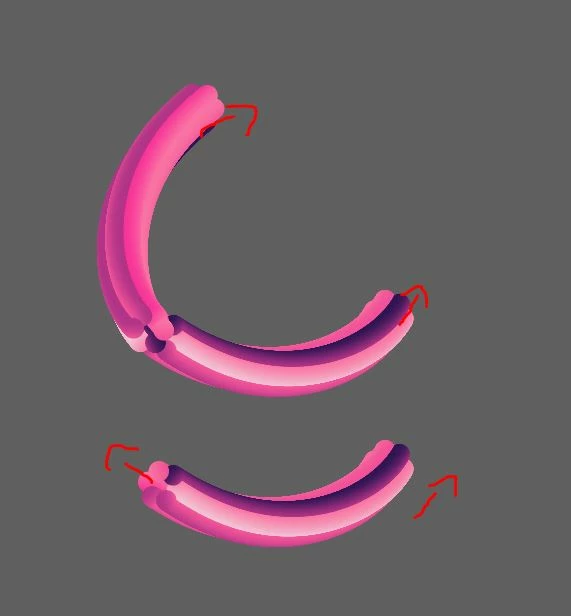
Is there a possibility in the blend tool, when applying a blend to a track, to apply it so that both ends face the same side and not one goes out and one goes in in terms of the 3D?
Would appreciate help
Thanks

A blend can have several in-between stages. If it's a group like in your example, the stages should have the same number of elements in them. They don't need to, but the result is more predictable that way. You cannot combine two blends after having created them, but you can release both blends and then then make a new one that has those 3 base elements.
Already have an account? Login
Enter your E-mail address. We'll send you an e-mail with instructions to reset your password.