
bradleys10
Participant
July 6, 2021
Answered

Editing Illustrator Templates HELP

  • July 6, 2021
  • 3 replies
  • 1791 views

Hey Adobe Community I have worked in illustrator a few times creating things and know my way around but today i am trying to use a template i got off of adobe stock. Whenever i open the template in illustrator i cant seem to edit anything or fully understand why the template looks like it does. This is the template i am trying to customize: https://stock.adobe.com/search?filters%5Bcontent_type%3Aphoto%5D=1&filters%5Bcontent_type%3Aillustration%5D=1&filters%5Bcontent_type%3Azip_vector%5D=1&filters%5Bcontent_type%3Aimage%5D=1&filters%5Bcontent_type%3A3d%5D=1&filters%5Bcontent_type%3Atemplate%5D=1&filters%5Bcontent_type%3Avideo%5D=1&k=simple+catalog&order=relevance&safe_search=1&limit=100&search_page=1&search_type=usertyped&acp=&aco=simple+catalog&get_facets=1&asset_id=324103352


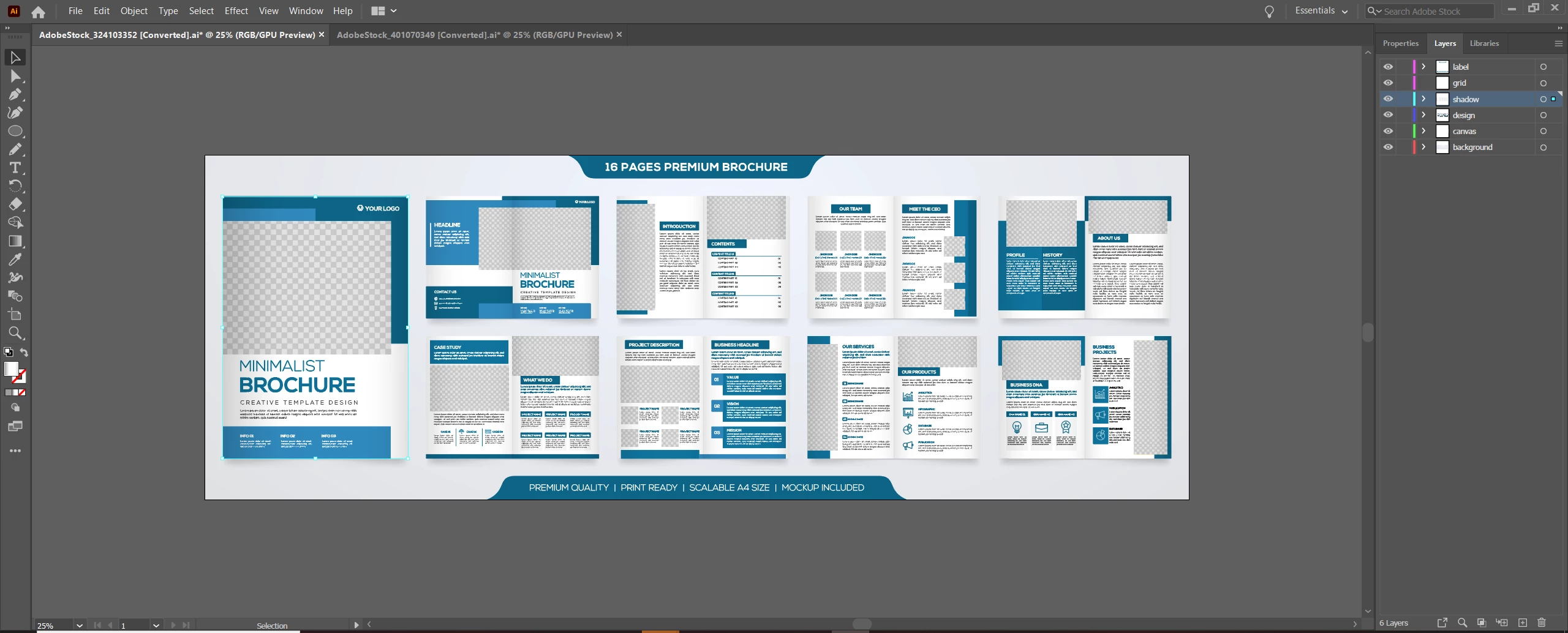
When i open it up all the pages are in like what looks like a preview state like it shows online instead of them being there individual pages. Whenever i click on a page it points to shadow. If i hide the shadow then it allows me to click on content inside that page but i cant edit text or anything. All the text has anchor points.

Here is a picture of what it looks like when i open up the template.
 

    This topic has been closed for replies.
    Correct answer Monika Gause

    Open the layer in the layers panel and check it out. Probably all the items are grouped or maybe they are even a clipping mask.


    You have to set up the pages yourself unfortunately. Templates of this kind don't make a whole lot of sense,  because basically you have to do a lot of work. The text has been outlined, because that is usually one of the conditions when you make artwork for stock companies.

    3 replies

    Monika Gause
    Community Expert
    Monika GauseCommunity ExpertCorrect answer
    Community Expert
    July 6, 2021

    Open the layer in the layers panel and check it out. Probably all the items are grouped or maybe they are even a clipping mask.


    You have to set up the pages yourself unfortunately. Templates of this kind don't make a whole lot of sense,  because basically you have to do a lot of work. The text has been outlined, because that is usually one of the conditions when you make artwork for stock companies.

    bradleys10
    Participant
    July 7, 2021

    Do you have any suggestions where i can get clean user friendly templates for what im trying to achieve?

    Monika Gause
    Community Expert
    Community Expert
    July 7, 2021

    For this kind of artwork I wouldn't not consider using Illustrator and go straight for InDesign templates.

    bradleys10
    Participant
    July 6, 2021

    Also my objective is to export this as a pdf so when my client opens it he just scrolls down for each page. I do not want it to export like in the screenshot with all the pages showing really small like a preview of the whole book.

    Peru Bob
    Community Expert
    Community Expert
    July 6, 2021

    I've moved this from the Using the Community forum (which is the forum for issues using the forums) to the Illustrator forum so that proper help can be offered.

    bradleys10
    Participant
    July 6, 2021

    Great I appreciate it!