
Participant
September 25, 2019
Question

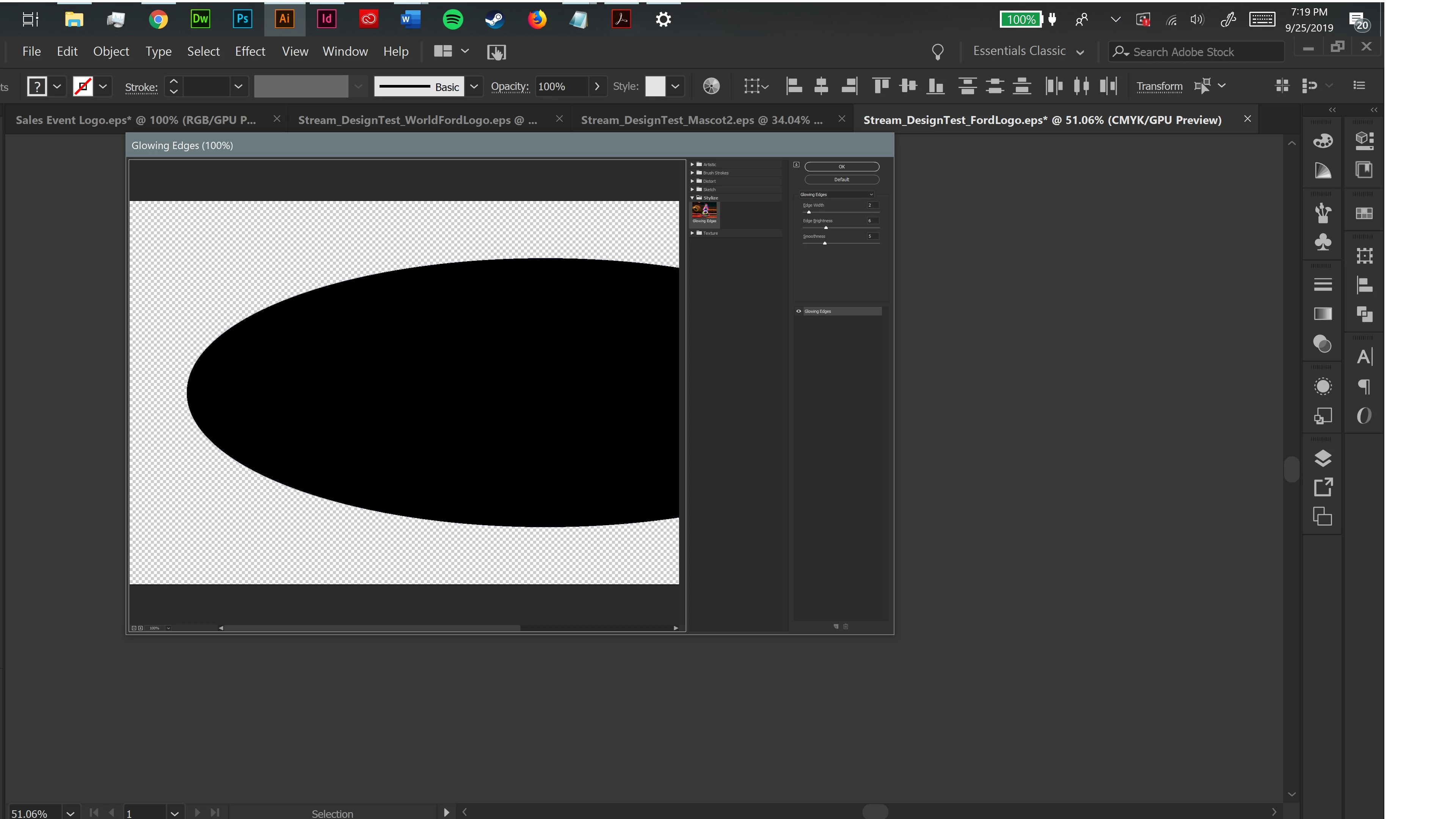
Effects Panel interface extremely tiny on 4K screen in Illustrator on Windows 10
  • September 25, 2019
  • 2 replies
  • 572 views

I don't know why, but my effects panel has looked like this for months now and Adobe Support chat has been a hassle and couldn't find the solution. I'm guessing it's an issue with my computer? Othe UI pop-ups are normal, but the effect panel always look like this? Makes it way too hard to use effectively. 


{Renamed by MOD}

This topic has been closed for replies.

2 replies

Srishti Bali
Community Manager
Community Manager
September 27, 2019

Hi there,


Sorry to hear about this issue. As mentioned above, this issue has been reported by a few other users as well. I will pass on your feedback to our Product team and you can do that too by upvoting and sharing your comments on the thread shared by Doug. 


The UserVoice pages are monitored by the respective Engineering and Product Management teams and is one of the best ways of sharing issues and suggestions so they can be implemented in future releases.


Regards,

Srishti 

Doug A Roberts
Community Expert
Community Expert
September 26, 2019

It appears this affects 4K/other high resolution monitors. Here's a relevant uservoice post:


https://illustrator.uservoice.com/forums/333657-illustrator-feature-requests/suggestions/31048258-effects-gallery-interface-extremely-tiny-on-4k-res


It hasn't gained many votes or any apparent staff attention though.

Participant
December 14, 2024

December 2024 this is still a problem
I have to use a magnifying glass to see the choices in the panel
Windows 11
Processor 12th Gen Intel(R) Core(TM) i7-12700 2.10 GHz
Installed RAM 64.0 GB (63.7 GB usable)
System type 64-bit operating system, x64-based processor
Pen and touch Pen and touch support with 10 touch points
(wacom tablet)


Anubhav M
Community Manager
Community Manager
December 16, 2024

Hello @3277009,

I'm sorry to hear about your experience. Would you mind setting the Resolution and Scaling under system preferences to the defaults or increasing the scaling there for your monitor(s) to see if it helps?

Looking forward to hearing from you.


Anubhav