Anshul_Saini
Community Manager
Community Manager
October 14, 2024
Question

Effortlessly Manage East Asian Text Layouts with Illustrator's Reflow Viewer

  • October 14, 2024
  • 5 replies
  • 2203 views

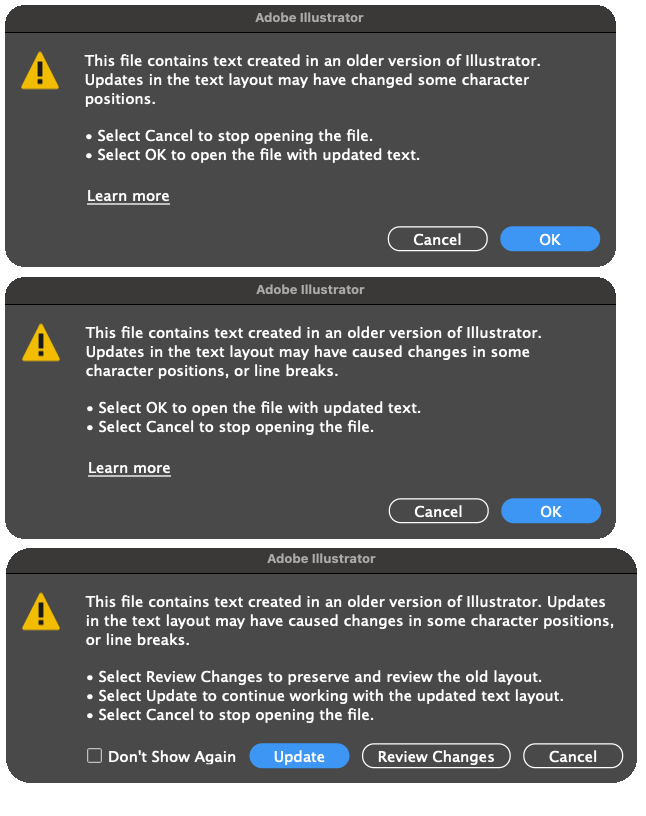
Are you getting these errors while opening a document created in an older version of Illustrator with East Asian text layouts??
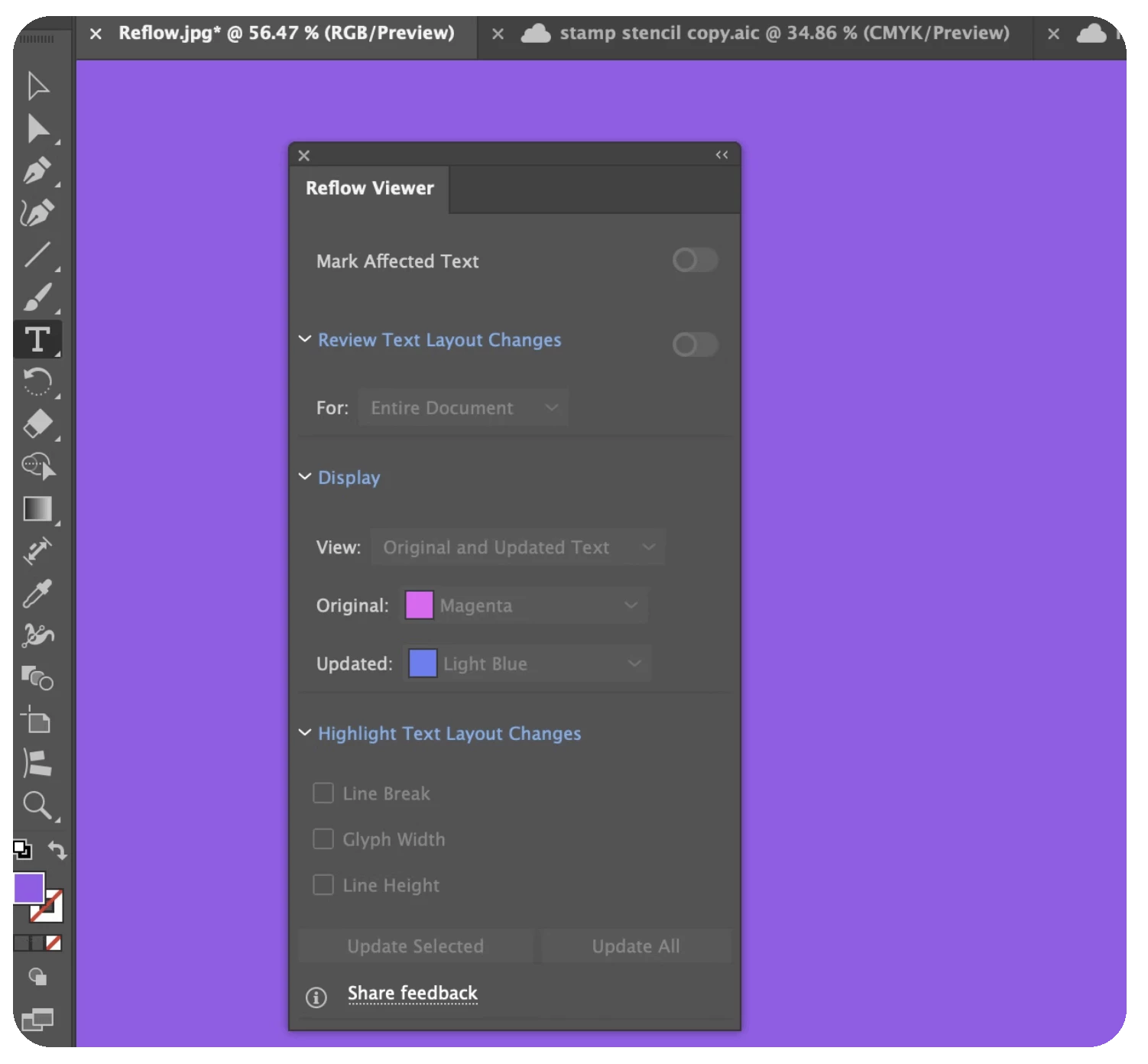
We've got you covered. The Reflow Viewer in Adobe Illustrator simplifies working with East Asian text created in older versions. It allows users to view, analyze, and update text layouts when opening older documents by flagging changes in text positioning and line breaks. The tool compares layouts between versions, making it easier to edit older documents without needing manual adjustments.


Key features and highlights

  1. Mark Affected Text: Displays a shield icon on text objects that have updated layouts, making it easy to identify changes.
  2. Review Text Layout Changes: View changes across the entire document or highlight specific text objects.
  3. Display Options: Toggles between old and new text layouts for comparison.
  4. View Modes: Choose between displaying the old layout with customizable colors, overlaying old (magenta) and new (cyan) layouts for comparison, or showing the updated layout with customizable text colors.
  5. Highlight Text Layout Changes: Identify changes in line breaks with red brackets, track character spacing adjustments using pink markers for kerning, and highlight line height modifications between versions.
  6. Reflow Viewer Plugin: This Plugin enables batch processing and saving of updated files from older versions, addressing functionality issues and ensuring compatibility with the latest features. For more details, please check out this page.

Current Limitations

  • The new text engine will automatically update text with effects, but it cannot be previewed in the Reflow Viewer panel.
  • Reflow Viewer is incompatible with outlined text as it doesn't contain actual text information.
  • Your system will disable Reflow Viewer for text objects with missing fonts. 


This update makes working with East Asian text much more user-friendly. Make sure to explore the new capabilities, and share your feedback to help improve the feature further! For more details about this new feature, please click here.

We’d love to hear from you!

Try out the new Reflow Viewer feature in Illustrator 2025 version 29, and let us know your thoughts. Feel free to reach out if you have any questions or need more tips!

If this was helpful, please click the Upvote icon in the top left corner of this post. Your feedback helps us improve the experience. Thank you!


Have questions? Click 'Reply' below to ask.

Click 'Follow' below to bookmark this post for easy reference.

5 replies

Participant
November 10, 2024

I created and saved a document using the latest Japanese version of Illustrator (29.0.1 - 64bit, on Windows 11 Pro ver. 23H2), and when I opened it again a few minutes later, this error dialog appeared. This often happens.
I haven't updated Illustrator during this time.
Why does this dialog appear?

Participant
December 25, 2024

Thanks for your reply.


The community reports that the bug "only point type", but in my case it occurs with both "point type" and "area type" in Illustrator.


Looks like we'll just have to wait for the developers to fix the bug.

@mj
Community Expert
Community Expert
October 18, 2024

I don't work in these languages, but good to see you taking care of the whole community.

Tx

mj

iMSD

Community Expert
October 15, 2024

Heck yeah, We have to get all our products translated in a lot of different languages. So this will come in handy.

Community Expert
October 14, 2024

Awesome

Monika Gause
Community Expert
Community Expert
October 14, 2024

I'm not used to working with East Asian text, but would love to see this in action. Is there perhaps a demo project available?

Legend
October 15, 2024
Monika Gause
Community Expert
Community Expert
October 15, 2024

Thank you so much!