
Question
Embedded image icon in Links Palette
Illustrator 2022 appears to have 'reworked' the Links palette and now does not include an icon next to the filename of embedded images.
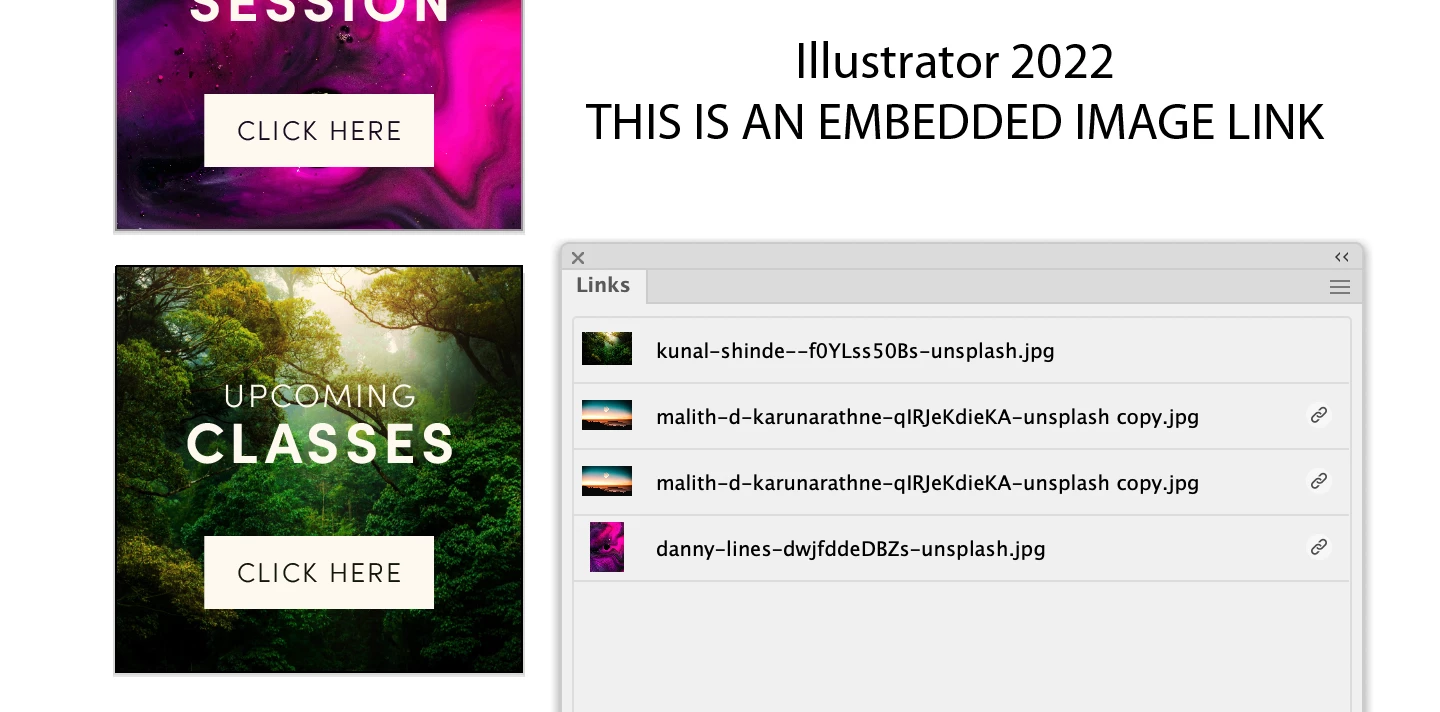
The 'new' version now shows a 'link' chain icon. In previous versions the icon symbolizing an embedded graphic was very helpful.
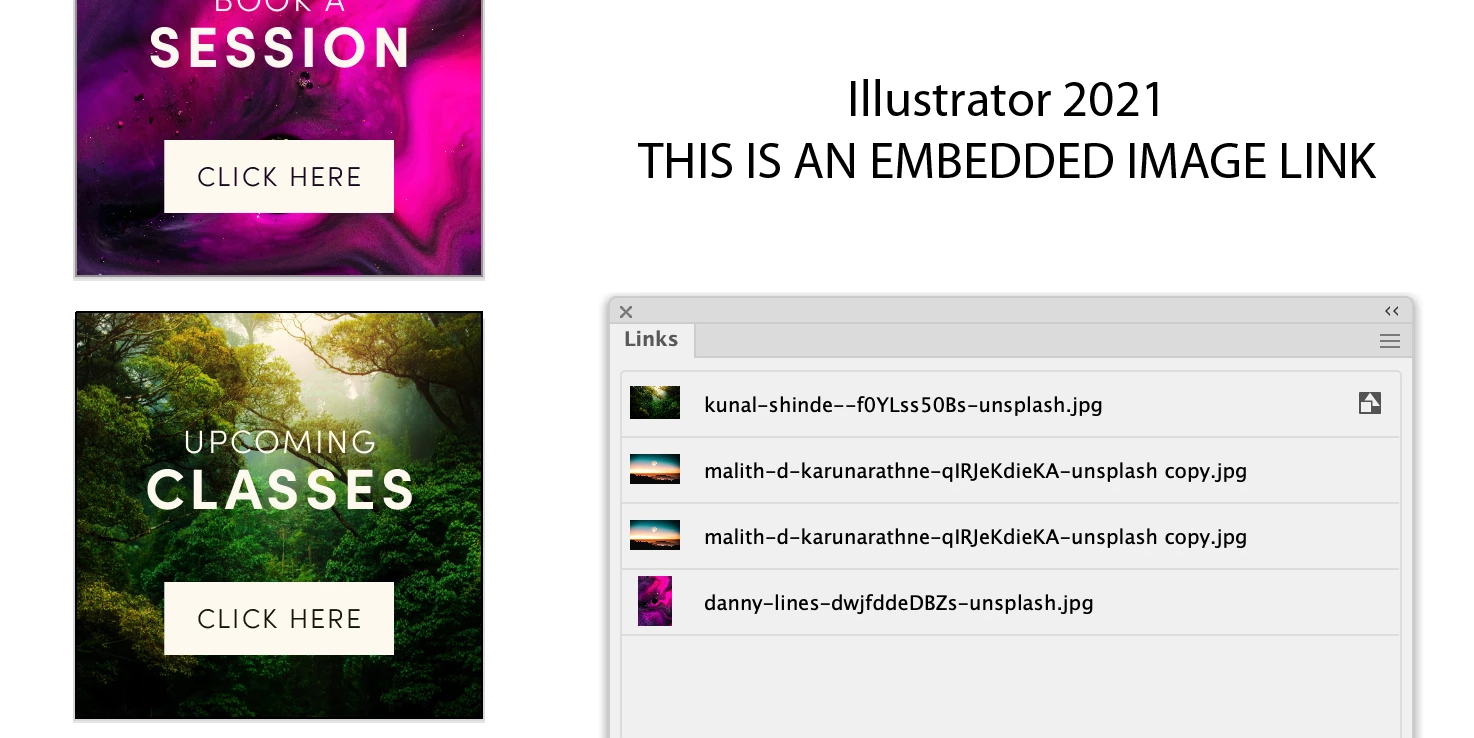
Seemingly now, the system is reversed as I now see an icon for a linked image instead of an icon for embedded. Yes, now we can see the image/link is embedded by either mousing over the filename or by reading the info below but the icon was, by far, a superior way to quickly notice if a link was in fact linked or embedded into our files. This was not broken, why was it altered? Is there a way to show this icon again? Setting perhaps?
 AdChoices