


- Home
- Illustrator
- Discussions
- Re: Envelope distort not doing what I want
- Re: Envelope distort not doing what I want

Copy link to clipboard
Copied


 1 Correct answer


Explore related tutorials & articles
 18
Replies
18
18
Replies
18

Copy link to clipboard
Copied
Envelopes always have 4 corners. Not more not less.
So that will not work like this. Probably it will be easier to just make an (isometric) distortion and then cut off what you con't need.
Copy link to clipboard
Copied
Copy link to clipboard
Copied
The object already has that shape. I'm not sure what you want to achieve. The envelope can be made to work better, but it's just not the way to achieve whatever it is that you want to do here: https://youtu.be/KTLYyYNjlng

Copy link to clipboard
Copied
Hello, thank you for taking the time to make this video. But still the outer edges is curved. I wanted the design to strech fit in perfect hexagone. If I know the method the it will be useful in other design project.
How does isometric distortion work(as you mentioned in your first response)?
Copy link to clipboard
Copied
There are other methods as well.

Copy link to clipboard
Copied
The original blue and black icon looks hexagon shaped, but in an uneven manner (the top of the icon looks more narrow than the bottom). Are you trying to fit the design into an equalateral hexagon shaped container? If that is the case then the blue and black graphic will have to be re-built using the even hexagon shape as a source to build up the straight intersecting diagonal lines. It's not hard to do at all, but it will take a bit of path and shape editing to do the job. Using envelopes or other similar effects will only warp the original graphic and cause the straight line work to curve in undesireable ways.

Copy link to clipboard
Copied
Your best results will come from drawing the design from scratch rather than trying to use distortions.
Copy link to clipboard
Copied
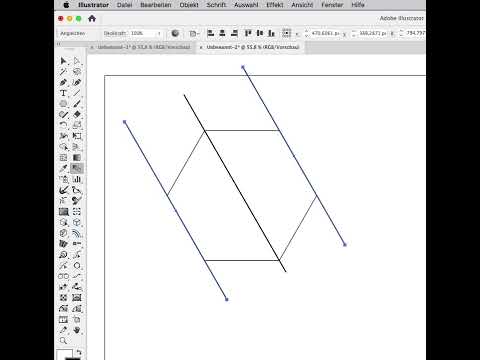
Yes I think so, but is there a way to fit it inside hexagone container?
Copy link to clipboard
Copied
Copy link to clipboard
Copied
Yes, I think recreating it with grid is the best solution.
Thank you for your help!
Copy link to clipboard
Copied
You're welcome!
Always good to check out the options first.

Copy link to clipboard
Copied
Basant Mishra, Hi.
True, grids are everything.
For your given vector shape to fit exactly into a hexagon shape, hmm, there a problem here.
Here I have a seamless hexagon pattern. Hexagon is compromised of equilateral triangles.
I did Live Paint, following your design. No problem I thought.
So I redid. COUNT your triangles!
As you can see, there is a gaping negative space but now fits into a true hexagon shape.
K

Copy link to clipboard
Copied
Thank you for the taking the time to redo the design.
But fitting the design in hexagone is not the only goal. The design should look asthetically pleaseing.
The gap towards top is twice compared to other ones.
How do you make it all same width and still fit in the hexagone?
Copy link to clipboard
Copied
You can make the grid as small as you want and then you can make it fit.
Copy link to clipboard
Copied
Personally, I like your original design better.
Good luck making your negative space and positive space equal and then fit into the hexagon perfectly.
K
Copy link to clipboard
Copied
Another day, another cup of coffee.😀
This is how I recreated your design to fit a perfect hexagon.
I made bands of fill colors. Group
Duplicate and rotate 60
Duplicated and rotated -60
I then aligned and resized each to fit that hexagon
Next Live Paint. Then expand Live Paint and Pathfinders>Unite same colors.
K

Copy link to clipboard
Copied
I think this is the best way to create this design.
You have taught me a new way to create grid. Thank you!
The design reads "CM". That what you are of the community. Chief Minister! 🙂
Copy link to clipboard
Copied
Glad that was helpful.
You will find there are many ways of doing things with Adobe apps.
K


Find more inspiration, events, and resources on the new Adobe Community
Explore Now
 AdChoices

