
audreys1007
Participant
September 17, 2018
Answered

Envelope distort on jpeg not working

  • September 17, 2018
  • 6 replies
  • 10849 views

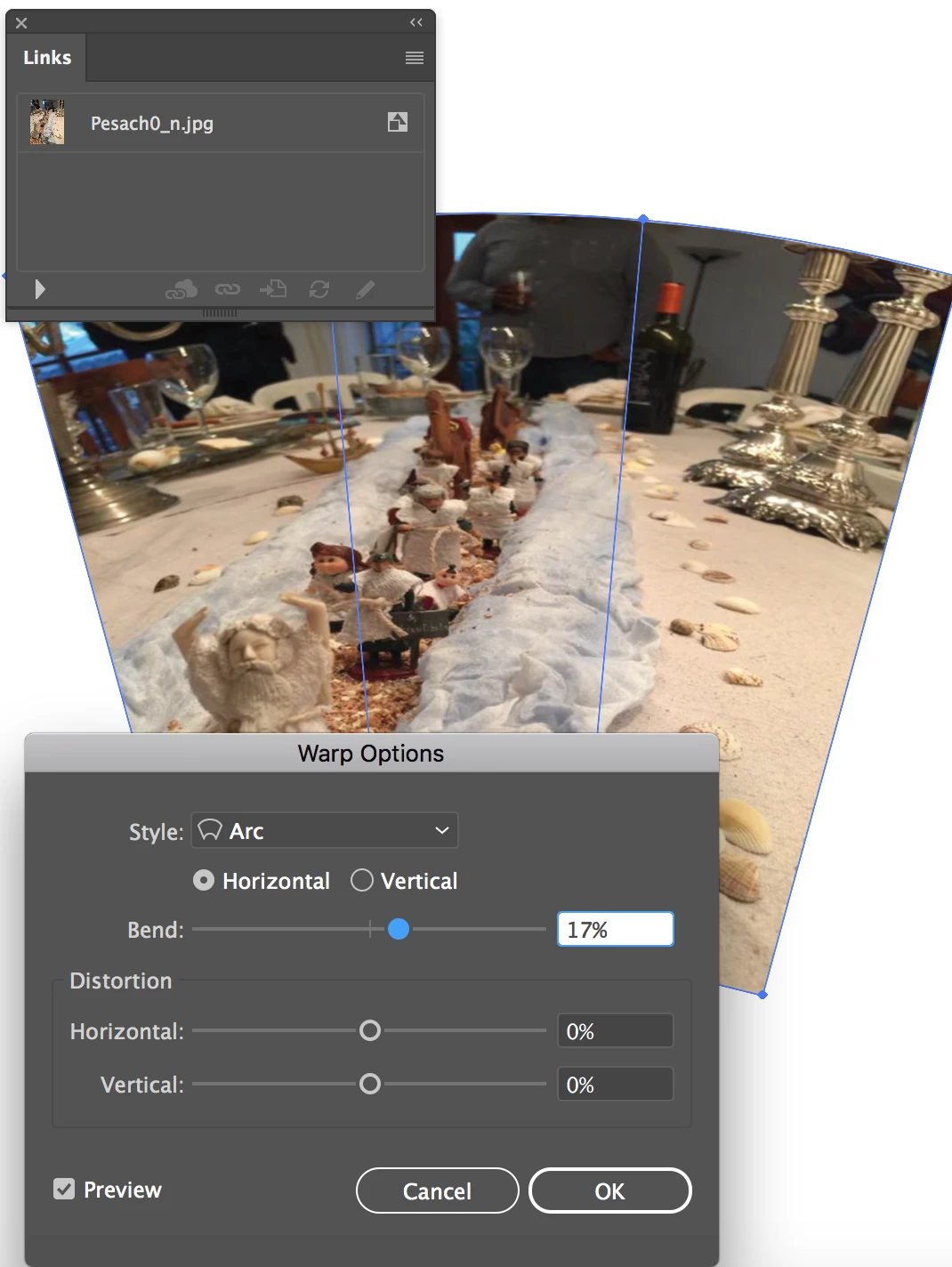
I am new to Illustrator but cannot get a picture I've placed on the artboard to "warp to an arc" or to distort into a shape placed on top.  I've followed the steps outlined but get a message that the selection contains objects that cannot be distorted.  I've tried several photos and get the same result.
    This topic has been closed for replies.
    Correct answer chanaart

    You need to embed the image: Go to Links panel: from the flyout menu choose embed image.

    Than you can use envelope distort and or with a mesh!

    6 replies

    audreys1007
    Participant
    September 19, 2018

    Thank you.  No, I had not embedded the image and this answer was super...so easy when you know the steps.   I'm learning but feel dwarfed.  Again, thank all of you for responding.

    chanaart
    Community Expert
    chanaartCommunity ExpertCorrect answer
    Community Expert
    September 18, 2018

    You need to embed the image: Go to Links panel: from the flyout menu choose embed image.

    Than you can use envelope distort and or with a mesh!

    lambiloon
    Community Expert
    Community Expert
    September 18, 2018

    hi in Adobe Illustrator using envelop distort from object option then choosing it all be done ... if its not working for you share screen shot...thanks

    Ali Sajjad / Graphic Design Trainer / Freelancer / Adobe Certified Professional
    Bill Silbert
    Community Expert
    Community Expert
    September 17, 2018

    As an Illustrator newcomer it seems possible that you might not understand what Ton and Jacob have suggested. A linked image is when the image is only seen within Illustrator but the file really exists for editing in its source application (usually Photoshop). An embedded image is when Illustrator makes a pixel by pixel copy of the image which becomes part of the Illustrator file and does not need to maintain a link to its source file for purposes of printing or creating a pdf or as in this case being distortable using envelope warp. To embed an image that has already been imported into the file select it and use the pull-down menu on the Links Panel to "Embed Image". To embed an image as you place it into Illustrator make sure that the Link option is unchecked in the dialog window that appears when you place an image.

    Ton Frederiks
    Community Expert
    Community Expert
    September 17, 2018

    Did you Embed the image?

    Jacob Bugge
    Community Expert
    Community Expert
    September 17, 2018

    Hi Ton,

    It seems we are entering a new short (four days) summer with whether from your direction, up to about 25 degrees.

    Ton Frederiks
    Community Expert
    Community Expert
    September 17, 2018

    Hi jacob,

    25 degrees is what we are expecting over here.

    Time to do some garden work (with the help of some wine).

    Jacob Bugge
    Community Expert
    Community Expert
    September 17, 2018

    Audrey,

    What happens if you embed rather than link the images?