
Answered
Envelope Distort Top Object with Vector Image
Hi everyone! I would like to make my text "CREAT" take the shape of the map (screenshot attached). I uploaded the map as an image and then vectorized and exapanded it. Upon trying to envelope distort with the top object (I've tried both orders in the layers), the message pops up that "This requires a selection of multiple objects. The top object must be a single path or mesh, or a symbol containing a single path or mesh." I guess my question is if there is any way to convert the vector image into a single path, mesh, or symbol or some other way to make the text take the shape of the map? Thank you so much!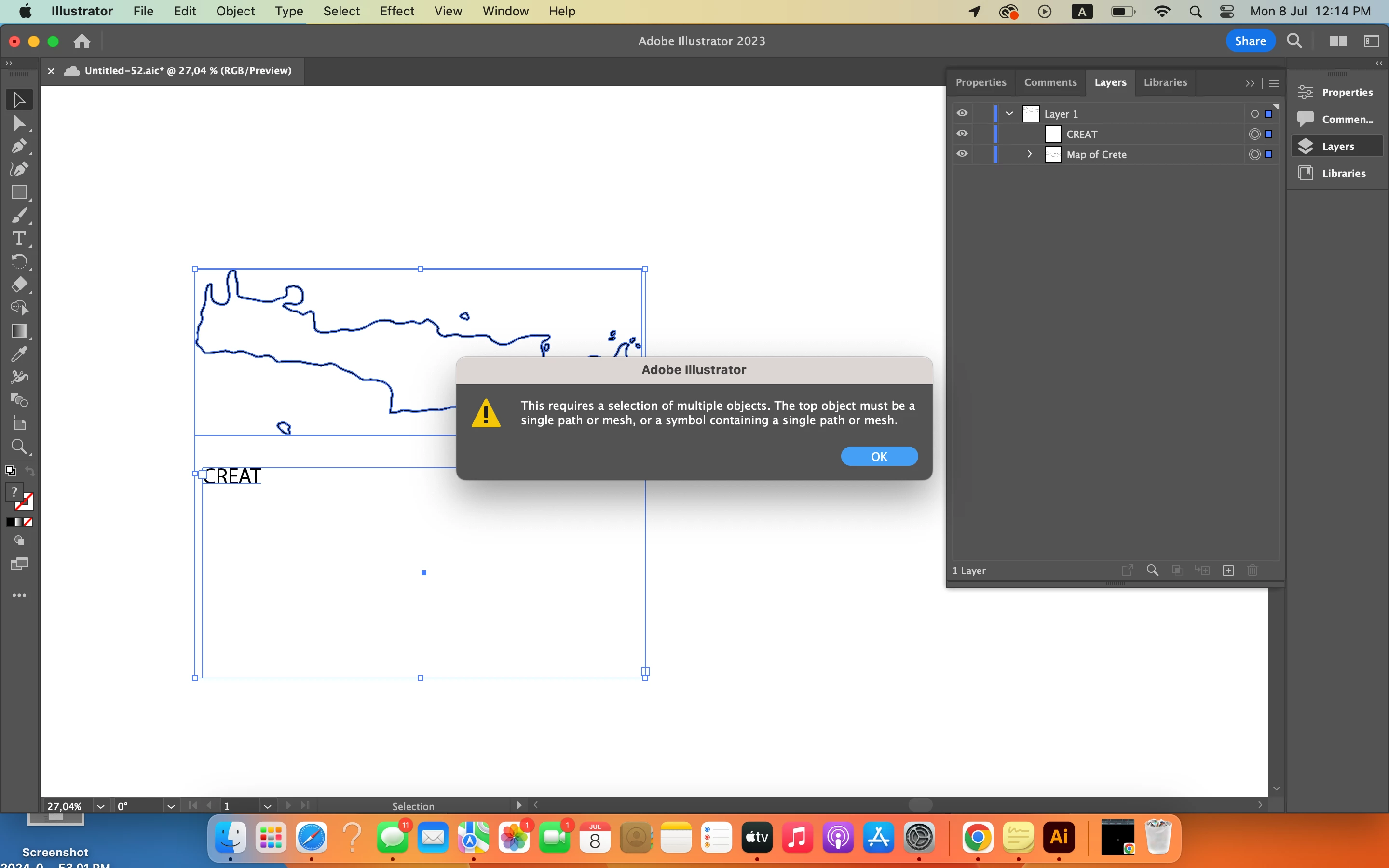
 AdChoices