
Participant
September 29, 2019
Answered

EPS file upload showing markings not clean image
  • September 29, 2019
  • 3 replies
  • 1114 views

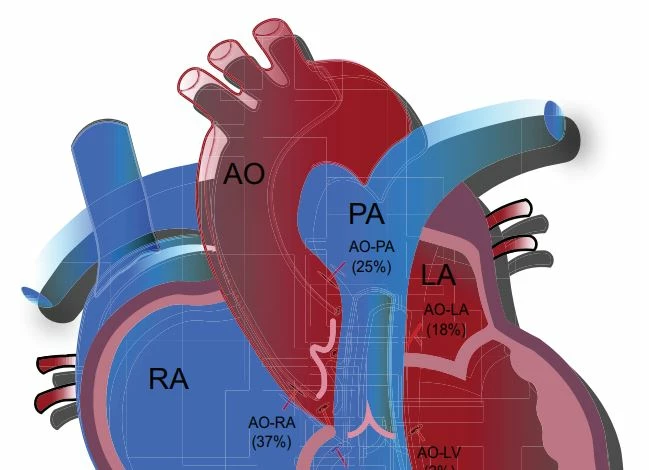
I am uploading the EPS version of my image online to a journal and it is showing up with markings on it; however, these markings aren't seen when I view the file in Illustrator. (please see partial screenshot). When the image is saved as a Tiff it also shows clearly without those lines and markings. 

How can I get the EPS image to show without the markings/lines in the background? Do I need to do something to correct it in Illustrator?

Thanks.

This topic has been closed for replies.
Correct answer Ton Frederiks

Looks like the original uses transparency.

This is flattened when saved as .eps (which never supported transparency).

Try if pdf is a solution.

3 replies

tifo258Author
Participant
September 30, 2019

 I tried saving as a pdf version of the file which unfortunately still shows some elements/outline of boxes in the middle (photo attached below).

This my first time using Illustrator so possibly I haven't considered the use of a feature that could fix this issue..

I checked the document raster effects settings, and changed it from 72ppi to 300 ppi. It did not change the appearance after I uploaded the file.

When in Illustrator I viewed the image in 'flattener preview' and 'overprint preview' and I don't see the 'boxed elements' like below. I notice it after I upload the file online/to the publisher. Is it possible it will still print uniformly/as normal? 


To my understanding my image is vector based so I would need to upload this file in the format of eps or pdf.. The options that are given for the upload are:  

Application/format

Extension

Accepted

Tagged Image File Format (TIFF)

TIF, TIFF

Recommended image format for halftones and bitmaps

Joint Photographic Experts Group (JPEG)

JPG, JPEG

Recommended image format for halftones

Encapsulated PostScript  (EPS)

EPS

Recommended image format for vector-based images (*and embedded images)

Portable Document Format  (PDF)

PDF

Recommended format for texts, notes, documents, vector-based images


Thanks for the help/suggestions!

Monika Gause
Community Expert
Community Expert
September 30, 2019
There is transparency in your artwork. You have used blend modes, reduced opacity, blurring glow or shdaow effects or whatever. You always need to be careful with that. Now you can create a PDF/X-4 which will keep the transparency in the file, but then the publisher needs to flatten it. Obviously they do that. And obvously they don't have appropriate methods in place (at least not on their server that generates the preview). Their file specifications are not up-to-date and not too professional (maybe because they want to keep it simple for people who are not print professionals either). So you have the following options: send them an EPS and hope for the best. Send them a PDF and hope for the best, but expect the worst. Select all the image parts of the artwork and convert them to raster (of course keep a copy of the vector artwork) but leave the text as text and then send a PDF. Try and get to their prepress department and talk to them (and then hope for the best).
Ton Frederiks
Community Expert
Community Expert
September 29, 2019

"The pdf seems to have compressed the file to 1.1 MB as opposed to 6 MB as EPS."

Actually it is the other way around, the transparency flattening causes the small pdf file to become a large eps file that simulates the effects of transparency and makes it less flexible because it contains many more elements and some elements may become images at a fixed resolution.

Monika gave a link to a good resource to understand the limitations of .eps

Ton Frederiks
Community Expert
Ton FrederiksCommunity ExpertCorrect answer
Community Expert
September 29, 2019

Looks like the original uses transparency.

This is flattened when saved as .eps (which never supported transparency).

Try if pdf is a solution.

tifo258Author
Participant
September 29, 2019
Thank you. The pdf seems to have compressed the file to 1.1 MB as opposed to 6 MB as EPS. Is EPS typically the best quality option? Is there anything else I can do to maintain the high resolution?
Monika Gause
Community Expert
Community Expert
September 29, 2019

EPS is last century's file format. It's not advised for print workflows anymore (for about the last 15 years actually). Since there is a lot of transparency flattening going on in your artwork, you should check the Document raster effects settings. The resolution for raster effects is important. It shouldn't be too low. As for the PDF: it depends on what exactly the printing or publishing house requested from you. You need to get some knowledge about printing processes in order to know what you're doing.