Inspiring
December 9, 2017
Answered

EPS/PDF - Using texture files with an opacity mask

  • December 9, 2017
  • 2 replies
  • 1601 views

Hello,

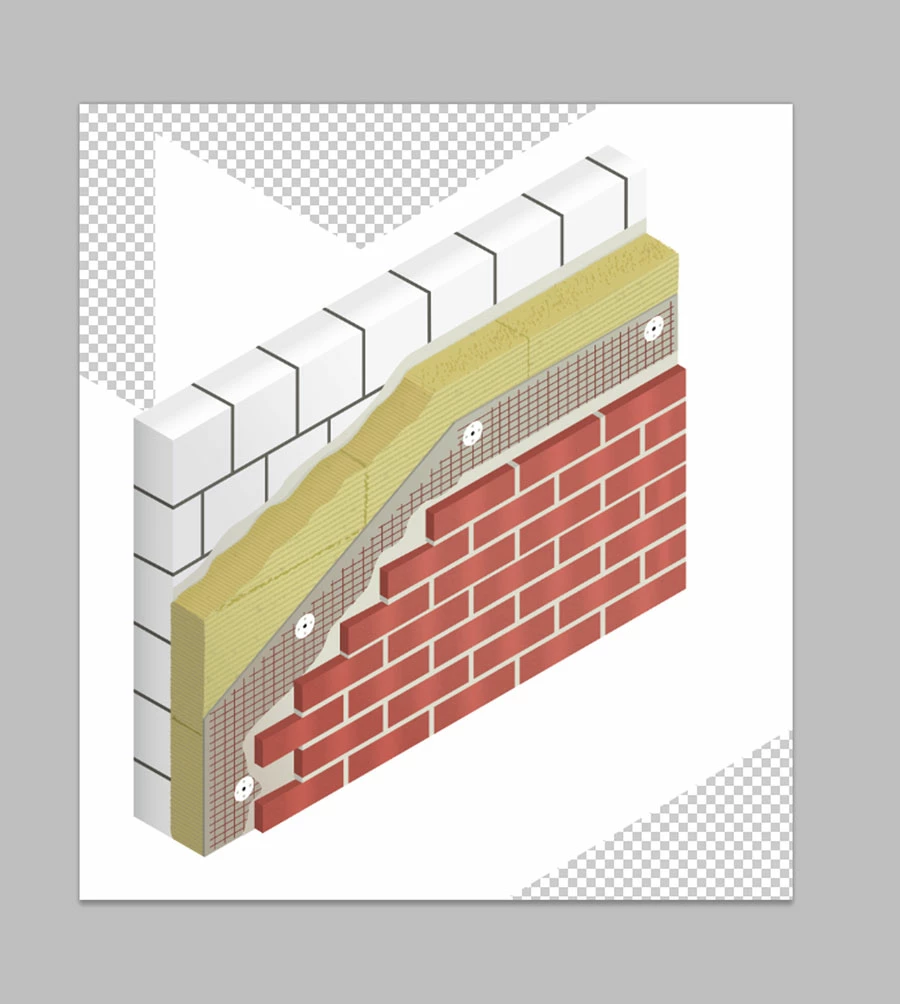
since a couple of hours I try to save an EPS or PDF file for a client. However, the bitmap texture files I use (lined structure on the wool) become white planes or boxes outside the artwork after saving it as an EPS or PDF. I use the texture files with an opacity mask. I think something is really going wrong with the flattening of the transparency, but I have absolutely no idea why.

I hope someone can give me hint on what's going wrong here.

Thanks!

Elisabeth
This topic has been closed for replies.
Correct answer elisabethd37765350

The "Clip Complex Regions" option becomes available when you change the Raster/Vector Balance to 99% or lower.

Worth trying.


When I use the "Clip Complex Regions" option AI nearly crashes. Seems it is a bit too complex.

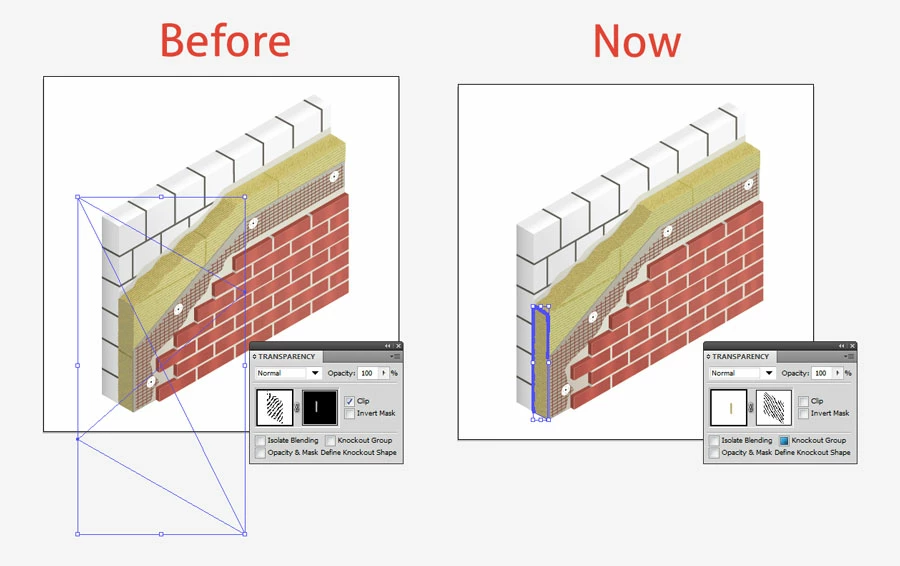
I switched the Opacity Mask (see image) and now the white planes are gone. There are just a few white boxes around the bottom line. If I check "Make Clipping Mask" in the Document Raster Effect Settings this problem is also solved. So I found a solution that seems to work. However, I will  share this file with the Adobe Illustrator support.

2 replies

barbara_a7746676
Community Expert
Community Expert
December 9, 2017

I don't know for sure why the white boxes are happening. If you have spot colors, that may be causing the problem. Sometimes when spot colors interact with transparency they cause white boxes.

You could try saving as PDF/X-4:2008, and make sure that Compatibility is 7 or higher.

Inspiring
December 9, 2017

No, I don't use spot colors. The white boxes are definitely caused by the texture files in the opacity mask. But why? All settings without flattening seem to work. Thanks for your answer!

Monika Gause
Community Expert
Community Expert
December 9, 2017

Because you use bitmaps in your opacity mask.

Can you post your flattening settings? Did you turn on Clipping masks?

If a specific type of PDF causes issues can only be answered by the service provider. So you need to contact them now.

Legend
December 9, 2017

What happens if you save a PDF without flattening the transparency (EPS must always be flattened)?

Inspiring
December 9, 2017

It works, if I save a PDF without flattening. But why doesn't it work WITH flattening?

Do you think saving without flattening could cause any problems if it get printed?