
Inspiring
October 30, 2022
Answered

Eraser tool makes a shape instead of erasing?

  • October 30, 2022
  • 2 replies
  • 7115 views

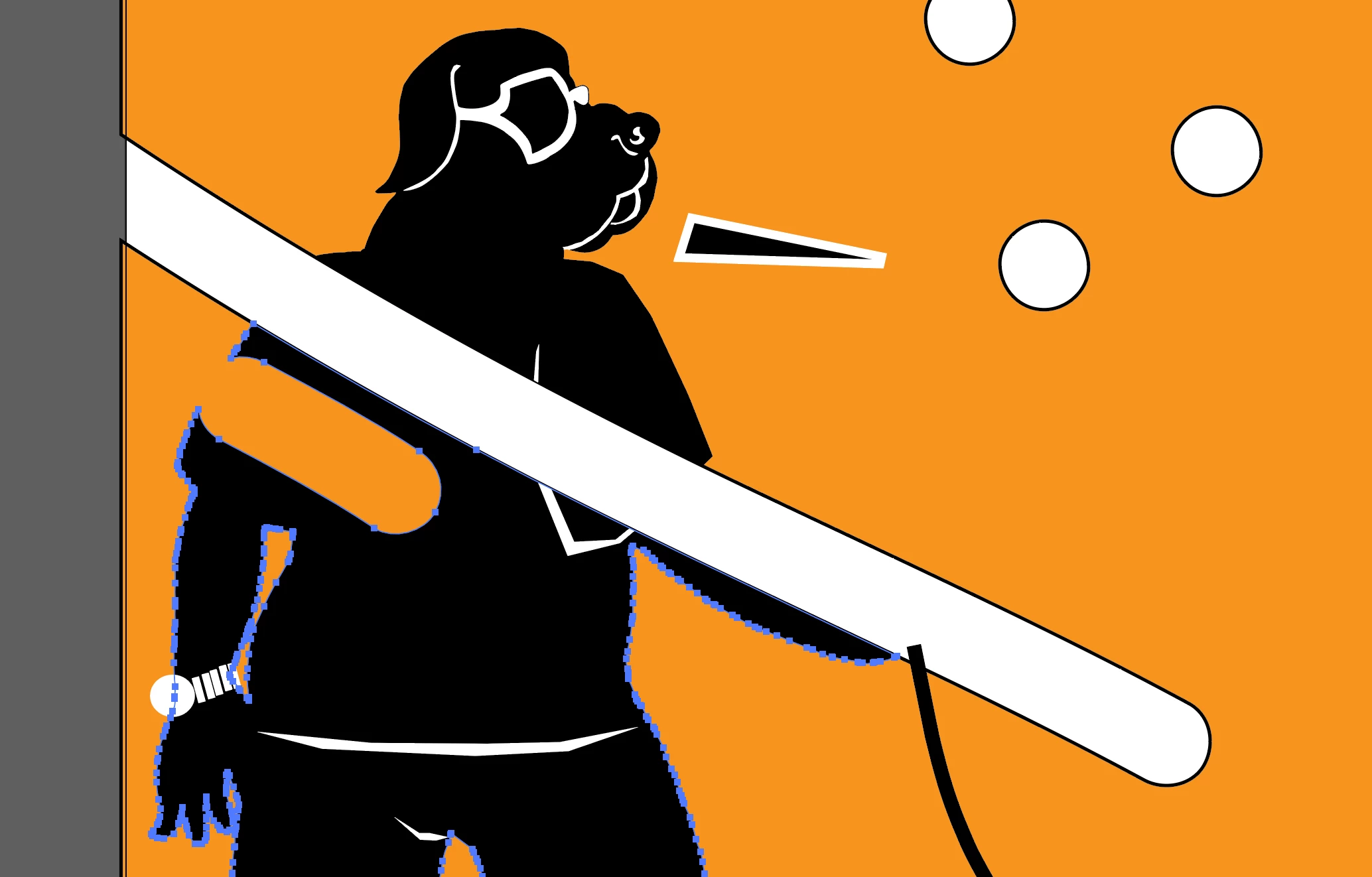
The eraser tool doesn't work on *one* file. It makes a shape with an outline instead (screenshot attached).
I can't attach the file because "The attachment's bu_dr_gm_boerboel-002.ai content type (application/postscript) does not match its file extension" so I'm thinking that might have something to do with it.

I haven't changed anything as far as how I save .ai files (screenshot attached).

I've checked it with other files, the most recent one I made before this one and older ones. Also I updated illustrator to the latest version and restarted the machine.

Thanks in advance for any advice.
 

Correct answer SJRiegel

This is, as you see from the screenshot I shared, and the one below, absolutely NOT how this tool is functioning for me.

Please provide a little more information so I can continue troubleshooting the problem.

What version of Illustrator are you using, and what OS/version.

**If anyone with higher level skills in Illustrator has any helpful input, I will be most appreciative.**

Thank you


When I use the eraser on your art with nothing selected, I get the same results that you are showing. 

If I select the black shape, and then use the eraser, it erases only the black. 

You are seeing the outline in the first instance becasue the orange shape being erased has a black stroke applied to it.

2 replies

Kurt Gold
Community Expert
Community Expert
October 31, 2022

Using the Eraser tool, it shouldn't look like shown in your screenshot if the black paths are plain filled objects.


To have a look at it, you may share the Illustrator file via Google Drive, Creative Cloud storage or any other file sharing service.


Inspiring
November 8, 2022
Inspiring
December 6, 2022

I downloaded and opened your Illustrator file. I selected the "man-dog" shape:


Then I selected the Eraser tool and dragged across the artwork. This is the way the Eraser is supposed to work:


This is, as you see from the screenshot I shared, and the one below, absolutely NOT how this tool is functioning for me.

Please provide a little more information so I can continue troubleshooting the problem.

What version of Illustrator are you using, and what OS/version.

**If anyone with higher level skills in Illustrator has any helpful input, I will be most appreciative.**

Thank you

Steve Werner
Community Expert
Community Expert
October 30, 2022

Yes, the eraser tool works like a brush (with a shape) to cut through vectors. Watch this tutorial:


https://design.tutsplus.com/tutorials/how-to-use-the-eraser-tool-in-illustrator--cms-39644