
Eraser Tool won't erase despite heroic efforts & relentless pleading
I've got an unwanted blob sitting outside my much-desired icon that I'd like to erase. Nothing I've tried thus far works. Suggestions on how to get rid of the thing (signified by the dark-gray arrow in the uploaded image (note: the arrow isn't part of the desired final graphic))?
Things I've tried:
- The eraser tool (on each layer)
- Targeting each layer and using the eraser tool
- The Path Eraser Tool
- Object > Path > Clean Up Stray Points (with all options checked)
- Double-clicking the Eraser Tool and setting the brush to a larger size
- Erasing with the ShapeBuilder Tool
- I've expanded things, turned things off, turned things on, begged the universe ...
I thought that the problem might come from having a linked layer in the design, but I've had the same problem with a graphic that has no linked layers. There's some step I'm missing, obviously.
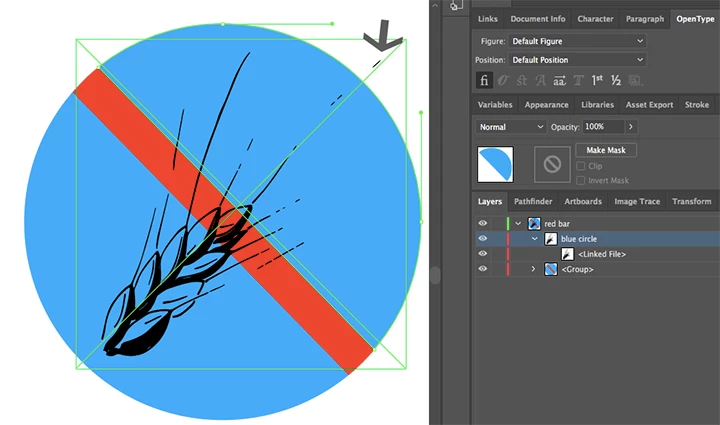
Thank you.
 AdChoices