
Answered
Erasing Shapes with Boarders
Hello,
I would like to make the inside of the T hallowed out & able to be transparent with the backgroud. How do I erase the edges connecting to the background? When I use the erraser it just drags the border around. I want to keep a border on the image but still have the T hallowed out where the T & D connect along the edge.
I tried using the scissor tool but I'm not sure that's acchieving the hallowed out factor I'm hoping for. Again, I'd also like to keep a border.
Hopefully I explaned that well. I'm sure if you take a look at the image attached, it'll make more sense what I'm trying to do.
Any suggestions?
Thank you!!
Alison
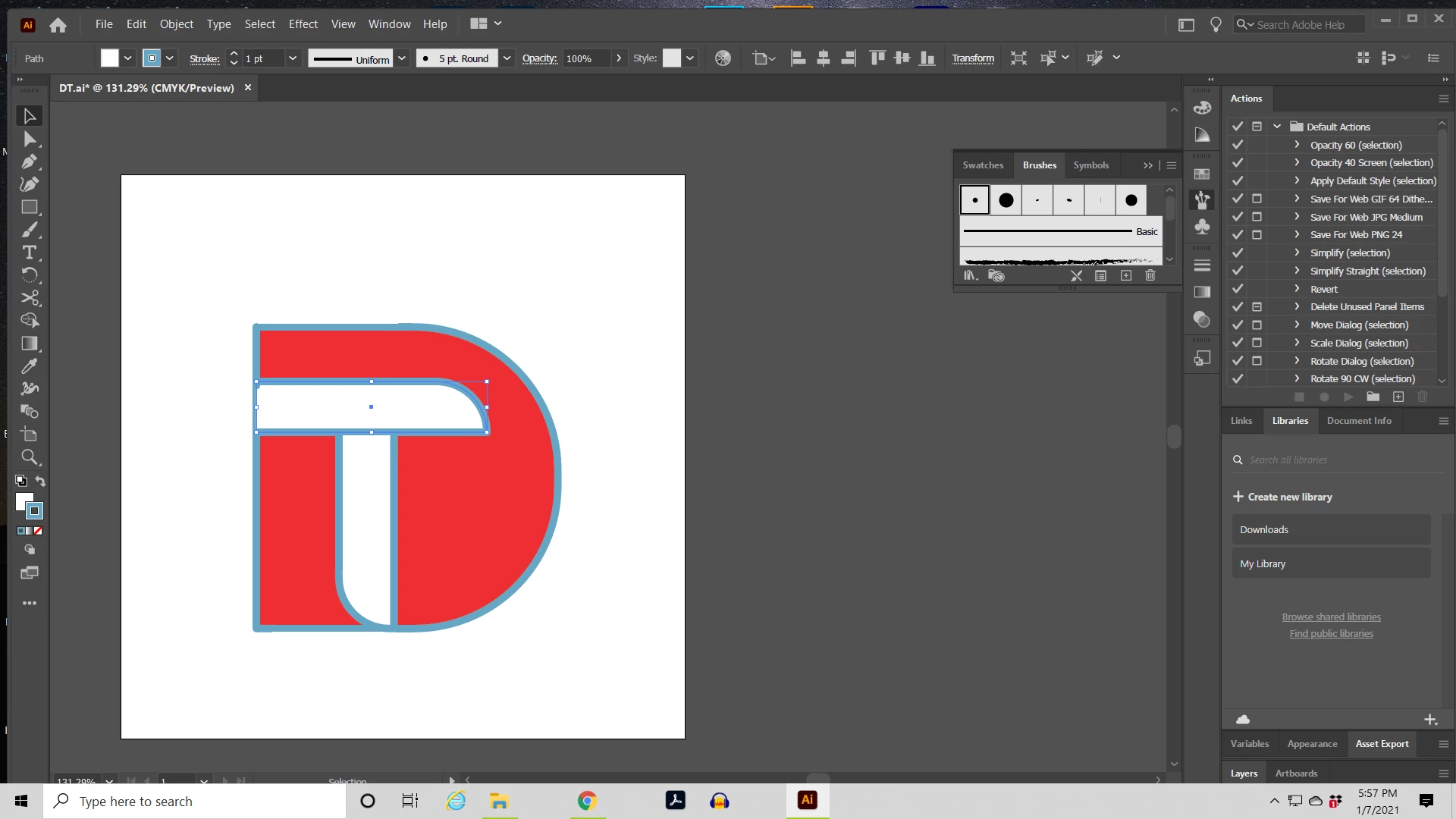
[ attachment inserted as inline image by moderator ]


 AdChoices