caitlinororke
Inspiring
September 27, 2021
Answered

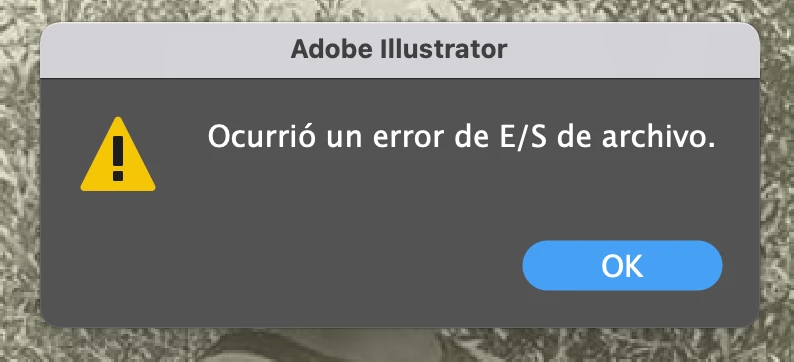
Error al guardar o exportar en Illustrator
  • September 27, 2021
  • 1 reply
  • 516 views

This topic has been closed for replies.
Correct answer caitlinororke

Thank you! I found the isuue origin: didn't have enough space in my external drive.


Regards, 

C

1 reply

Anshul_Saini
Community Manager
Community Manager
September 27, 2021

Hi there,


Sorry to hear about the trouble you are facing. I would request you to share a few more details like:

  • The exact version of macOS and Illustrator
  • Is this an M1-based Mac?
  • Is this happening while saving a specific document or all?
  • Are you able to save or export it to any other format?
  • Are you able to save it as Cloud Document?
  • Does saving it to Desktop help resolve the issue?
  • Where are you saving the files (Network Drive/ System HDD/ Shared Folder on System/ External HDD)?
  • When did this start happening? Are there any recent changes made to your system? For example, any antivirus, system updates, plugins, or web extensions installed recently.
  • Does resetting Illustrator Preferences ( https://helpx.adobe.com/illustrator/using/setting-preferences.html) help to resolve the issue?
    Disclaimer: Please note that resetting preferences will remove all the custom settings, and Illustrator will launch with default settings. You can also take a backup of the folders in case you want to. Location is mentioned in the article.


Also, you may try saving or exporting in Root account and let us know how it goes.


We are here to help. We just need more information.


Thanks & Regards,

Anshul Saini

caitlinororke
caitlinororkeAuthorCorrect answer
Inspiring
September 29, 2021

Thank you! I found the isuue origin: didn't have enough space in my external drive.


Regards, 

C
