
kiml66753721
Participating Frequently
April 1, 2022
Answered

Error: Can't open the illustration. File is locked or in use. ID: -54

  • April 1, 2022
  • 2 replies
  • 6192 views

I am trying to open some shutterstock eps files from 2015 and getting the following error message. It will not open in any other program or allow me to place it into an existing files. Any suggestions?
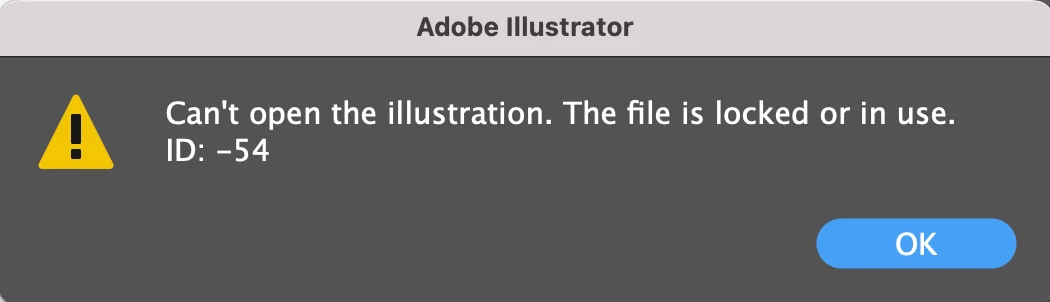
OS Monterey 12.3

Adobe Illustrator 26.0.2

Correct answer Met1

Try copying and pasting a file into a different folder.

2 replies

Participant
May 27, 2024

I've also been having the same exact issue and I simply don't know. I'm on a Mac and using the latest model of illustrator. It won't let me open on photoshop and I keep getting the pop up message "locked or in use" when I saved it and close it 8 hours ago! Please help me! I have no idea what's going on and nothing has seemed useful 😞

Anshul_Saini
Community Manager
Community Manager
June 17, 2024

Apologies for the delayed response, @Lauren37670004tc2g. I hope the issue has been resolved. If not, please feel free to DM me. I would be happy to assist.


Best,
Anshul Saini

Participant
November 27, 2024

Hi, I am also having same issue.  I have tried suggestions all listed here, but still no luck. 

Met1
Met1Correct answer
Legend
April 1, 2022

Try copying and pasting a file into a different folder.

Participant
January 10, 2024

I am having the same issue as of this week (Jan 9, 2024). I tried copy/pasting files into a new folder and it didn't work. I also dragged it to my desktop and that didn't work either. Same error message. Any other suggestions? Most files were created in older versions of .ai if that helps. 

Anshul_Saini
Community Manager
Community Manager
January 10, 2024

Hi @Fiona34713696ccq3,


I'm sorry to hear that you're experiencing a similar issue. Since you've already tried copying the files to a new folder and to the desktop, let's try a few more steps:


  • Check File Size: Verify that the copied file on the desktop has a reasonable file size. If the file size is unusually small, it might indicate a problem with the file.

  • File Corruption: If the file was created in an older version, there's a possibility of corruption. Consider trying to open other files to see if the issue is specific to certain files or if it's a more widespread problem.

  • Permissions: Ensure that you have the necessary permissions to access and modify the files.


If the issue persists, please share the file with us and confirm the location where it was originally stored. Additionally, providing the version of Illustrator you're using and the OS version would be helpful for further assistance.


Feel free to reach out if you have any more information or if you need further assistance.


Best,

Anshul Saini