
Error: Could not find the linked file "". File name is blank, it's just empty quotation marks.
Currently using Illustrator 25.3.1 (64-bit) on Windows 10.
Brief background. Because work requires me to move around a lot, I work off of an external portable hard drive (which I do routinely back up to my main work PC). All files are saved to this drive, I do not use the Adobe Cloud. As you know, plugging the hard drive into different PCs causes causes link paths to change because the default drive letter is different across different computers, so it is quite common for me to get the "could not find linked file xyz.jpg." Absolutely no prob: it was quite simple for me to find the linked image xyz.jpg, check the "apply to all" box, and click replace. Boom, all missing files re-linked instantly and work resumes.
But now when opening up a document that requires links to be replaced, I am getting an error that does not appear to be able to be fixed, because Illustrator does not even know what linked image file is missing.
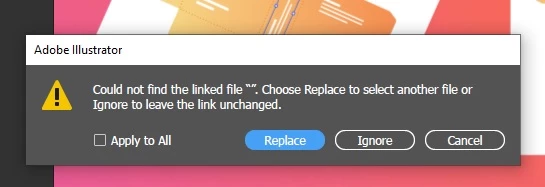
Choosing any image from the external drive and checking "apply all" in an attempt to restore the link paths in the rest of the document now gets me this:
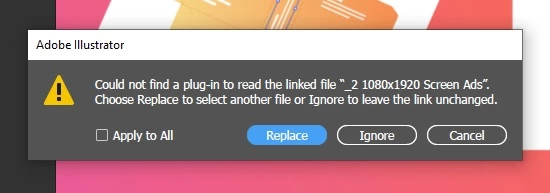
The "_2 1080x1920 Screen Ads" is the name of the FOLDER that the image file I selected was in. It doesn't matter what file within that folder I select: the FOLDER name is always read off here as what's missing.
Obviously, no links end up being re-linked. Upon still attempting to open the document this way, all linked images are simply gone. They are now empty boxes that show as "embedded" links, and the only way to actually put them back in the document is to re-link them ONE BY ONE.
File type doesn't seem to matter at all (JPG, PNG, doesn't matter), nor does file size of the document seem to matter.
Also, all if my documents are saved as CS6 documents, but they very rarely have to be opened in Illustrator CS6, and I have not done so for quite a long time, well before the issue started. I haven't been able to keep track of exactly what Illustrator update caused this, but it was some time within the past few months.
 AdChoices