
Participating Frequently
May 6, 2022
Answered

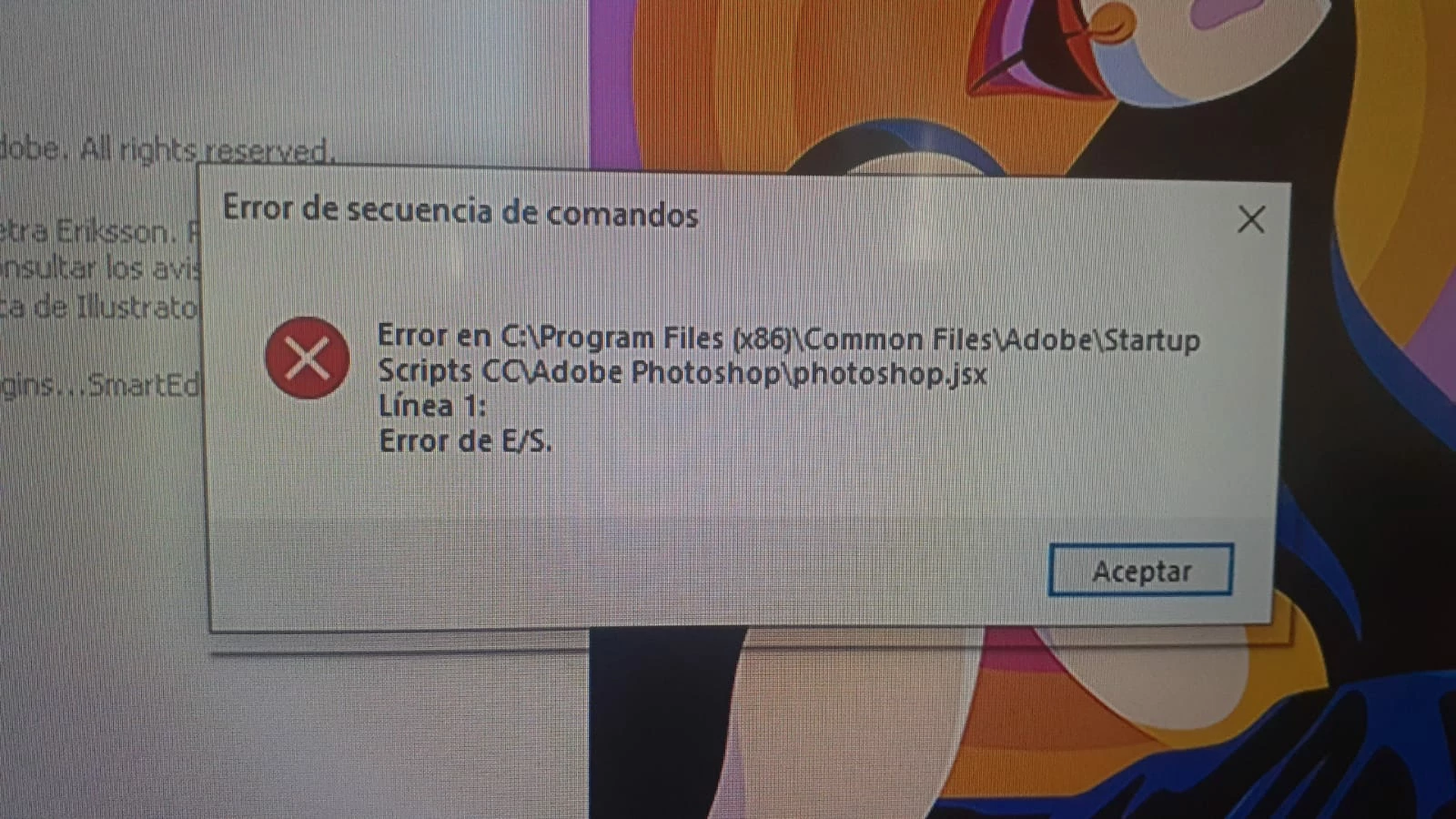
Error de E/S al abrir Illustrator (photoshop.jsx)
  • May 6, 2022
  • 3 replies
  • 19733 views

 Al iniciar Illustrator en su ultima versión me parece un cartel con lo siguiente:

"Error en c:\Program Files (x86) \Common Files\Adobe\Startup Scripts CC\Adobe Photoshop\photoshop.jsx   

Línea 1:

Error de E/S"

COMO LO PUEDO SOLUCIONAR?

Correct answer AdrianPalma

Hola pude solucionar el error haciendo estos pasos..en Illustrator:

1- Ve a archivos..

2- Secuencia de comandos..

3- Otra secuencia de comandos..

4- Localiza el archivo "photoshop.jsx", que se encuentra en la ruta que figura en el cartel del error..

5- Selecciona "photoshop.jsx", abrirlo.

Solucionado. Al abrir nuevamente Illustrator ya no saldra ese cartel de error.

3 replies

AdrianPalmaCorrect answer
Participant
September 10, 2022

Hola pude solucionar el error haciendo estos pasos..en Illustrator:

1- Ve a archivos..

2- Secuencia de comandos..

3- Otra secuencia de comandos..

4- Localiza el archivo "photoshop.jsx", que se encuentra en la ruta que figura en el cartel del error..

5- Selecciona "photoshop.jsx", abrirlo.

Solucionado. Al abrir nuevamente Illustrator ya no saldra ese cartel de error.

Participant
November 18, 2023

ESTA ULTIMA SUGERENCIA DE Adrian33 resulto factible 

Anshul_Saini
Community Manager
Community Manager
May 6, 2022

Hi @florenciam66754754,


We are sorry for the trouble. We are investigating this issue. I would recommend you try the steps suggested by @CarlosCanto. We had a debug session with a couple of users, and the second step suggested by Carlos worked for them 100%. Let us know if that works for you.


Also, I would request you to upload the Startup Scripts CC folder from this location C:\Program Files (x86)\Common Files\Adobe to Creative Cloud, Google Drive, or any other similar service before removing or deleting it and share the download link to the folder with us. It would be really helpful for us.


I will be looking forward to the download link to the Startup Script CC folder.


Thanks & Regards,

Anshul Saini

Participating Frequently
May 10, 2022

Pudiste ver la carpeta de Scripts?

Participating Frequently
May 17, 2022

Thanks for sharing the Script folder @florenciam66754754. We were unable to replicate the issue using the folder you shared. Is the script issue resolved after deleting the Startup Scripts CC folder?

The only way to resolve the "now!" error is to delete some Illustrator preferences folder.
Delete All the "AIRobin" & "Adobe Illustrator" folders from the following location: C:\Users\%userprofile%\AppData\Roaming\Adobe

Disclaimer: Please note that deleting these preferences folders will remove all the custom settings, and Illustrator will launch with default settings. You can also take a backup of the folders in case you want to. Location is mentioned in the article.


Let us know how it goes after deleting these folders. I will be looking forward to your response.


Thanks & Regards,

Anshul Saini


Me arranca bien el Illustrator, pero ahora cuando quiero exportar no puedo exportar en PNG. Se solucionó el primer problema, pero ahora me aparece eso. Y a veces al guardar illustrator se cierra y no me guarda los cambios. Y me manda a "Enviar un informe" 

CarlosCanto
Community Expert
Community Expert
May 6, 2022

hay dos sugerencias para este problema, pero no muchos usuarios han confirmado si trabajan o no


- El sistema operativo Windows necesita ser actualizado, usuarios han reportado que esto resuelve el problema


- cierra illustrator y remueve (o cambia el nombre) de la carpeta "Startup Scripts CC"

Participating Frequently
May 9, 2022

Gracias @CarlosCanto  voy a probar ambas soluciones, aunque windows no me aparezca para actualizar