
Error in Illustrator 2020 Clipping Mask
I was using Adobe's original Illustrator 2020 free and when selecting the Clipping Mask an error message appears: "cannot make clipping mask. The selection must contain more than one object".
In the 1st attempt, the entrepreneur's image, which would be the one that would apply the clipping mask was not inside Ellipse's circle when selecting the clipping mask, instead the error did not appear, but it was not inside the white Ellipse, when I clicked Clipping Mask, then I tried again and the error appeared unfortunately.
I've tried several times and nothing of the Clipping Mask activates, only the error appears
The process I did was to put the image of the entrepreneur inside Ellipse, then I copied the two images that are the image of an entrepreneur and Ellipse and selected the paste in place option and clicked on the clipping mask, that's when this error continued to appear
I wonder if anyone would have a solution and it would be Illustrator that is in error?
Below is the attachment with the error: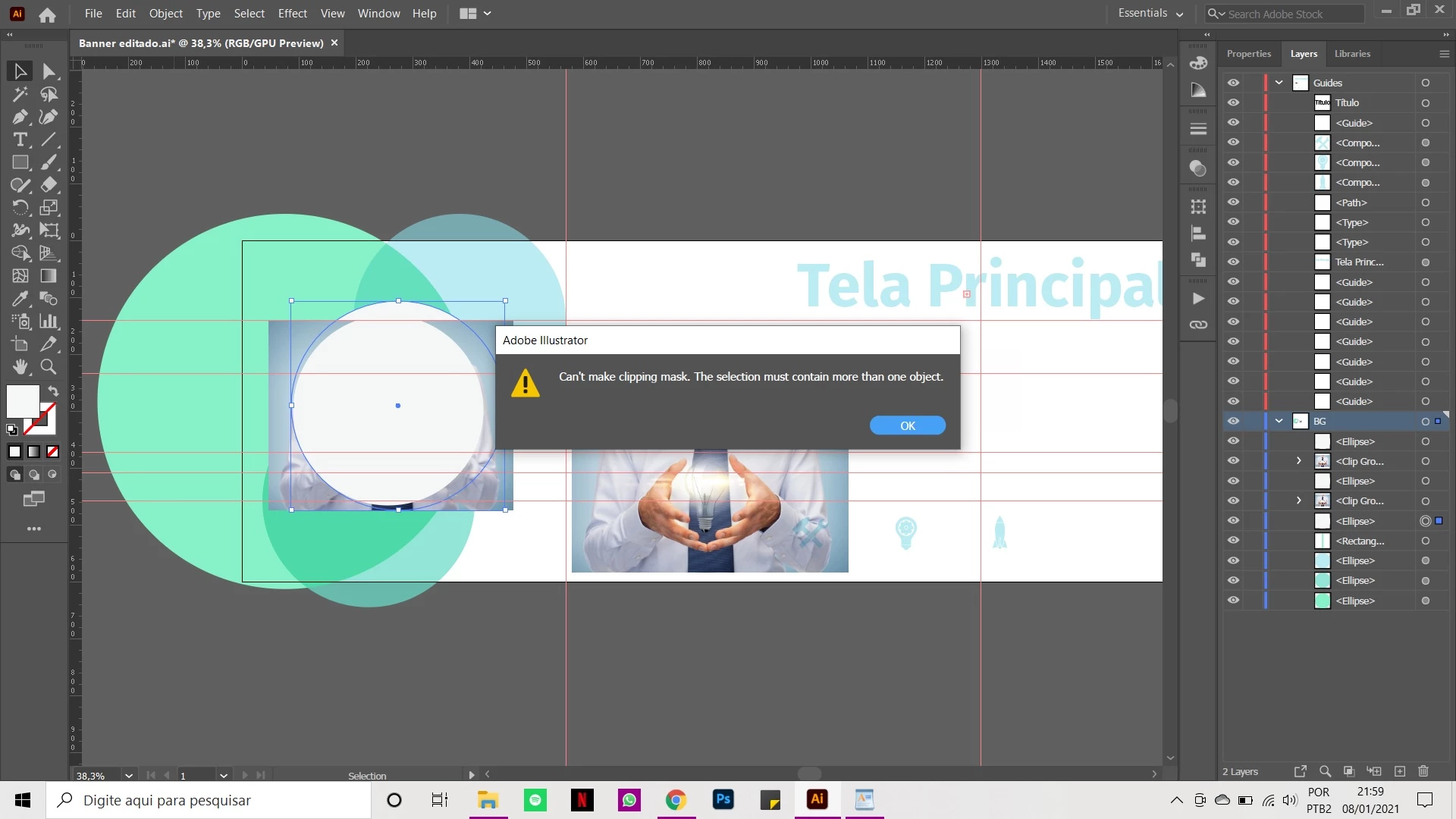
 AdChoices