Participant
April 24, 2022
Answered

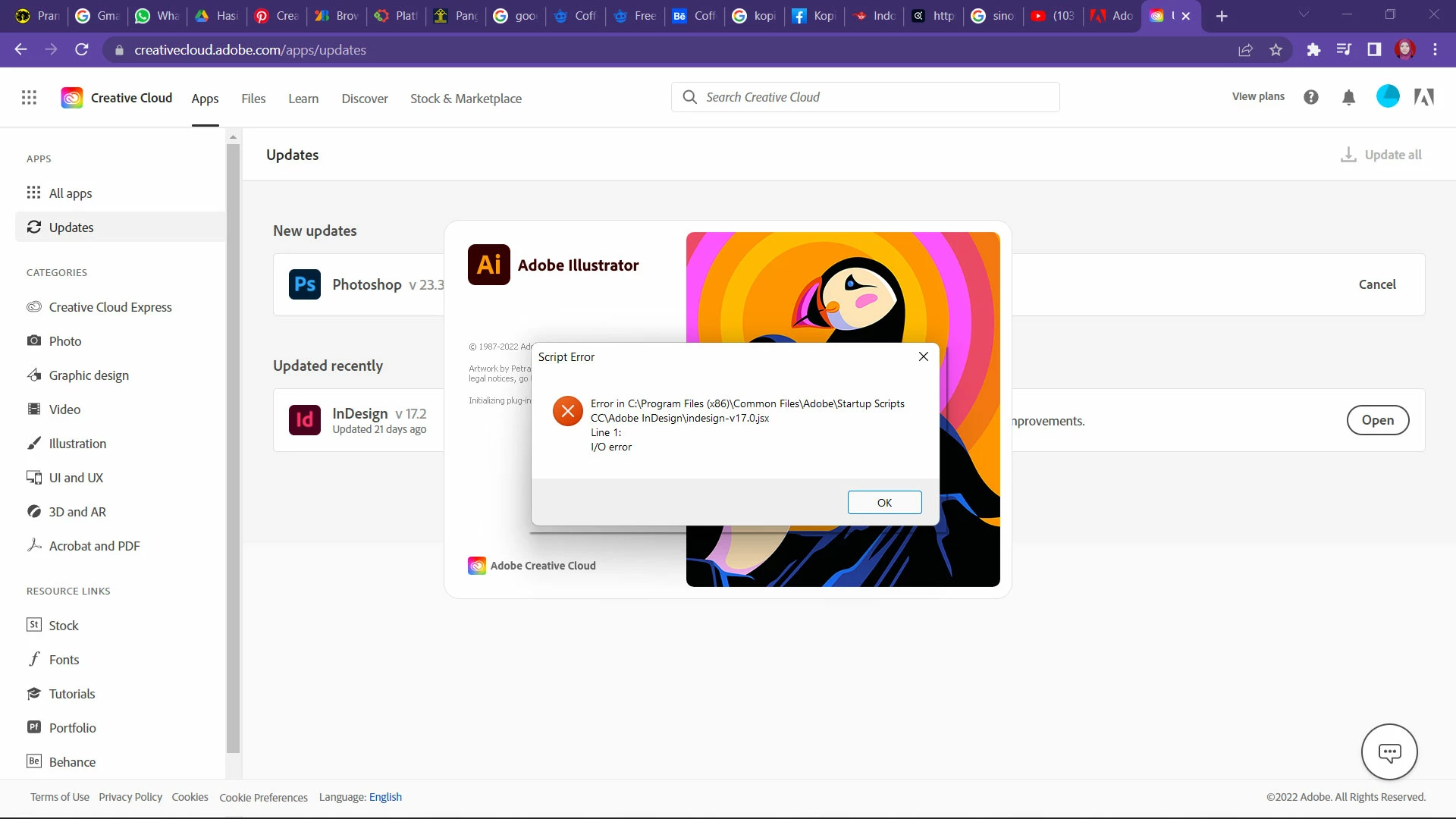
Error notification when starting Adobe Illustrator

  • April 24, 2022
  • 2 replies
  • 896 views

hi everyone..

i keep received this error notification when i'm starting Adobe Illustrator. But, the app still working after i closed the notif pop-up. Is anyone have the same situation? Help me please..

This topic has been closed for replies.
Correct answer Anshul_Saini

Hi @HanJuVe,


We are sorry for the trouble. We are having debug sessions for this issue with the product team as we are unable to replicate the issue on our end. Would it be possible for you to have a debug session with us? If yes, please share your Adobe email ID, Phone number with country code, preferred time & day for the meeting, your timezone, and country & state you live in over the DM only.


However, if you don't want to do a debug session, you may try the following steps, which have worked for others:

1. Update Windows OS as suggested by @Monika Gause

2.  Delete or move the "Startup Scripts CC" folder from the following location to the desktop:

C:\Program Files (x86)\Common Files\Adobe


I will be looking forward to your response.


Thanks & Regards,

Anshul Saini

2 replies

Anshul_Saini
Community Manager
Anshul_SainiCommunity ManagerCorrect answer
Community Manager
April 27, 2022

Hi @HanJuVe,


We are sorry for the trouble. We are having debug sessions for this issue with the product team as we are unable to replicate the issue on our end. Would it be possible for you to have a debug session with us? If yes, please share your Adobe email ID, Phone number with country code, preferred time & day for the meeting, your timezone, and country & state you live in over the DM only.


However, if you don't want to do a debug session, you may try the following steps, which have worked for others:

1. Update Windows OS as suggested by @Monika Gause

2.  Delete or move the "Startup Scripts CC" folder from the following location to the desktop:

C:\Program Files (x86)\Common Files\Adobe


I will be looking forward to your response.


Thanks & Regards,

Anshul Saini
HanJuVeAuthor
Participant
April 27, 2022

I'm very sorry for not being able to debug session Sir. I'll try the steps that you've told me first. And will inform you back later. Thanks.

Anshul_Saini
Community Manager
Community Manager
April 27, 2022

Sure, I understand. Once you try the steps, please share your observation with us. 


We will be looking forward to your response.


Thanks & Regards,

Anshul Saini

Monika Gause
Community Expert
Community Expert
April 24, 2022

Other threads in this forum hold just one solution, when someone reported it was fixed for them after a Windows update.

HanJuVeAuthor
Participant
April 27, 2022

thank you Monika for the info.