October 16, 2018
Answered

EVENLY ARRANGE OBJECTS ALONG A STROKE

  • October 16, 2018
  • 3 replies
  • 586 views

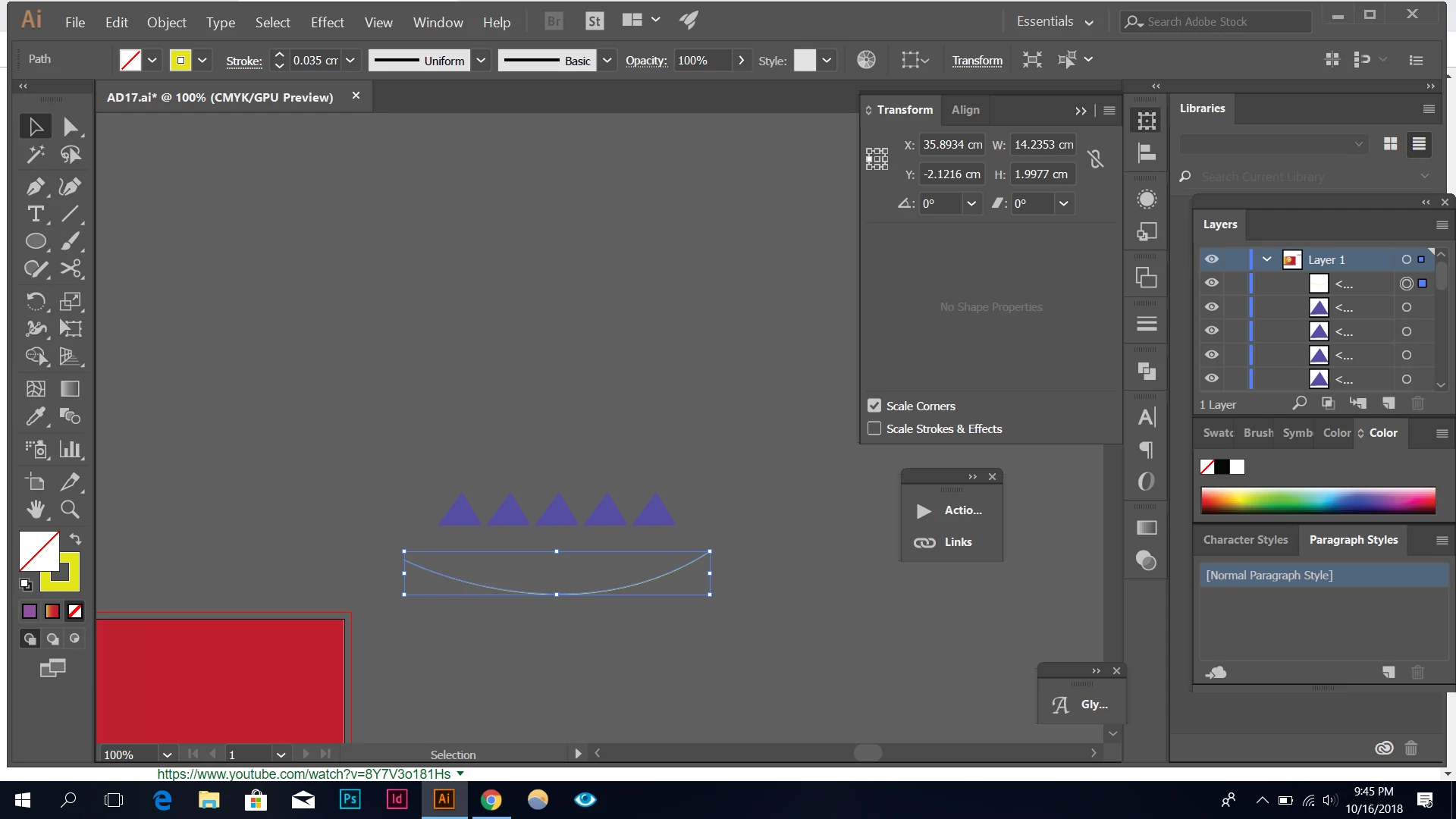
is there a way to align shapes along a stroke ?

    This topic has been closed for replies.
    Correct answer Jeff Witchel, ACI

    Here's a very old video about Blends that could help: http://www.jeffwitchel.net/2011/11/blend-tips/

    3 replies

    Jeff Witchel, ACI
    Community Expert
    Jeff Witchel, ACICommunity ExpertCorrect answer
    Community Expert
    October 17, 2018

    Here's a very old video about Blends that could help: http://www.jeffwitchel.net/2011/11/blend-tips/

    Jacob Bugge
    Community Expert
    Community Expert
    October 16, 2018

    doh,

    In addition to what Monika said, for a Blend:

    1) Remember to use Orientation>Align to Part, or all the triangles will retain their horizontal lower sides;

    2) Be aware that you will probably need to Path>Add Anchor Points to the path (a sufficient number of times, you can see when you have enough), or the distribution will be uneven;

    3) Be aware that the Blend fundamentally runs between the centres of the Bounding Boxes of the (outer) paths defining the Blend, and so should the Spine path.

    October 17, 2018

    i didnt get what you're trying to say.How do i change the orientation?

    Jacob Bugge
    Community Expert
    Community Expert
    October 17, 2018

    the Orientation i s in the Blend Options, which you can apply before or after creating the Blend (in the latter case with the Blend selected).

    Monika Gause
    Community Expert
    Community Expert
    October 16, 2018

    Make two shapes and then create a blend between them and replace the spine. Other option: a scatter brush