Answered
Exclude Stroke from selection
Hi everyone.
Someone on Youtube made it so when he selects objects the Stroke isn't included in the selection.
Any idea on how to replicate it?
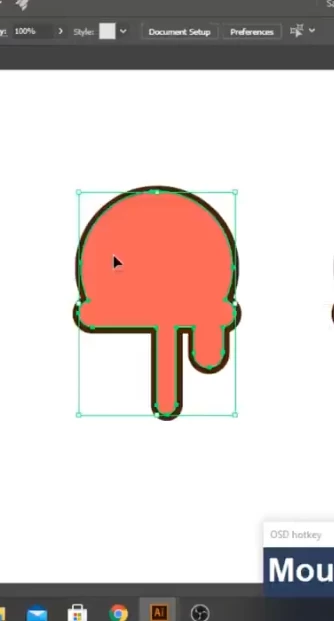

Hi everyone.
Someone on Youtube made it so when he selects objects the Stroke isn't included in the selection.
Any idea on how to replicate it?
It's difficult to see in the first part of the video (with the blue highlight) if the highlight contains the stroke or not.
What happens is:
- the color of the highlight is determined by the color of the layer, so maybe he creatd a new layer. Or changed the color (use the layers panel for that).
- the stroke is aligned to the outside. Use the strokes panel to do that.
- the bounding box is set up to not use Preview bounds. Use Preferences > General to set up that.
Already have an account? Login
Enter your E-mail address. We'll send you an e-mail with instructions to reset your password.
 AdChoices