Participant
January 26, 2023
Answered

Export do not match with file

  • January 26, 2023
  • 2 replies
  • 748 views

Hello,


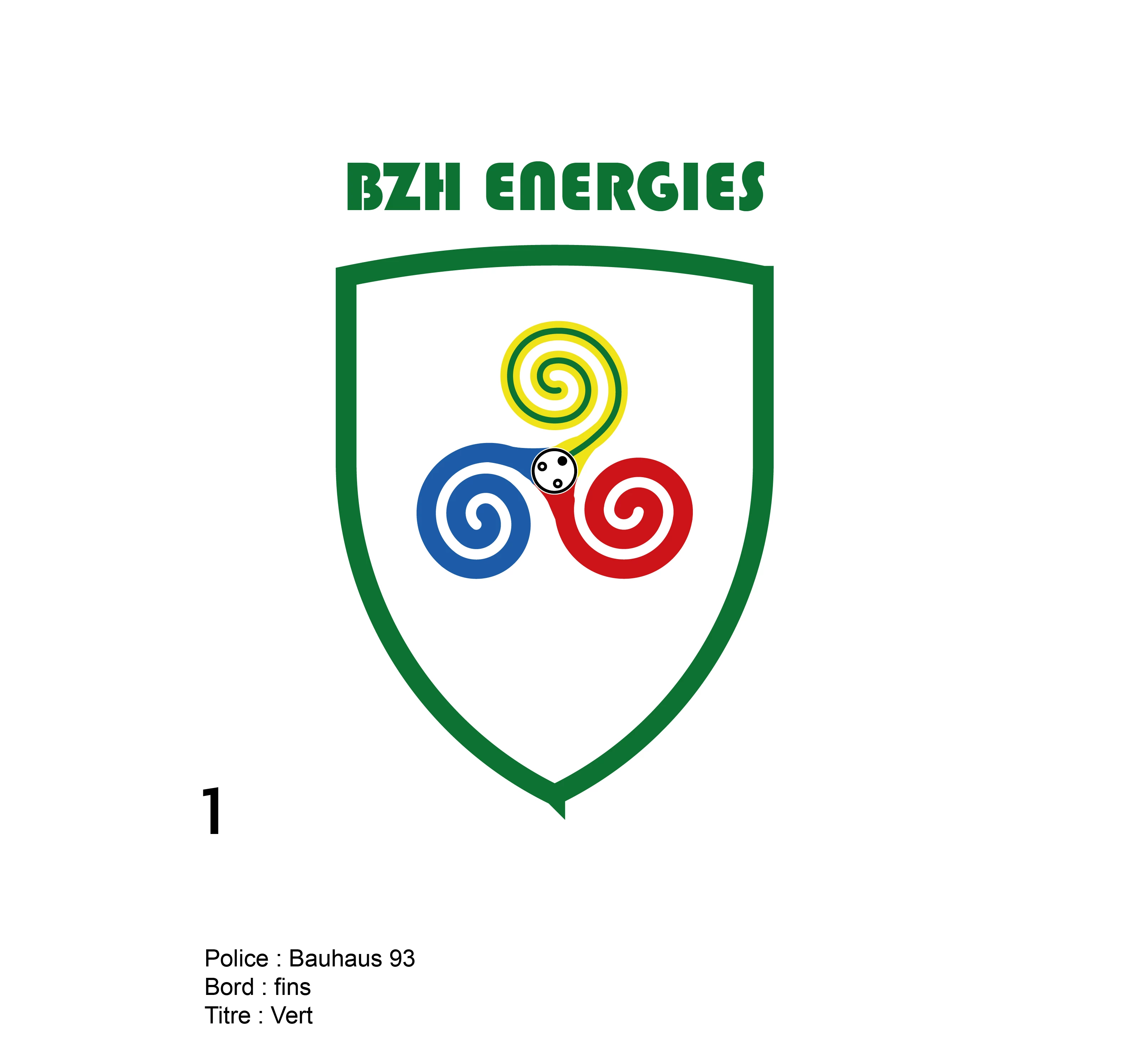
I built a logo in illustrator and when I export differences appear. Where can this come from ?


In Illustrator :

After export :
 

Thank you for your help

Luc

This topic has been closed for replies.
Correct answer Jacob Bugge

Luc,


In addition to what Ton said, I believe we are looking at three Anchor Points at the bottom, the lowest on being a wee bit futher down and an even weer bit to the right.


And it seems that you have two slightly mismatched open end Anchor Points at the upper left corner, one.


You can deselect, zoom way in, and click the outer path with the Direct Selection Tool to see all the Anchor Points.


And you can count the number of Anchor Points in Document Info and see how much it is different to the expected number, and whether the path is closed or open.


Edit: Hi Ton, surprise visit by the sun today.


2 replies

Jacob Bugge
Community Expert
Jacob BuggeCommunity ExpertCorrect answer
Community Expert
January 26, 2023

Luc,


In addition to what Ton said, I believe we are looking at three Anchor Points at the bottom, the lowest on being a wee bit futher down and an even weer bit to the right.


And it seems that you have two slightly mismatched open end Anchor Points at the upper left corner, one.


You can deselect, zoom way in, and click the outer path with the Direct Selection Tool to see all the Anchor Points.


And you can count the number of Anchor Points in Document Info and see how much it is different to the expected number, and whether the path is closed or open.


Edit: Hi Ton, surprise visit by the sun today.


Participant
January 26, 2023

Thank you Jacob. I'll do it.

Jacob Bugge
Community Expert
Community Expert
January 26, 2023

I  for one hope you will report your findings in this intruguing case, Luc.


Ton Frederiks
Community Expert
Community Expert
January 26, 2023

Can you check the bottom point(s) it looks like multiple or not connected points instead of a single one.

Participant
January 26, 2023

Thank you for your feedback.

In fact, it seams to be two points :

I grouped them, and now here is the export :


I don't understand why we don't get in exports what we see in illustrator


Jacob Bugge
Community Expert
Community Expert
January 26, 2023

Luc,


You path is (now) open; you can Direct Select them and Object>Path>Average, then Join them.


I wonder what happened to the spike, and whether you might have deleted the/a third Anchor Point beneath the others.


See my other post for reference.