

picard
Participating Frequently
December 15, 2022
Question

export pdf from illustrator, open pdf in acrobat, export png always white bg

  • December 15, 2022
  • 2 replies
  • 1587 views

Hi,

I've exported an illustration from illustrator to pdf with a transparent background. It worked, and in acrobat it also has a transparent background. But when I try to export it as a png, it always gets a white background. it drives me mad 🙂 there is also no option apparently in Acrobat to export with transparency. Can anyone help me please? 🙂 


Here's a screenshot of my pdf-file in acrobat pro: you can see the transparent bg. 
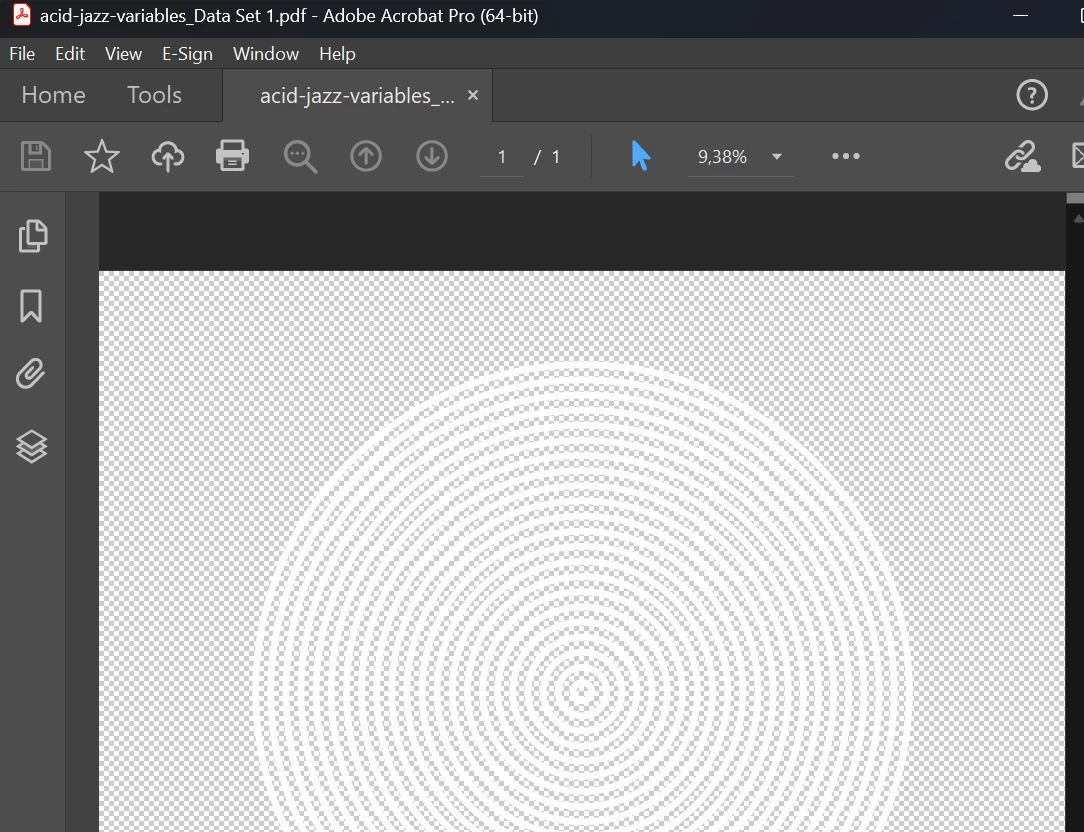
Then I export as png: 

and it get's this white bg: 

When I import the original pdf to photoshop, it again has the transparency, and it exports great as a transparent pdf. so the issue should be in Acrobat. 


Thanks in advance!! I've attached the file as an example.


This topic has been closed for replies.

2 replies

John Mensinger
Community Expert
Community Expert
December 15, 2022

Instead of exporting to PNG from Acrobat, just open the PDF in Photoshop.

picard
picardAuthor
Participating Frequently
December 15, 2022

thanks! the problem is that i have 60+ pages of pngs in acrobat and want to export them simply as png. if I open it in photoshop, I have to automate/batch export which is too complicated for my workflow (it takes much longer). as it is transparent and acrobat can export pngs, I thought there MUST be a way to just simply export which is one click instead of a complicated batch automation export

John Mensinger
Community Expert
Community Expert
December 16, 2022

ha, that's a good question - i do an automation with changing words in the file with variables fed by an excel file. When I batch-export, ai always uses the name of the artboard when saving the different files, so it overwrites the same file over and over again. the only way to batch export it correctly is by saving the file (not exporting), and the only filetype to save it (besides ai etc.) is pdf. so i have 60+ pdfs, merge them in one and want to export them as pngs, but that's not working, because of the transparency issue 😕😕


Alright then, try this:

Open the 60+-page PDF in Illustrator. Use Export for screens, all artboards, PNG...

Monika Gause
Community Expert
Community Expert
December 15, 2022
picard
picardAuthor
Participating Frequently
December 15, 2022

Thanks, ok, i thought maybe it has something to do with my adobe illustrator export. I've posted it there as well now