
Known Participant
March 7, 2018
Question

Export SVG changed the dashed line

  • March 7, 2018
  • 1 reply
  • 3237 views

Hello,

I am using Illustrator CC 2015.1.0. I have dashed lines in my drawing for center line.

I have a script to align dashes to corners and path ends. This works fine. Then I have my drawing in Illustrator:
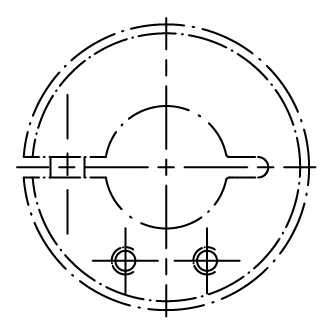
I have to export the drawing in several formats, like png, jpg and svg.

The export to png and jpg is correct. But the export to svg is wrong.

The dashed line in the center is not correct. Look here:
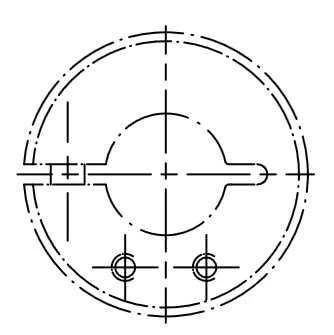
It seems, that the SVG Export adjust the dashes. What can I do?

Best regards

Harald

    This topic has been closed for replies.

    1 reply

    Monika Gause
    Community Expert
    Community Expert
    March 7, 2018

    SVG doesn't support this alignment of dashes.

    Known Participant
    March 7, 2018

    Thank you for this quick response.

    That means, the SVG Export is not using the alignment of the Illustrator?

    Known Participant
    March 7, 2018

    Expanding them will outline the strokes.

    You could try the adjust dashes script s.h's page : Scripts for Adobe Illustrator CS


    I use exactly this script to adjust the dashes.