Participant
June 13, 2021
Answered

Export SVG to Fusion 360

  • June 13, 2021
  • 2 replies
  • 7302 views

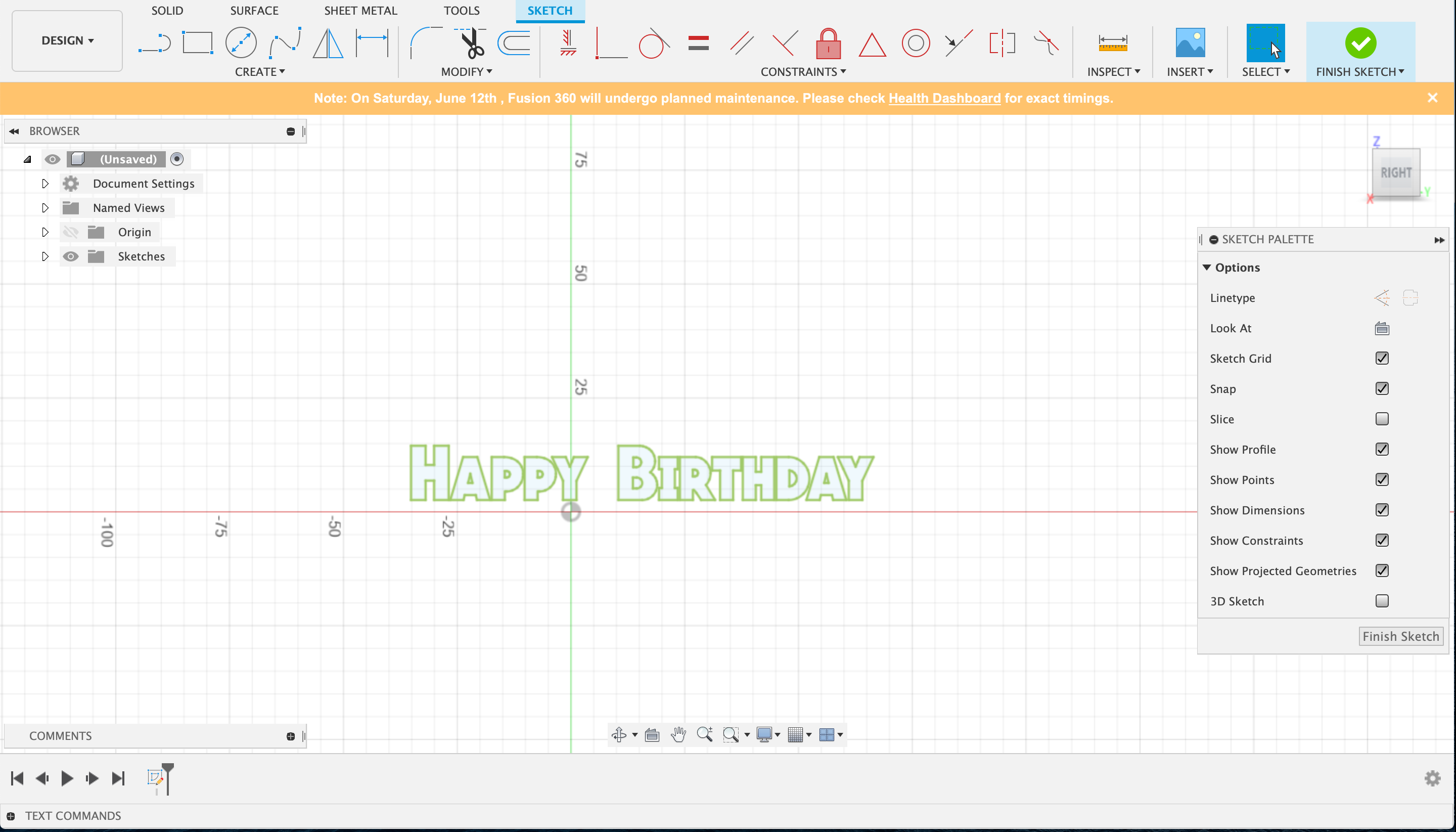
Having trouble with importing a saved SVG file from Illustrator into Fusion 360 for 3D work. I've created "Happy Birthday" with a stroke around it but when I import into Fusion it only shows the writing and no outline of the stroke. This is driving me crazy as I've seen a youtube video (attached) with the author importing SVG files into fusion and I followed every step but somehow it's not showing the stroke outline around the words. I've attached the HBD SVG file and a screenshot of the SVG file when I import into Fusion 


https://www.youtube.com/watch?v=r-oeuuIE2TA&list=PLS1wjEoCLinSHNXakUWzohG9G66yx7QNe&index=7 

This topic has been closed for replies.
Correct answer Mylenium

You need to convert the stroke to an outline by expanding it (again). 3D printing/ cutting works on actual contours only, not parametric definitions of strokes and all that.


Mylenium

2 replies

Mylenium
MyleniumCorrect answer
Legend
June 14, 2021

You need to convert the stroke to an outline by expanding it (again). 3D printing/ cutting works on actual contours only, not parametric definitions of strokes and all that.


Mylenium

Civan5E5AAuthor
Participant
June 14, 2021

It worked! Thank you very much for your assistance Mylenium!!

Monika Gause
Community Expert
Community Expert
June 13, 2021

I haven't watched that video.


Did you outline the strokes after creating it?


Exactly how did you create it? Please tell us step by step.

Civan5E5AAuthor
Participant
June 14, 2021

Thanks for responding Monika! Sure thing!


1) Created the word and went to "Object" in tool bar and selected "expand"

2) Duplicated the layer

3) Locked the duplicated layer and then went to the original layer and increased the weight the the stroke of the word

4) The stroke has covered the word and now it is black and can't be seen s went back to the duplicated layer and changed the word fill to white

5) Saved file as SVG