
Exported a map from an .MXD (ArcGIS) to .AI, why did some textboxes including '≤' come in as '=' ?
I will post the area in question below.
Here is the "before" of the legend in ArcGIS, an MXD file:
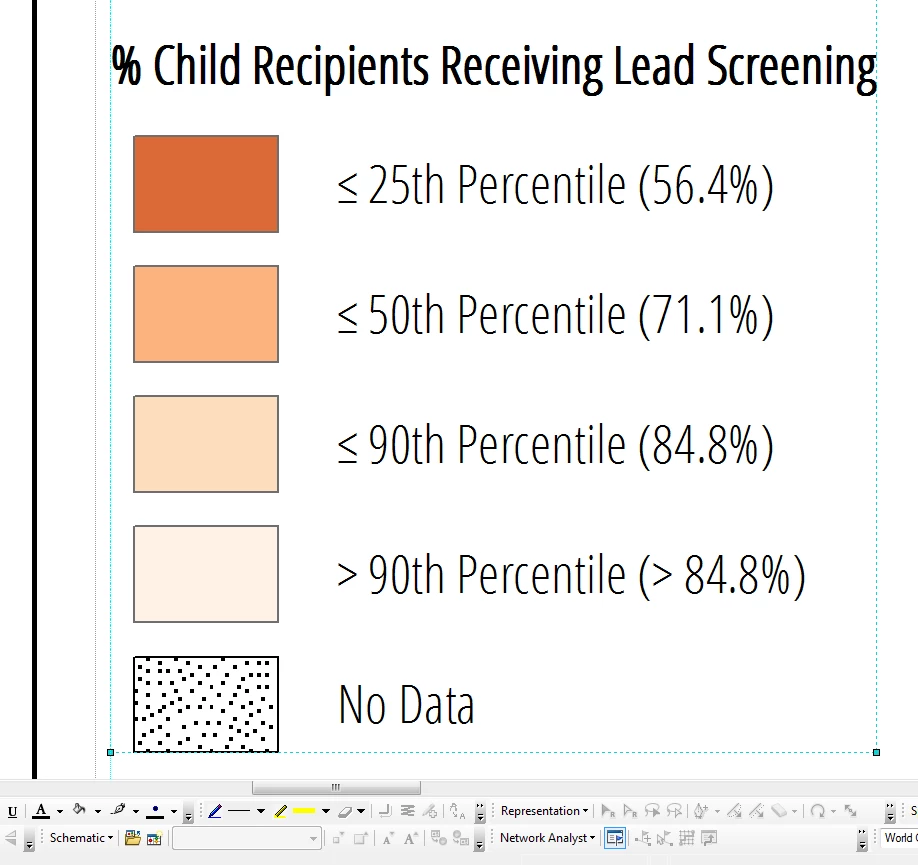
When I export the entire map to AI, it mostly comes into Illustrator just fine, but when I go to look at the textboxes from the legend, those less than or equal to signs have turned into equal signs, what's up with that?
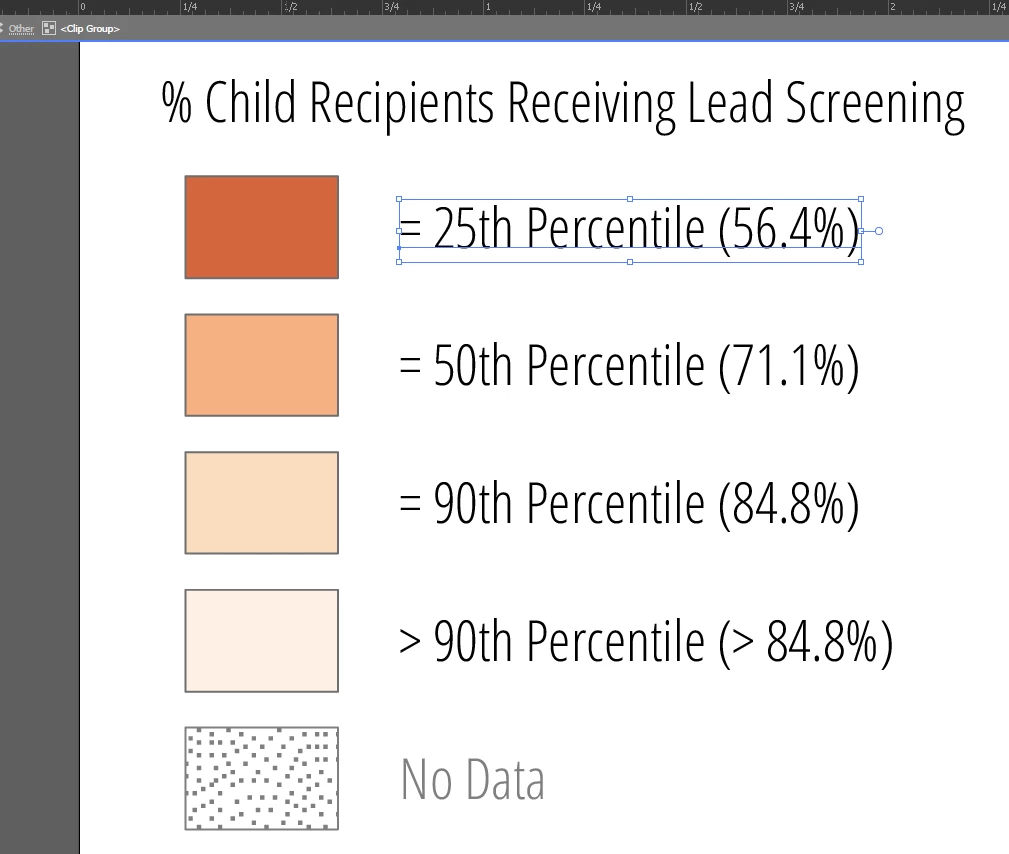
I can change them just fine once I'm in Illustrator but it seems to happen every time with those symbols. Is there a setting I can make to fix this?
Also, this file was never in PDF format. I was created in ESRI's ArcGIS 10.4, a map document file (MXD), and I exported the map directly to AI and opened it in there. These textboxes were grouped as a legend element in ArcGIS so in Illustrator they do come in all grouped together still.
 AdChoices