Hi there,
Sorry to hear about this trouble. Some users have reported a similar issue. Are you using the Photos app to view the CMYK jpegs? Recently, there was a bug CMYK images turned black while viewing them in the Windows Photos app, but they looked fine in Paint or Windows Photo Viewer apps. If you are facing a similar issue, please try one of these workarounds until it gets fixed by the Microsoft Windows Product team:
- Export images in RGB
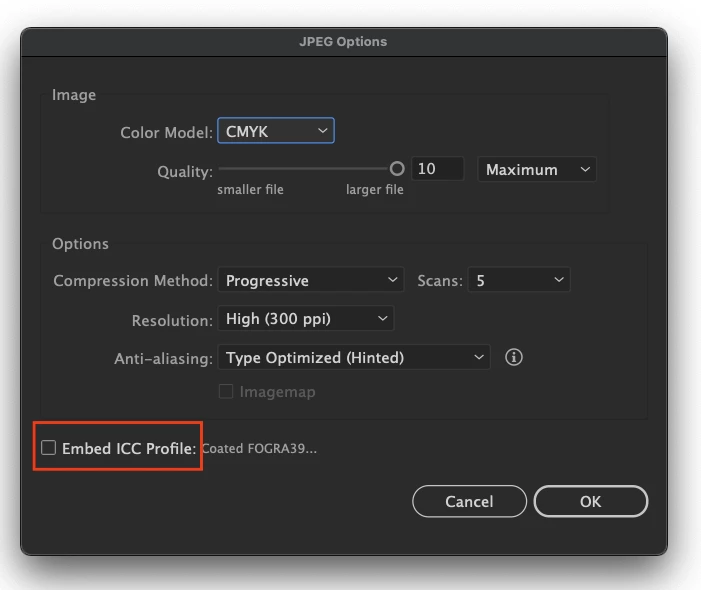
- If you want to export the images in the CMYK profile only, then uncheck the Embed ICC Profile option.
- Open the images by default in the Windows Photo viewer app.
Let us know if you need any further assistance; we'd be happy to help.
Thanks & Regards,
Anshul Saini

 AdChoices