Inspiring
December 21, 2020
Question

Exporting AI to PSD higher than 300 ppi

  • December 21, 2020
  • 2 replies
  • 1663 views

The title says it all.

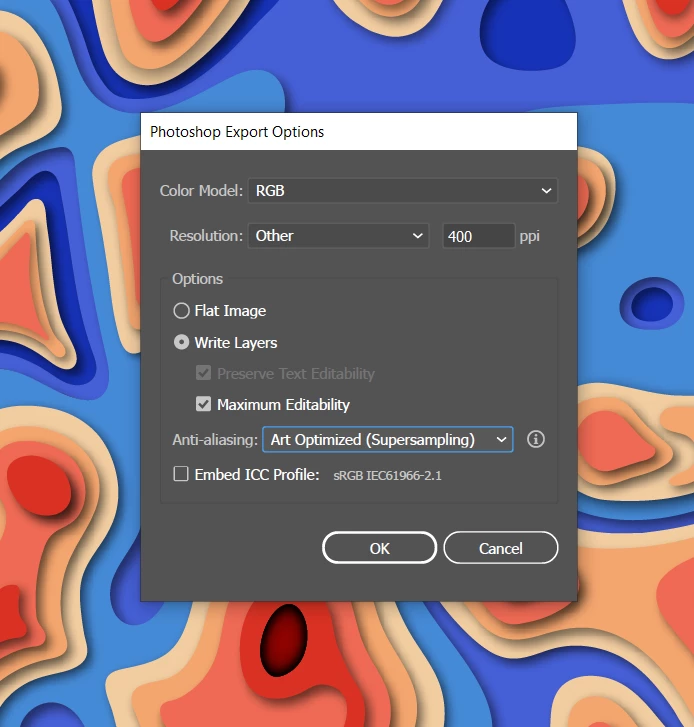
I'm trying to export my Illustrator file into a PSD file and I was wondering if this could be done at a resolution higher than 300 ppi.


I would like to zoom in when I'm animating it in Photoshop but I'd like my edges to be crisp.
At 300 ppi they're kinda sharp but I'd like then to be sharper still). 


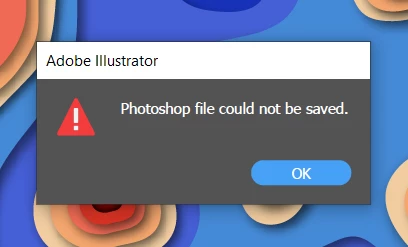
I've tried several settings but so far no success 


This topic has been closed for replies.

2 replies

Ton Frederiks
Community Expert
Community Expert
December 21, 2020

Just an idea; animating and zooming in on .ai files and keeping the best resolution is a perfect job for After Effects.

Inspiring
December 28, 2020

I've imported my .ai file into After Effects.


Import as Footage (merged layers) > Convert to Layered Composition > Create Shaped srom Vektor Layer


I've tried a few other ways of importing as well but I just can't retain the sharpness I get when zooming in even on 200%

like  I would in Illustrator. 


Monika Gause
Community Expert
Community Expert
December 28, 2020

You need to turn on the continuous rendering in the timeline.

Monika Gause
Community Expert
Community Expert
December 21, 2020

Your image is probably too large or has too many layers for higher resolution.

Inspiring
December 22, 2020

So do you think it's a hardware limitation ?

Perhaps I could do it on a more powerful PC ?