
Participating Frequently
November 27, 2023
Question

Exporting PNG Transparency Not Working in Illustrator 2023/2024

  • November 27, 2023
  • 4 replies
  • 1513 views

Hi Community, 

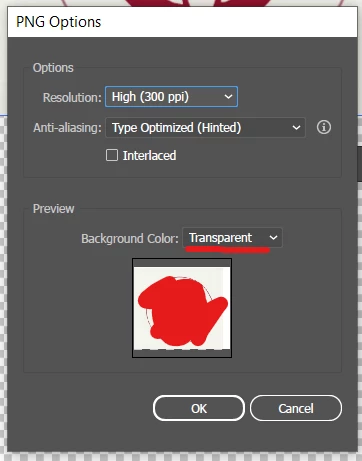
I am attempting to make a logo into a vector then export it with a transparent background. I used image tracing then export as... but when I attempt to it will not make the image transparent except for the very bottom. 


I was wondering if anyone knew how to solve this issue? Is it due to imaging tracing? When I attempt to delete the white background it deletes the whole image as well. 


This topic has been closed for replies.

4 replies

albertpedrosa
Community Expert
Community Expert
November 29, 2023

Didi you tried to expant the object after tracing? After expanding you can start removing backround or any vector to you want to remove from the artwork. Then export to png. 
Just my thoughts. 

Jacob Bugge
Community Expert
Community Expert
November 28, 2023

Rachel,


Apologizing if these questions are too silly:


Why image trace a raster image into a vectorized representation, then turning it back into a raster image (rather than working with it in its raster format in Photoshop)?


Why use 300PPI rather than just working with the actual pixel x pixel size?


Participating Frequently
November 29, 2023

Hi Jacob, this is not a silly question at all! I am somewhat new to Adobe, the reason for not using Adobe Photoshop is that my driver is unable to run the software. 


The reason for vectorizing the image is that it is a photo of the logo. I wanted to make a transparent logo that could be scaled and was higher resolution. 

Kurt Gold
Community Expert
Community Expert
November 29, 2023

Please share the original Illustrator file, so one can take a look.


Ares Hovhannesyan
Community Expert
Community Expert
November 27, 2023

Did you try "Save For Web Legacy" from Export? GIF or PNG?

Participating Frequently
November 28, 2023

Hi Ares, I attempted to use Save for Web Legacy but it still shows the white box around the logo/image even with transparency 


Ares Hovhannesyan
Community Expert
Community Expert
November 28, 2023

is it possible to see your layers structure capture? Thanks

Ton Frederiks
Community Expert
Community Expert
November 27, 2023

Does the background look transparent when you choose View > Show Transparency Grid?

Did you expand the Live Trace?

Can you ungroup the objects and select the white areas with the Direct selection tool?

Participating Frequently
November 28, 2023

Hi Ton, the background is not transparent when I view the grid. I expanded the live trace but I'm unable to make Illustrator recongize that there are objects within the logo (direct selection only selects the whole image)

Monika Gause
Community Expert
Community Expert
November 28, 2023

If you select it and then delete - does that work?

You might have traced it as stacked. And then the bottom object it as large as the whole thing.