

Answered
Exporting print quality PDF from Illustrator Images apear low res
I've seen many posts similar to this and none of the suggestions work for me.
I'm working on a packaging file and I've always just done this - Save a copy > adobe PDF > Preset [Press quality] > Save
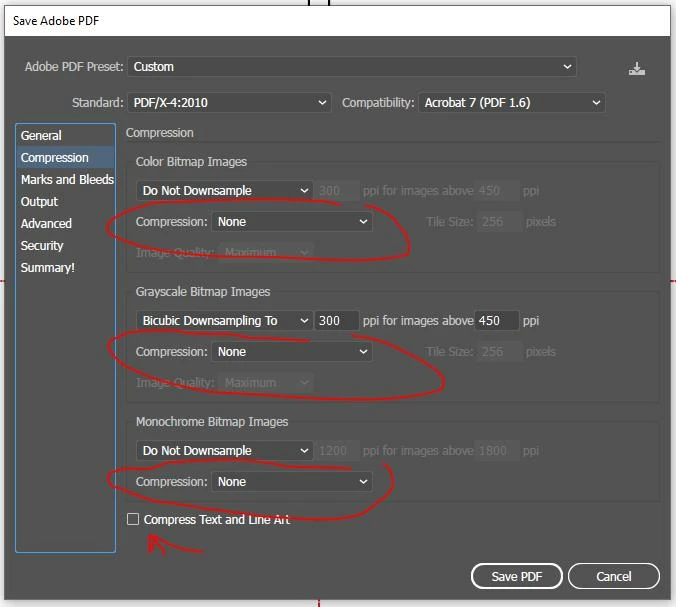
Output is press quality and good to go. Now when I do that it outputs a PDF but all of the images appear to be compressed down to 72 dpi or something. I've tried all of the default settings and also tried custom ones like turning off compression. I've tried exporting as Acrobat 5,6,7, and 8, the result is the same (low res blurry images.
I believe this might be a bug with either Illustrator 24.3 or Acrobat because it didn't happen until I upgraded to V24.3.
Is anybody else have this problem?

Windows 10
Illustrator 24.3 64-bit
 AdChoices