Known Participant
April 4, 2019
Question

Exporting to PDF messes up my document

  • April 4, 2019
  • 2 replies
  • 2539 views

Hey guys, quick question:

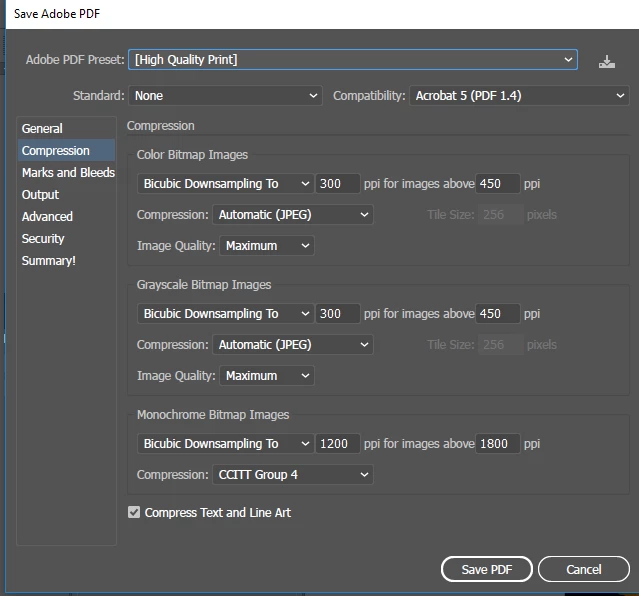
I know how to export Illustrator to PDF, but I apparently don't know how to do it well. I tried all tutorials and instructions I could find but nothing solves my problem.

Whenever I export an Illustrator file with things like complicated blending modes and layers, those always end messed up in the PDF, like in the example below. Other issues include entire layers or certain colors not being displayed at all and the PDF looking different on other devices. None of these issues occur when I export the file to JPG / PNG or any other file format.

Could it be something in my export settings? Or my document setup? I'm at a complete loss.

Thanks in advance!

This topic has been closed for replies.

2 replies

Legend
April 4, 2019

Unfortunately, this is what happens. They are all different software, made by different people, with different bugs, and different priorities.

Legend
April 4, 2019

What app are you viewing in, exactly, including version? (Not what is installed, but the actual app at that moment)

finv1995Author
Known Participant
April 4, 2019

This is in Adobe Acrobat Pro DC, which displays it as it should be.

This is in Google Chrome.

This is a screenshot my customer sent me, not sure in which program.

The problem seems to be with how the layers and blending modes work after exporting to PDF. The result I'm looking for is a simple, flat version of my work without any seperate layers or objects.

Thanks again!

John Mensinger
Community Expert
Community Expert
April 4, 2019

finv1995  wrote

This is in Adobe Acrobat Pro DC, which displays it as it should be.

That is the only reliable test of what is actually in a PDF.

Adobe cannot control the results in other viewers and browser plug-ins. This is a long-standing but inescapable drawback of PDF, and the fact that there are so many viewing possibilities. When working with clients, you must instruct them to download and install the Latest version of the stand-alone Adobe Reader and use only that to make judgements of PDF's you provide.