
Participant
January 23, 2021
Answered

Exporting vectors with an effect in Illustrator

  • January 23, 2021
  • 3 replies
  • 535 views

How do I export just the selection of a circle that has an effect added to it from Illustrator?

I'm trying to export just a circle that I have added an effect to -
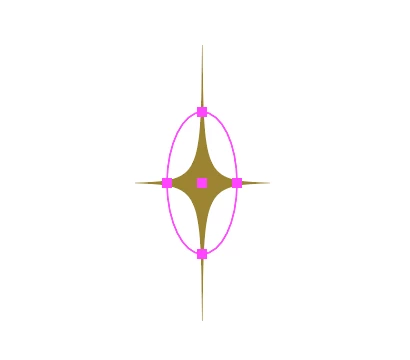
 

Effect > Distort & Transform > Pucker & Bloat


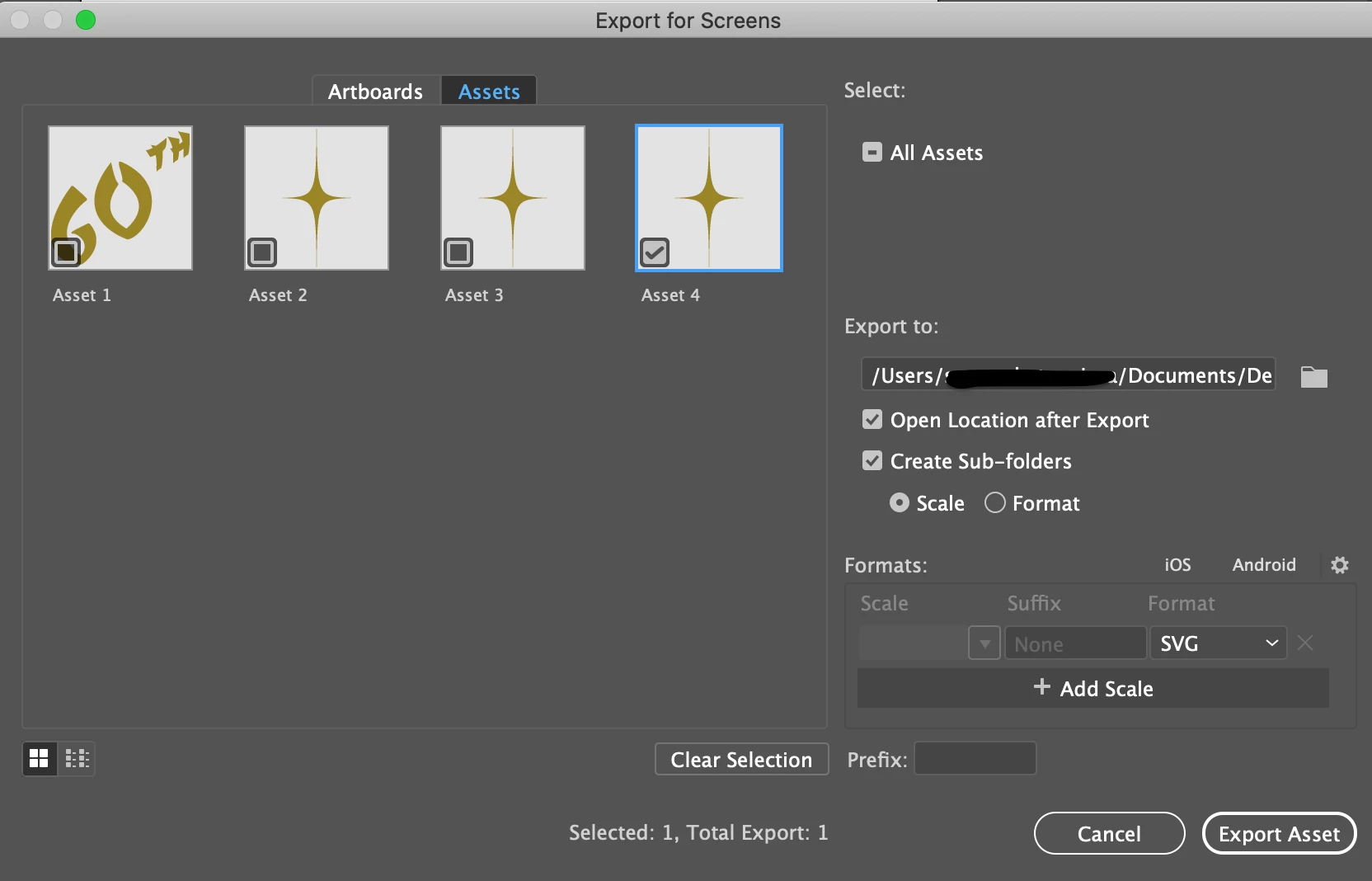
When I choose the option "Export Selection", it shows in the preview as being correct:
 

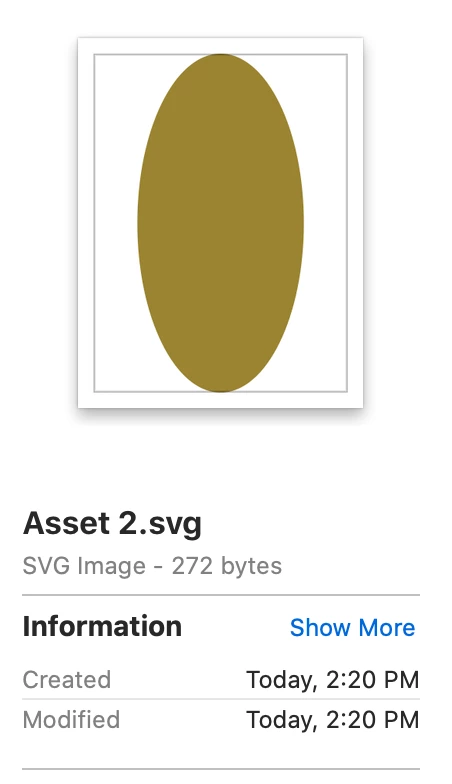
But when I preview it in the Finder folder and also place it into a InDesign document it appears like this as just the circle minus the effect:
 

How do I export just the selection of a circle that has an effect added to it from Illustrator?
 

This topic has been closed for replies.
Correct answer Ton Frederiks

Looks like a bug that has been mentioned before.

I could find this at Uservoice, but they don't have enough votes to trigger action.

https://illustrator.uservoice.com/forums/601447-illustrator-desktop-bugs/suggestions/40092373-bug-svg-export-problem

https://illustrator.uservoice.com/forums/601447-illustrator-desktop-bugs/suggestions/38994874-saving-as-an-svg-file-the-part-that-should-be-the

It is easy to create with ovals or rectangles with a Pucker and Bloat effect applied, even when the appearance is expanded.

3 replies

Ton Frederiks
Community Expert
Ton FrederiksCommunity ExpertCorrect answer
Community Expert
January 23, 2021

Looks like a bug that has been mentioned before.

I could find this at Uservoice, but they don't have enough votes to trigger action.

https://illustrator.uservoice.com/forums/601447-illustrator-desktop-bugs/suggestions/40092373-bug-svg-export-problem

https://illustrator.uservoice.com/forums/601447-illustrator-desktop-bugs/suggestions/38994874-saving-as-an-svg-file-the-part-that-should-be-the

It is easy to create with ovals or rectangles with a Pucker and Bloat effect applied, even when the appearance is expanded.

tromboniator
Community Expert
Community Expert
January 23, 2021

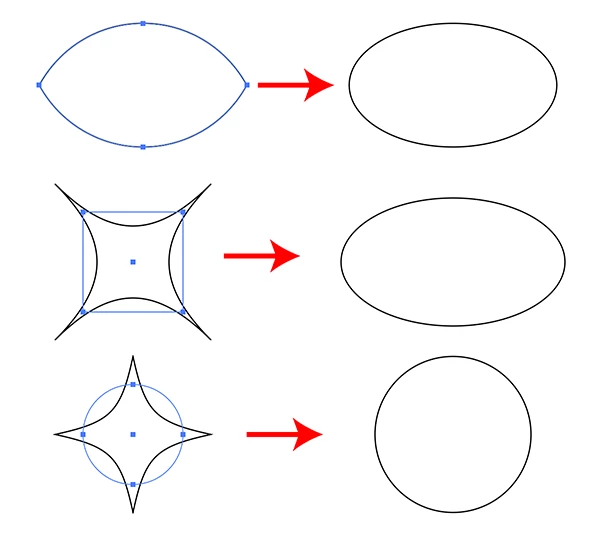
I can confirm Samantha's result. I drew an ellipse, applied pucker, expanded, exported asset as svg, which yielded an ellipse. I applied bloat to the ellipse, expanded, exported, got an ellipse. I drew an arc, reflected vertically, reflected both horizontally, joined all, yielding the four-pointed concave star shape, exported as svg, and got an ellipse. Not a solution, I know, but it's not a unique occurrence. Is it a characteristic of svg, or a bug?


Peter

lambiloon
Community Expert
Community Expert
January 23, 2021

Hi first you need to convert this effect to final shape using expand appearance from object menu....regards

Ali Sajjad / Graphic Design Trainer / Freelancer / Adobe Certified Professional
Participant
January 23, 2021

Hi, it's still showing us just a circle when I export it..

It's showing as the shape now in illustrator and in the preview before I export it -


But once it's in my documents it's still a circle