


Participant
July 18, 2017
Answered

Fastest colormatching option in illustrator?

  • July 18, 2017
  • 1 reply
  • 1563 views

Hi, i'm looking for a way to automatically generate color variations from a predetermined color.

The way that would be optimal would be to have a square of 100x100mm with the right color, for example 0 / 50 / 50 / 0

And have multiple squares next to it that would add or detract 5% of each color value.

For example [-15 Cyan] [-10 Cyan] [-5 Cyan] [original color] [+5 Cyan] [+10 Cyan] [+15Cyan] etc.

This would ofcourse also be needed for Magenta, Yellow and black.

I know you can achieve a similar result with the blend tool, however the blend tool changes more than just one color value.

Is there a tool in illustrator that can achieve this, or does someone know of a script / plugin that does this?
This topic has been closed for replies.
Correct answer kphotopage

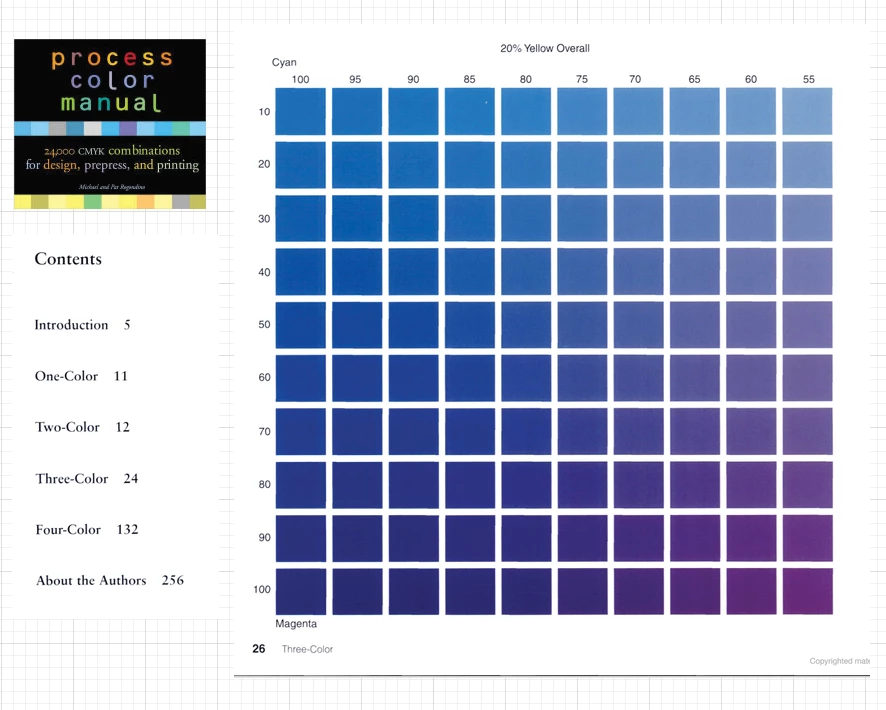
I have this printed book you may find helpful.

Process Color Manual

24,000 CMYK combinations for design, prepress, and printing

by Pat Rogondino, Michael Rogondino


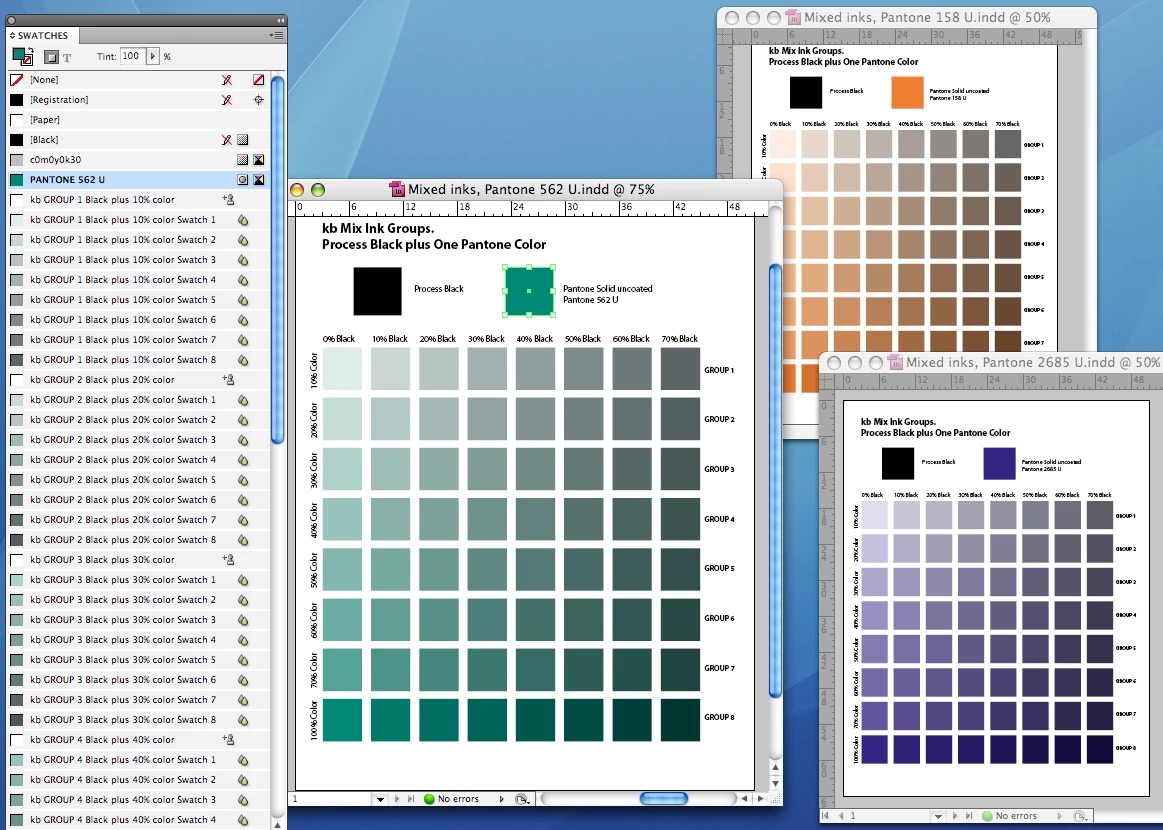
Long ago, I had a two color large project.

Black + one Pantone color.

I made up one master template using InDesign Mix Inks.

If I wanted a different Pantone color, no problem.

K

1 reply

Doug A Roberts
Community Expert
Community Expert
July 18, 2017

using your 0/50/50/0 example, with the extremes of the blend being 0/20/50/0 and 0/80/50/0, i'm not seeing an expanded blend change anything other than the one colour value in a CMYK document profile.

Participant
July 18, 2017

When i use blend on a square that is 0 / 50 / 50 / 0 and have 19 blend steps with on the left side a white square and on the right side a black square the first value to the left from the middle is 0 / 47.5 / 47.5 / 0 and on the right it is 0 / 47.5 / 47.5 / 5.
The reason i want the predetermined changes of +5 in a single color is i want to create a chart where you input a single color and then preferably a script will create the other color variations.
This will be usefull when trying to finetune a color for printing output that needs to resemble another color with the least amount of difference possible.

Doug A Roberts
Community Expert
Community Expert
July 18, 2017

Jonas_Print_Op  wrote

When i use blend on a square that is 0 / 50 / 50 / 0 and have 19 blend steps with on the left side a white square and on the right side a black square the first value to the left from the middle is 0 / 47.5 / 47.5 / 0 and on the right it is 0 / 47.5 / 47.5 / 5.

is this incorrect to you? i don't understand.